





What Are Spam Traps?
Spam traps don't belong on your email list. Learn what they are and how they affect your deliverability.
Learn moreYou'll find disposable emailsⓘ in almost any email list. They're free, easy to find and offer some anonymity in a less private internet world. But they also wreak havoc on email deliverabilityⓘ. However, we're here to help.
In this guide, you'll learn the following:
A disposable email is a temporary email address that will automatically expire after some time.
These "fake emails" or "burner accounts" only last for short periods. These can range from thirty minutes to a few days, depending on the site used to create them.
During this time, the owner can receive mail just as they would in their primary inbox. Some temporary email services allow users to send outgoing messages.
However, after the timer expires, the address self-destructs and is no longer valid.
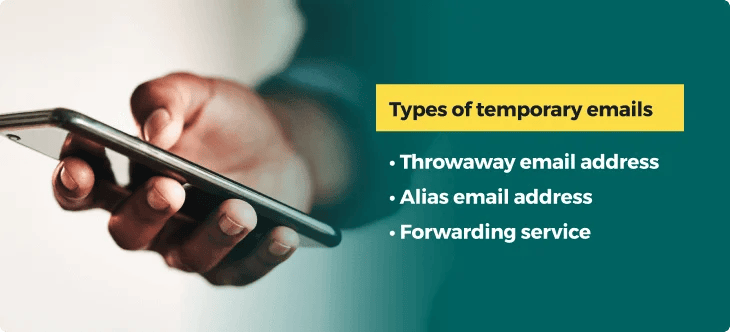
People can use three types of disposable emailsⓘ in place of their primary email addresses.
Throwaway email accounts are fake emails you can create using a third-party service. These sites randomly generate a unique address containing random words or numbers, which deactivates after a set period.
While it's active, incoming messages reach the inbox successfully. After the address expires, it becomes invalid, and future emails will bounce.
An alias is a temporary email you can create using your primary email provider. This alternate version of your email address allows you to point certain types of messages to different folders. They help users filter their inboxes while still using their primary email account.
Forwarding services offer similar benefits to a throwaway burner account. Users can set up a temporary address, forwarding all messages to their primary email inbox. Forwarding addresses can remain active if the user maintains their service account.
People use temporary email addresses to protect their privacy and avoid spammy email content.
In our study of over six billion email addresses, 1.32% were do-not-mail addresses. Temporary emails are among these, with over 5 million burner accounts on average entering our detection and validation tools. These types of email accounts are no minor issues.
People may create and use fake emails for sites they don't trust. If your site is unsecure or your content is spammy, you may receive some sign-ups with disposable addresses until they can verify that you're a trusted sender.
Others may exclusively use burner accounts outside of their trusted network. It's a great way to claim those free offers without opening your inbox to unwanted email campaigns.
Like many anti-spam tactics, they're excellent for the average person. However, they are harmful to your email marketing and your sender reputation.
Here's what can happen when disposable emailsⓘ linger on your email list.
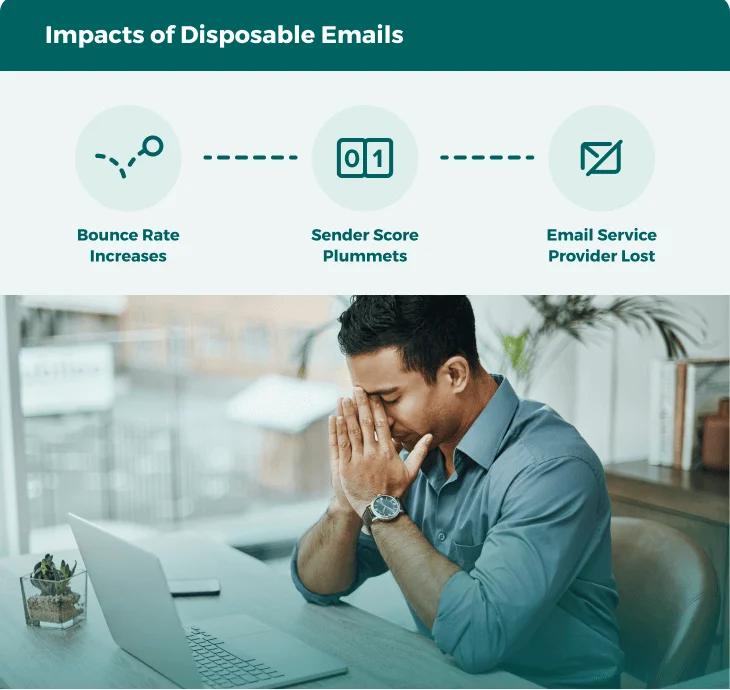
Even if a disposable email address initially shows as "valid," it will eventually self-destruct. After that, all of your future messages will bounce.
The general rule is to keep your bounce rate below 2%. Your bounce rate will climb rapidly if your email list contains invalid or fake emails.
Every email domain has a reputation. This sender scoreⓘ is a number that illustrates your emailing behaviors and habits to other internet service providers (ISP). A high score indicates a trusted sender, whereas low scores indicate spammers.
Factors like your bounce rate and email list health directly impact your sender scoreⓘ. If you're emailing disposable addresses, your bounce rate climbs, and your reputation suffers. You'll start noticing more bounces and spam placements as ISPs are less likely to trust you.
You need to maintain a strong sender scoreⓘ to continue using your ESP. Each service has guidelines regarding acceptable sending practices. This includes your allowed bounce rate, sending frequency, and email list hygieneⓘ.
Throwaway addresses eventually become invalid. That translates to poor list health, more bounces and a lousy reputation. If this pattern continues, your ESP may suspend your account.
The only way to block disposable email addresses is to identify them before you publish your email campaign. There will always be others that use fake emails, so it's up to you to take pre-emptive action.
You can quickly identify a throwaway address with email validationⓘ. An email validator can process all of your contacts and determine which are valid, invalid or harmful, including:
Disposable emailsⓘ fall under the "do not mail" category as they are exclusively harmful. You'll be able to check the sub-status of the result to see precisely how many people use burner accounts when registering on your forms.
However, an email validationⓘ API is the best way to stop disposable email signups altogether.
The API is a tool you can install anywhere on your favorite platforms, websites, landing pages and anywhere else you collect email leads. Here's how it works:
The ZeroBounce email validationⓘ API is the most reliable disposable email blocking tool available, with a 99.6% accuracy guarantee. This is possible thanks to our cutting-edge internal technologies, including anti-greylisting, which drastically reduces the number of unknown results.
With this tool, you have a reliable method of disposable email filtering in your marketing arsenal. It's by far the most effective strategy you can use to protect your email reputationⓘ.
Related Links:
You can't stop users from signing up for burner accounts. However, you can help prevent disposable email registration on your forms by ensuring your brand appears trustworthy.
To help quell privacy and spam concerns of new potential customers, be sure to review the following:
Get 100 free monthly email verifications when you sign up with a business/premium domain

A burner email account is a temporary address that only functions for a short period. People use these to receive incoming mail while preserving their privacy and avoiding sharing their personal email addresses.
Users create disposable email addresses using third-party websites or tools. These sites generate a unique address containing random words, characters and numbers.
While the address is active, users can receive and sometimes send email messages. After a specified amount of time, the address will self-destruct. Afterward, all future messages sent to the fake email address bounce as it is no longer active or valid.
You can detect disposable email addresses by using an email validation service or API. It can identify active or expired throwaway accounts so that you can delete them or block them from entering your email list.
You can block them from your list by implementing an email validation API. Connecting this tool to your registration forms lets the validator assist you with disposable email blocking. If an email is valid, the registration form will accept it. If it is invalid or harmful, it will reject the address and block it from entering your email list.