

Integration
Want to improve HubSpot lead quality? Get email validationⓘ for HubSpot Forms today with our free add-on. Create a free account to access the HubSpot Forms integration and begin verifying email signups to keep your data clean.
Verify my HubSpot Forms signupsIntegration and API access included free with your account. Includes 100 free credits monthly for real-time email validation.
Integrate ZeroBounce with HubSpot today and get immediate access to all add-on features, including:
If you want to improve the quality of HubSpot Forms leads, you need to validate new signups.
ZeroBounce enhances your HubSpot data accuracy with 99.6% accurate real-time email validationⓘ. Whenever visitors enter an email address on your linked HubSpot Form, we check for invalid and high-risk email address types that lead to email bounces and other deliverability problems.
Block fake, low-quality signups with zero effort.
Intimidated by tech-heavy jargon and API functionality? No problem.
You can integrate ZeroBounce with HubSpot forms directly from your HubSpot dashboard. We walk you through the process. No technical expertise required.
Worried about bots or bad actors abusing your signup forms or email verification credits?
Quickly adjust throttle rules for any HubSpot Form in your account settings, and set a daily limit for how many email verifications we should perform daily. With this, you’ll never have to worry about overspending credits, and you can quickly pinpoint any HubSpot Forms experiencing a high level of unusual signup activity.
To get HubSpot Forms email verification now, you’ll need two things:
Then, we walk you through the rest of your journey to improve HubSpot lead quality.
Installing the HubSpot app is only the first half. Configuration, Forms, and Logs stay locked until you link ZeroBounce.
Step 1: Go to https://www.zerobounce.net/members/signin and sign in with your ZeroBounce account. After that go on the menu on the left and click Integrations.
Step 2: On the Integrations page select HubSpot Form from the Integration List.
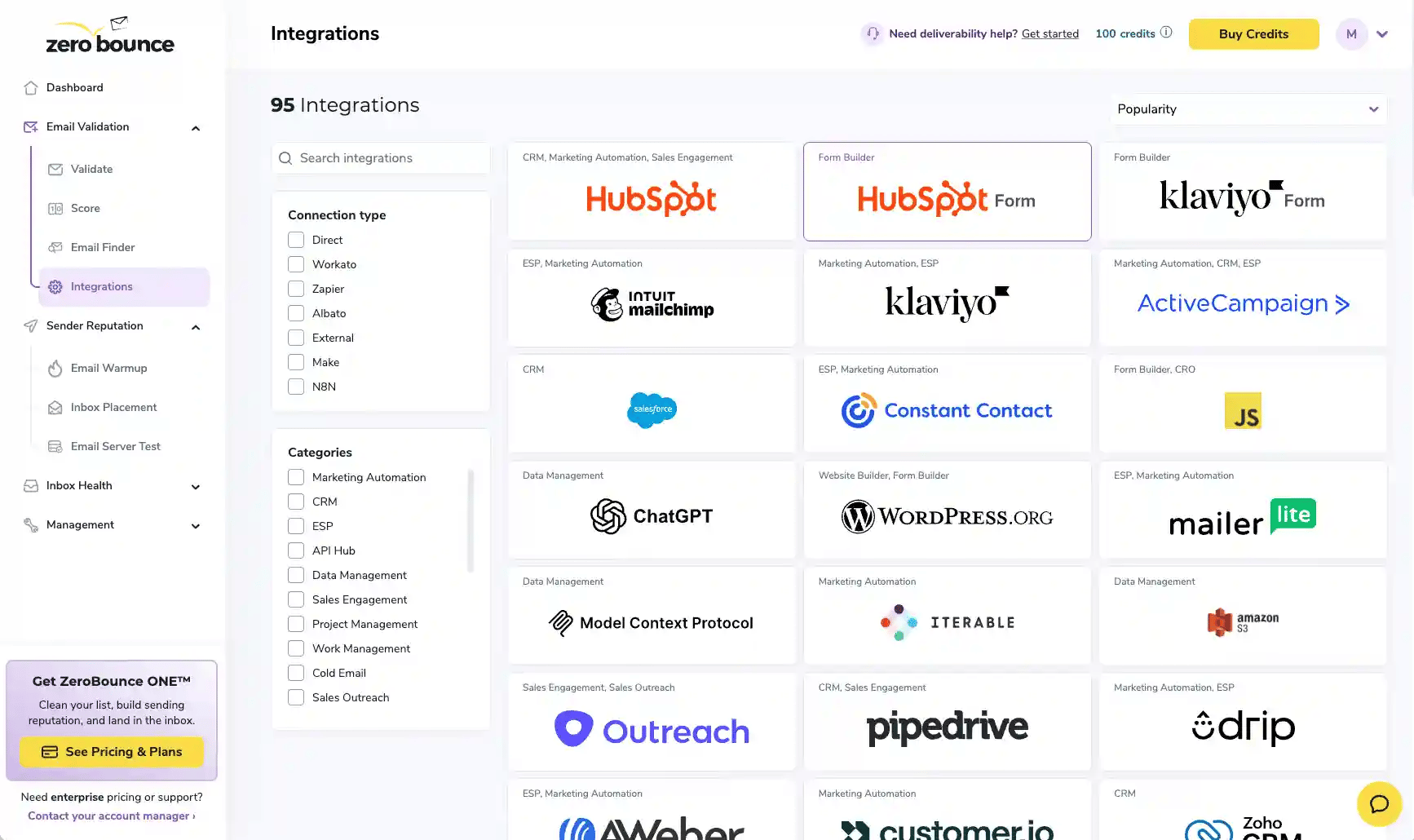
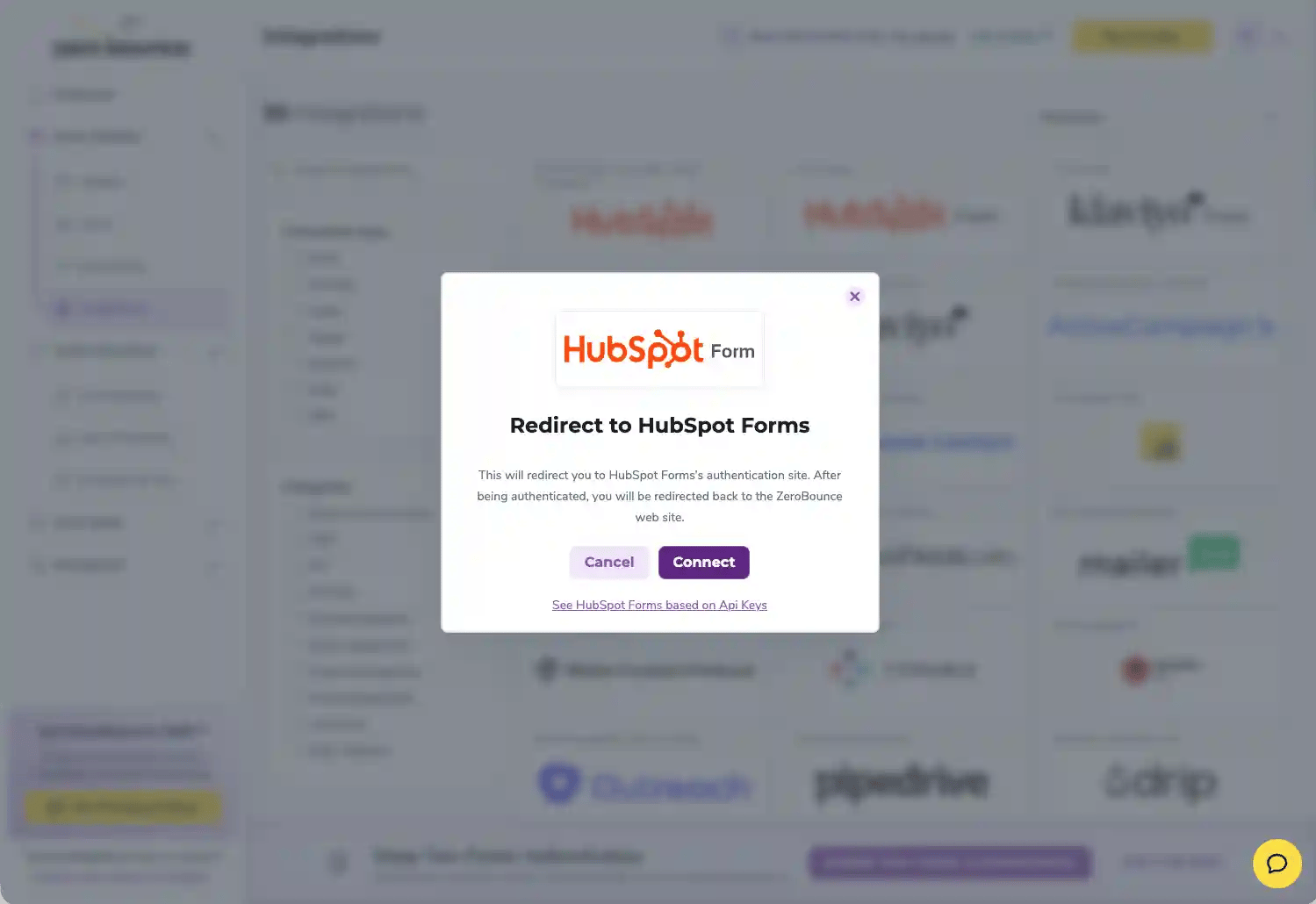
Step 3: Click on the Connect button in the HubSpot Form integration pop-up.
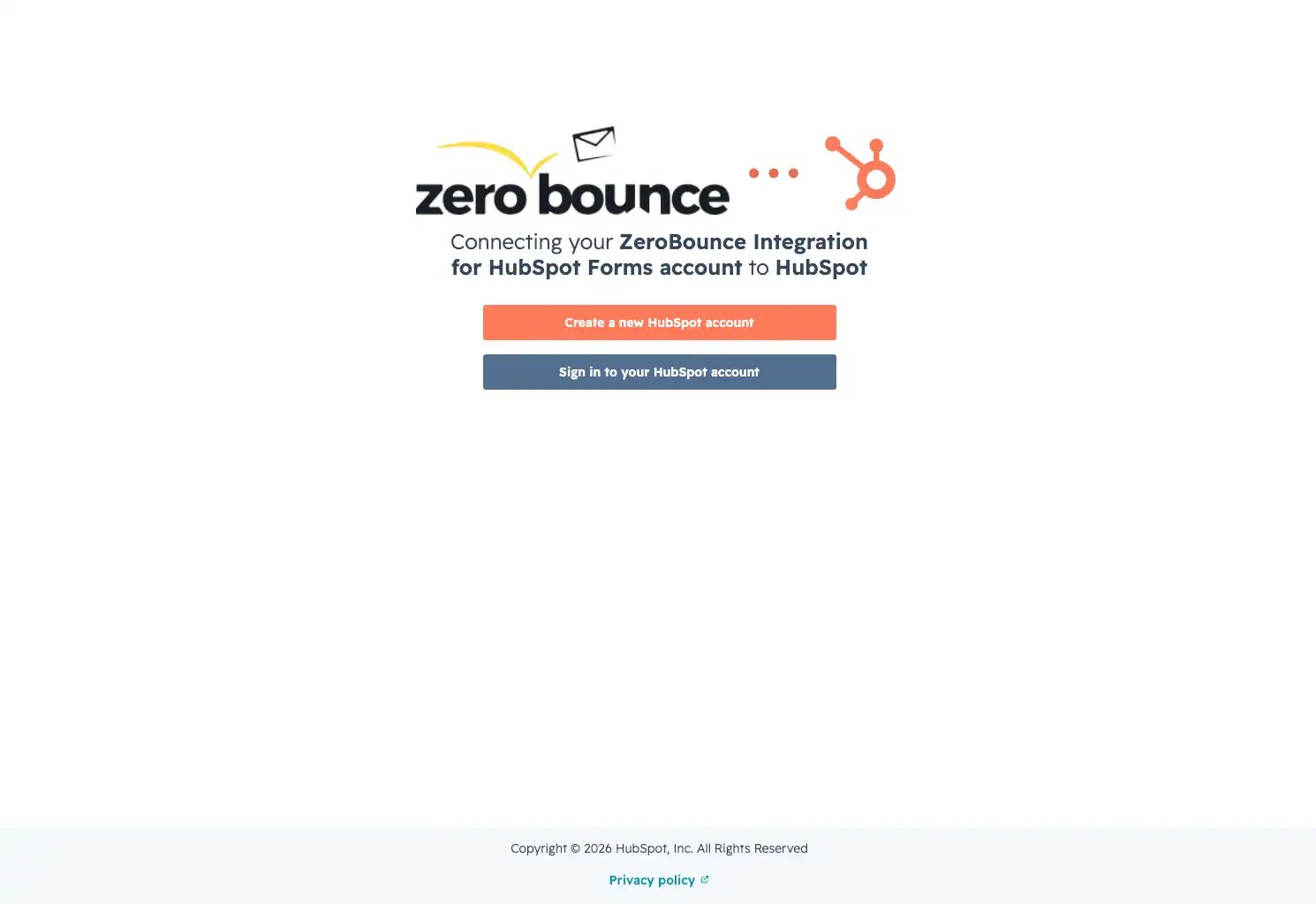
Step 4: You will be prompted with a page which allows you to connect your ZeroBounce account to a new or existing HubSpot account. Choose Sign in your HubSpot account.
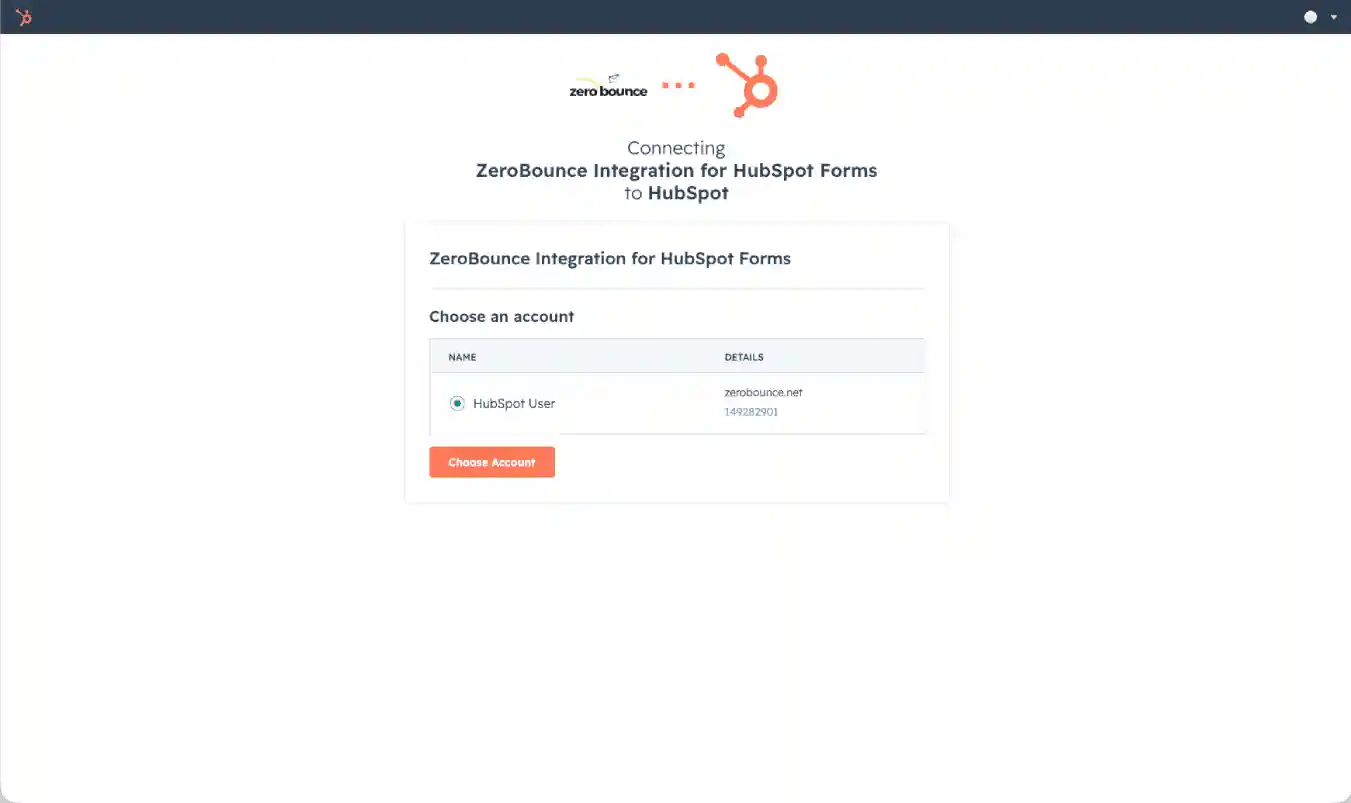
Step 5: Sign in to your HubSpot account and select the account you wish to link and click the button Choose Account.
Step 6: Review the permissions required by the app and click Connect app.
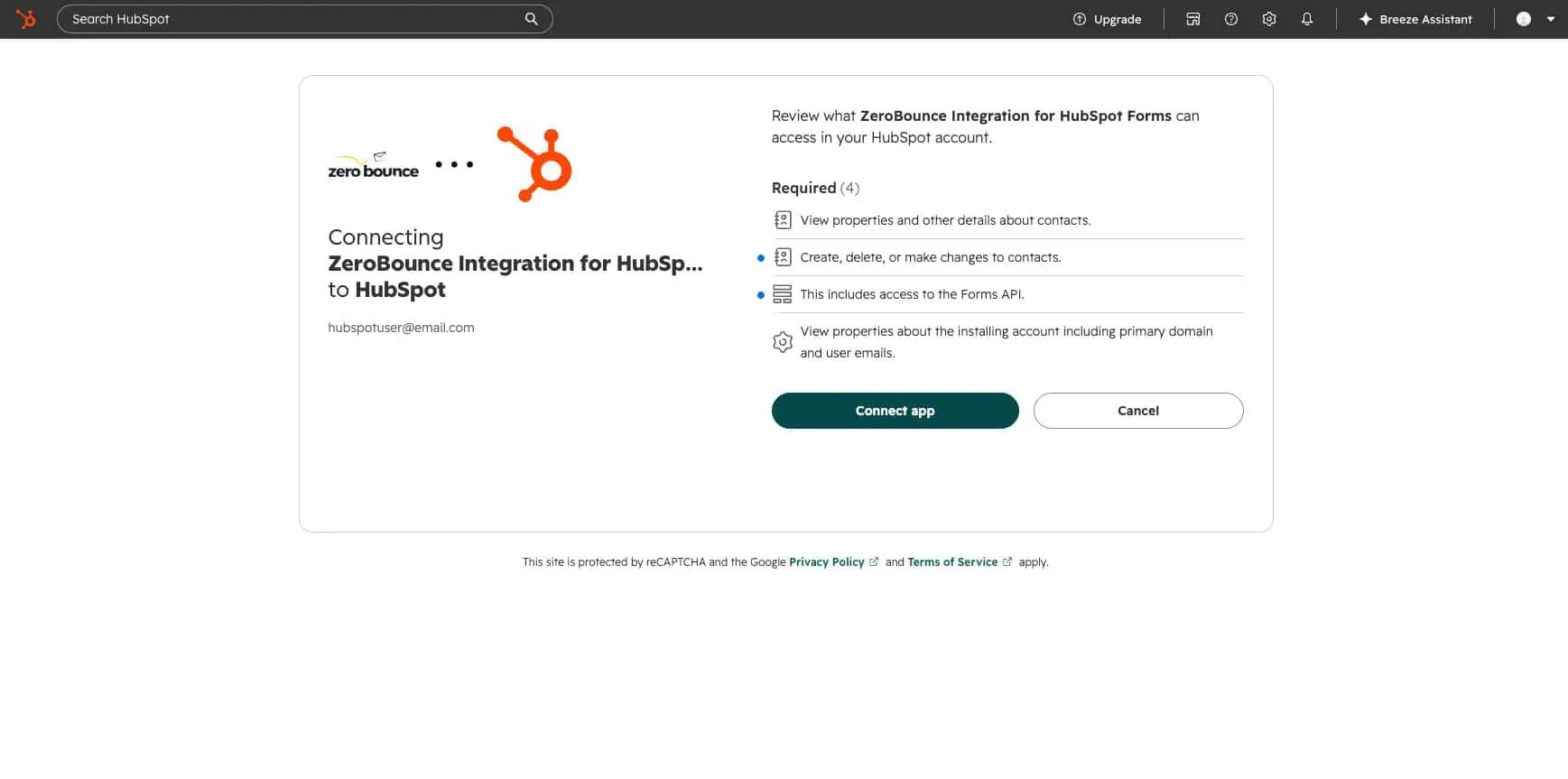
ZeroBounce Integration for HubSpot Forms is now installed in HubSpot and connected to your ZeroBounce account.
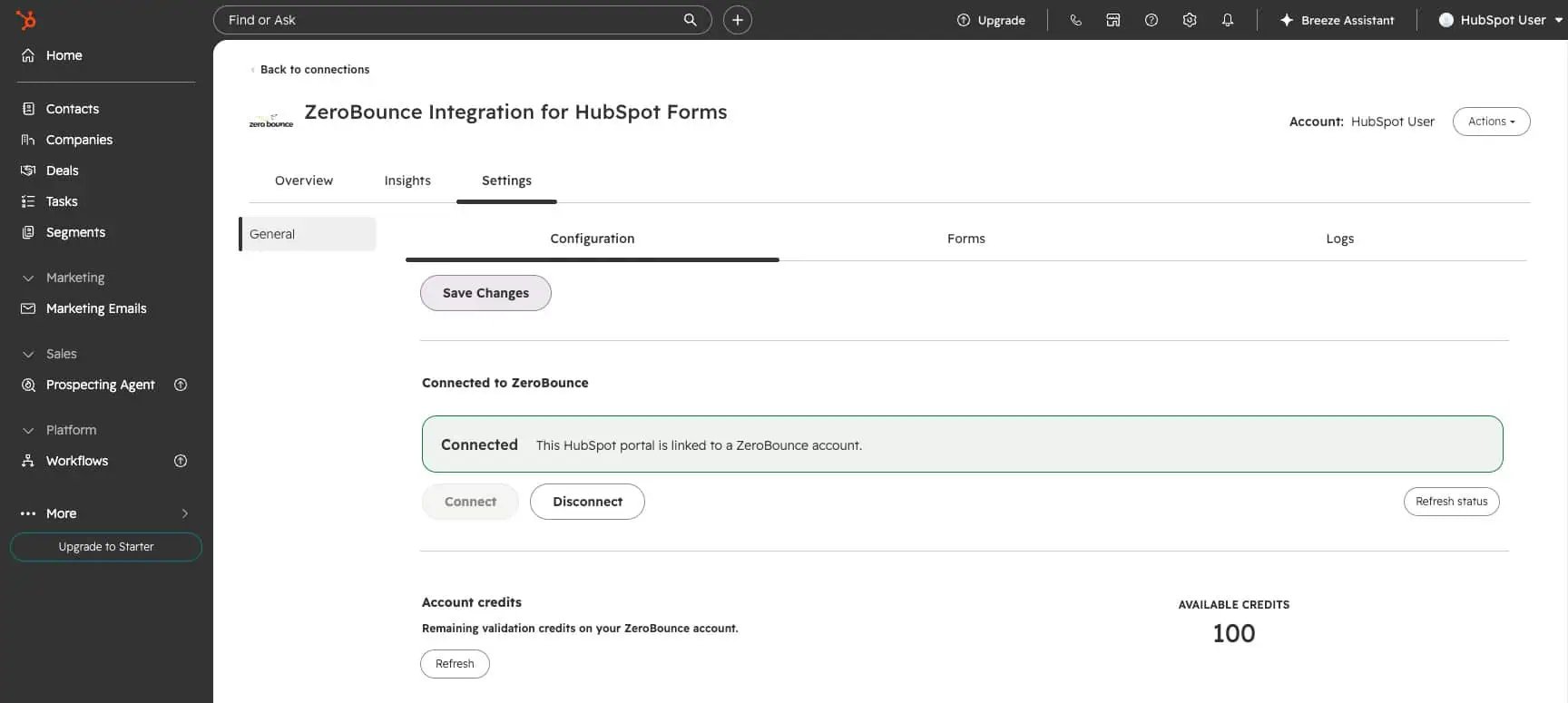
With real-time email validationⓘ in HubSpot, we automatically detect and block fake, malformed, and invalid email addresses.
After all, if an email address is fake, you can’t reach it, and fake email leads cause high bounce rates.
Block fake signups in real time, and ensure your email bounce rateⓘ stays low for your email campaigns.
Not only does HubSpot Forms email validationⓘ stop obviously fake signups, but it also alerts users to typos or errors in their email addresses.
Validate signups on your forms in real time to ensure you get genuine data from real visitors and make connections with real customers.
The new HubSpot Forms integration lets you work directly in the HubSpot Dashboard, without moving from platform to platform. The application needs to be installed from HubSpot Marketplace directly, and everything else happens there. This feature is available only with HubSpot Forms V4.
Maintaining your HubSpot data accuracy doesn’t just benefit your business; internet service providers love it, too.
Our HubSpot Forms email verification add-on automatically helps you follow best email marketing practices: keeping a clean database and maintaining low email bounce rates.
Plus, when more emails are delivered to genuine inboxes, you get improved visibility, awareness, engagement, and conversions.
Deliverability and reputation go hand in hand. Make ISPs love you by focusing on improving lead quality with HubSpot Forms and ZeroBounce, and they’ll reward you with better inbox placement (and keep you out of Spam).
It’s time to improve HubSpot lead quality. Create your free ZeroBounce account today to gain instant access to real-time email validation in HubSpot, along with these free monthly benefits:

100 credits for email validation and Scoring (credits never expire!)ⓘ

10 Email Finder queries

1 Blacklist Monitor

1 Inbox Placement Test

1 Email Server Test

Real-Time Email Verification API

Access to 60+ integrations
(including HubSpot Forms!)


HubSpot provides a limited form of email validation for HubSpot Forms fields. This validation includes checks for formatting, domain blocklists, DNS lookups, and global deliverability.
You can validate email addresses in forms by installing the integration and copying the embedded code from the integration App. The API will call upon the email validation service, check the address for validity, and accept or reject the entered value based on the result.
You need a HubSpot account, a HubSpot form, and a free ZeroBounce account. After you install the integration from the HubsSpot Marketplace, you do the entire setup from there.
By validating emails on your HubSpot Forms, you can automatically detect and reject fake or invalid email addresses. Doing this will reduce email bounce rates and enhance your HubSpot lead quality.
Integration and API access included free with your account. Includes 100 free credits monthly for real-time email validation.