Email Authenticationⓘ: Expert Tips for SPF, DKIM, DMARC, and Beyond
Written by
13 March, 2025
Email authenticationⓘ is now a requirement for businesses and mass email senders. As of February 2024, Google and Yahoo mandate protocols like DMARC, while Microsoft joined the movement shortly after.
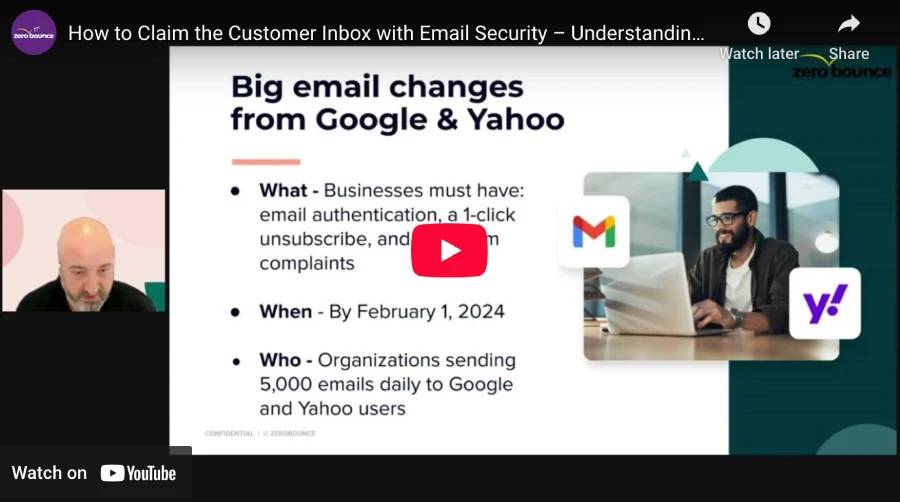
We hosted a webinar on email authenticationⓘ to help familiarize email senders with the topic. Watch the video below as ZeroBounce COO Brian Minick explains how to authenticate emails.
What is email authenticationⓘ?
Email authentication is a set of protocols verifying that an email sent from your domain is legitimate. Email authentication tools protect your domain from spoofing and fraud and also tell email service providers – like and – whether you sent an email or if someone is a fraudulent sender.
Email authenticationⓘ protocols & why they matter
If you want to know how to authenticate email, you need to familiarize yourself with the various email authenticationⓘ protocols.
SPF is a DNS record that lists all authorized mail servers for a given domain. Whenever someone sends an email from your domain, the recipient service provider will check your SPF record and attempt to match the sender’s IP address to confirm its legitimacy.
When you sign up for a service like Mailchimp or Constant Contact, it provides you with SPF records during the initial setup. However, this setup can be tricky if you use multiple platforms.
For example, a company may use Constant Contact for their main newsletter and Klaviyo for automation. Instead of creating different SPF records, you need to implement a combined one to account for all sending services.
How SPF works (step-by-step explanation)
This is how an SPF email authenticationⓘ check takes place in real time:
An email is sent from an IP → The recipient’s server looks up the sending IP address in the SPF record.
If the sender’s IP address is listed in the SPF record → SPF passes. If not → SPF fails.
If an email fails the SPF check, the recipient server will consult the listed DMARC record (if available). This can prompt the recipient to reject or quarantine suspicious emails.
Here’s an example of an SPF record:
v=spf1 include:_spf.google.com ~all
And here’s a breakdown of SPF syntax:
v = spf1 – This tells the recipient that this is an SPF record.
include: _spf.google.com – This tells the recipient to check the SPF record for IP addresses authorized to send from the described domain.
~all –This is one possible SPF mechanism. ‘~all’ tells the recipient only to allow mail from IPs listed in the SPF record.
Other possible mechanisms include:
-all – Indicates that the domain doesn’t send any outbound mail.
+all – Allows any IP address to send mail from the domain.
There are additional ways to configure your SPF record, including:
Listing only a range of IPv4 or IPv6 addresses
Checking A or MX records
Common SPF mistakes & fixes
If you run into issues with your SPF record, check it for these common errors:
Syntax – The format of your record is the most common culprit. Check your file format and ensure that your mechanisms, domains, and IPs are listed correctly.
Conflict with other authentication protocols – Some protocols, like DMARC, can override SPF rules. Be careful not to create conflicting rules when configuring your email authentication.
Using the correct file type – The accepted file type for SPF is a TXT file. Avoid adding differing file types to your DNS records.
To help you configure your SPF record or check for errors, check out these free tools:
– Create a new SPF record by following the simple prompts.
– A ZeroBounce account includes a free monthly test with 200+ checks for things like email authentication protocols.
DomainKeys Identified Mail (DKIM) – ensuring email integrity
DKIM is a cryptographic method of authenticating emails sent by bulk senders. The DKIM protocol adds a unique encrypted key to every sent email, and that key must match the public key found in the DKIM DNS record.
Here’s how it works:
DKIM (step-by-step process)
Someone sends an email from the domain → DKIM adds a digital signature to the email header.
Upon receipt, the recipient email server checks the DKIM record in DNS for the public DKIM key.
If the digital signature matches the public key, the DKIM check passes.
v=DKIM1 – Indicates that this is a DKIM record, and which version of DKIM to use
k=rsa – Indicates that the key (k) is using RSA cryptography
p – Everything that follows ‘p=’ is the public DKIM key
In addition to the public record, the header of the sent email will contain a similar notation, including the DKIM version and method of cryptography. It will also include a unique DKIM key signified by ‘b=’.
Best practices for DKIM
While DKIM is necessary to secure your emails, the encryption method is not foolproof. Therefore, it’s recommended to follow these rules when using the protocol:
Rotate DKIM keys every 6 months – This minimizes the likelihood that knowledgeable hackers will decode a key.
Monitor your emails and replace compromised keys immediately.
Ensure that DKIM protocols align with SPF and DMARC – Recipients may prioritize other protocols, such as DMARC, over SPF and DKIM. To ensure emails are handled correctly, ensure all policies are aligned.
Here are some free tools to help you check and configure your DKIM record:
– Create a free DKIM record, including the selector and policy records.
– A ZeroBounce account includes a free monthly test with 200+ checks for things like email authentication protocols.
DMARC is a protocol that instructs recipient mail servers on how to behave if an SPF or DKIM check fails. It allows the bulk sender to work with ISPs in an effort to minimize spam, spoofing, and phishing attempts created by unauthorized senders.
DMARC: step-by-step process
Email is received → The ISP checks for SPF and DKIM
If a check fails, the recipient checks DMARC. DMARC describes what to do if one or both checks fail. The options are to do nothing, quarantine the email, or reject it.
The recipient rejects the email or delivers it to its indicated destination.
v=DMARC1 – Indicates which version of DMARC is being used
p=reject – ‘P’ indicates policy type. The three accepted types are none, quarantine, or reject.
rua= – DMARC Aggregate Report (RUA) is a report regarding email traffic from your domain. You can input rua=email_address_here to deliver your report to a desired inbox.
ruf= – DMARC Forensic Report (RUF) is a detailed report sent when an email fails authentication checks. Like above, you can enter an email to receive this report.
pct – This allows you to dictate what percentage of emails should be affected by the DMARC policy.
A critical component of a DMARC record is the policy type. Here’s an explanation of the three and when to use them:
None – This policy instructs ISPs to do nothing when an email authentication check fails. The emails will appear in reports, but no additional action is taken. This is recommended for beginners,, as they’ll need to observe email activity first to avoid accidentally blocking legitimate senders.
Quarantine – The described percentage of emails will be quarantined (placed in spam) if a check fails. You can quarantine emails once you’ve familiarized yourself with your company’s sending structure. Quarantining can help you identify possible problems without accidentally blocking legitimate emails and hurting the sender's reputation.
Reject – This instructs ISPs to reject emails that fail authentication checks. Once you’ve fully tested and configured your email server correctly, a reject policy is recommended.
Here are some free tools to help you start and check DMARC records:
– Create a DMARC record with this free tool
– A ZeroBounce account includes a free monthly test with 200+ checks for things like email authentication protocols.
However, we strongly recommend all users to use a DMARC Monitorⓘ tool for the following reasons:
It simplifies the setup of DMARC records and policies.
It will automatically track the alignment and compliance of SPF and DKIM.
It provides a dashboard overview of every email sent for the life of the email domain.
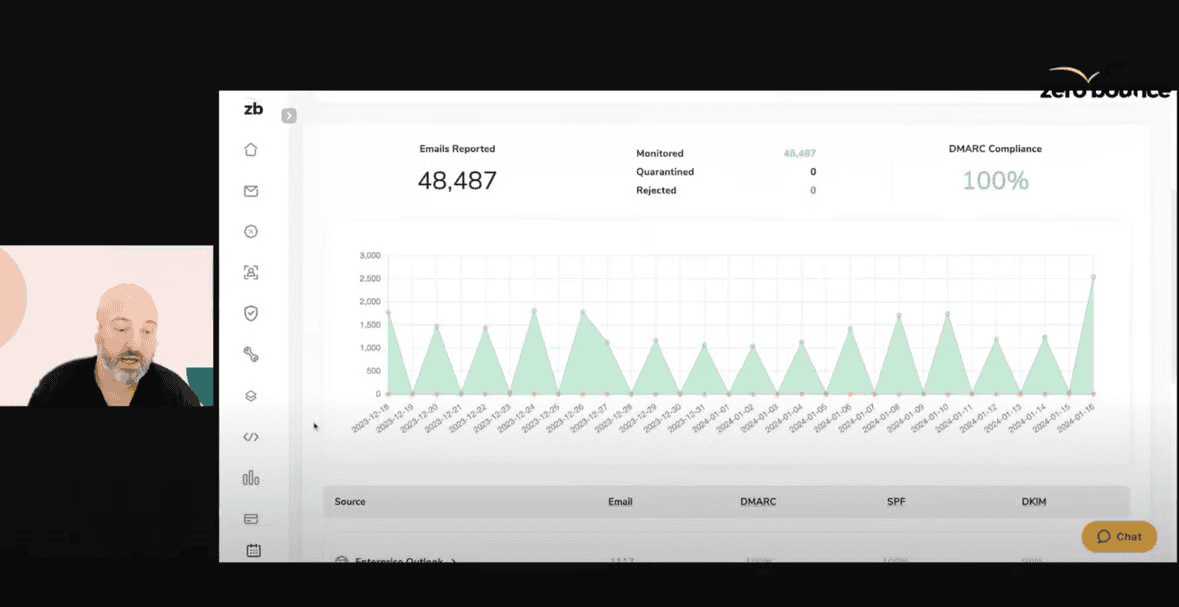
ZeroBounce DMARC Monitorⓘ in action
Here’s an easy-to-follow overview of how to setup DMARC on a domain using the DMARC Monitorⓘ:
Log in to ZeroBounce.
Go to “Tools.”
Select “DMARC Monitorⓘ” at the top. You’ll be able to view the current monitors.
Click “Add Domain.” Be advised, you must own the email domain to add the monitor.
You’ll be presented with a DNS record to add to your existing records via your ESP. To do this, create a new TXT record and add the provided “value” for the hostname.
Save the record, and select “verify DMARC.”
Once your domain is set up, you’ll see the domain in the DMARC Monitorⓘ dashboard.
Clicking on the domain will allow you to see insights including:
The number of sent/reported emails
The number of emails that were quarantined or rejected
The DMARC complianceⓘ percentage
SPF and DKIM alignment
Additionally, you’ll be able to view every source sending emails from that domain, how many, from what countries, and which IP addresses are being used.
Reverse DNS & PTR Records – validating sending IPs
Reverse DNS records, also called pointer (PTR) records, are an additional method for securing emails from attackers. When you provide a PTR record, the recipient email server can perform a reverse DNS lookup by attempting to match your device’s IP address with the associated email domain.
How reverse DNS lookups work (step-by-step):
The email server receives an email → The server checks for a PTR record.
The server checks to see if the IP address matches the sending domain → If it matches, the email is more likely to be delivered
If no PTR record exists → Email may be marked as spam or rejected.
Best practices for reverse DNS and PTR records
Ensure every sender has a PTR record that matches the domain.
Only use one PTR record per IP address.
Name your domains in a way that makes it function clear to avoid inaccuracies.
Align your PTR records with the information found in SPF records.
Brand Indicators for Message Identification (BIMI) – visual email authenticationⓘ
Though not a requirement, BIMI is an email authenticationⓘ specification that allows a company to customize and display its logo next to their emails. However, you can’t just upload any image file. You need to provide an SVG file with the following parameters:
Save the file SVG Tiny 1.2
Square aspect ratio
Solid color background
Company logo centered
In addition to providing a valid SVG, you also need to have an active DMARC policy set to either quarantine or reject.
After meeting the requirements, you can submit your BIMI logo along with proof of company ownership to a third party. In exchange, you’ll receive a Verified Mark Certificate (VMC) to include with your BIMI record. Trusted popular third party verifiers include companies like DigiCert and Entrust.
How BIMI works:
Email is sent → the recipient checks for DMARC complianceⓘ
If the DMARC check passes → the recipient performs a BIMI check. If DMARC fails, no logo is displayed and the email is rejected or quarantined.
If the BIMI check passes → the email is delivered with a brand logo next to the subject line
Here’s an example of a BIMI record:
v=BIMI; l=URL(path to logo here); a=URL(path to VMC here)
v=BIMI1 – Indicates that this is a BIMI record using version 1
l – This is where you’ll provide the URL to your BIMI SVG logo
a – This is where you’ll provide the URL linking to your VMC
Best practices for BIMI
Ensure that SPF, DKIM, and DMARC are configured correctly. DMARC must be set to quarantine or reject. BIMI is not compatible with a ‘none’ policy.
The company logo should be up-to-date and clearly visible with a resolution at a minimum of 96x96. Use a solid background color that appropriately complements your logo in a square (1:1) format.
Use SVG Tiny 1.2.
Protocol
How does it work?
Purpose
SPF
Provides servers with a list of trusted senders/IP addresses
Prevents spoofing and phishing attempts using your domain
DKIM
Adds a unique encryption key to every email sent from your domain
Prevents spoofing and phishing attempts using your domain
DMARC
Provides instructions on how to handle emails that fail SPF and DKIM checks
Aligns SPF and DKIM and prevents fraudulent emails by pushing them to spam or rejecting them outright
rDNS & PTR
Validates the IP address by cross-referencing it with the associated domain
Stops fraudulent use of your domain and impostors
BIMI
Displays your verified brand logo next to emails that pass DMARC checks and are trusted
Builds trust with audiences and an easy way to identify if an email is legitimate
How to authenticate email
Here’s a rundown of the next steps you can take to ensure your emails are authenticated and compliant:
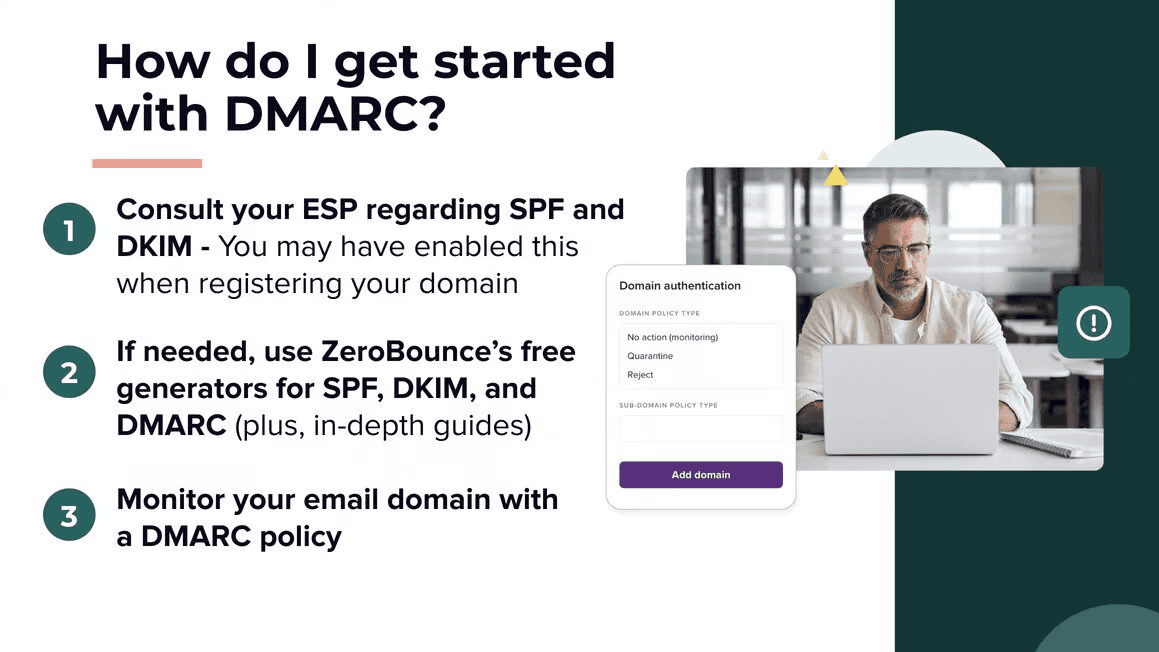
Set up your records – To maximize protection and email deliverability, consider all records mandatory. You can create SPF, DKIM, DMARC, PTR, and BIMI records free using a generator tool to help you with proper syntax. You can also consult your ESP for more information as some of these may already be in place.
Ensure there are no conflicting records – Continuing off step 1, check that there aren’t already existing email authentication records in place. Having multiple records will confuse recipient mail servers and lead to significant delivery issues.
Monitor your alignment – It’s not enough to rest on your laurels. After adding email authentication records, it’s your responsibility to use them to monitor your domain’s email activity as some methods like encryption keys can still be compromised.
It’s recommended to use an active monitoring tool like DMARC Monitor to track all outbound emails using your email domain. With this, you can monitor passively and take action if you receive any automated alerts when emails are not aligned with email authentication and suspicious. It can also help you identify issues with your existing records.
Add a one-click unsubscribe – This is an additional email requirement. To set it up, ensure DKIM is present, and include these Google-recommended lines in your header:
Monitor spam complaint rate – While not directly connected to email authentication, a rise in spam complaint can indicate an issue with your email authentication. 78% of people will mark an email as spam simply because it “looks like” spam. Authentication like BIMI helps with this.
Additionally, spam complaints must remain below 0.1% to avoid negative impacts on your email deliverability.
What happens if you don’t address email authenticationⓘ?
If you don’t use email authenticationⓘ, here’s what will happen:
Spam folder placement – Email authentication helps bulk senders build trust with ISPs. Now that it’s a requirement by major providers, emails without authentication records are more likely to go to spam.
Email rejections – Similar to the above, certain mail providers like Google, Yahoo, and Outlook may opt to reject any emails that aren’t authenticated as they pose a greater likelihood of being a threat.
Declining email deliverability – If your email campaign performance drops, it may not be the email, it’s your deliverability (aka inbox placement). Without authentication, a higher percentage of your emails will bounce or go to spam, leading to decreased open and clickthrough rates.
Google and Yahoo agreed on enforcing email authenticationⓘ
On February 1st, 2024, Google and Yahoo made changes that impacted every single company that sends emails worldwide.
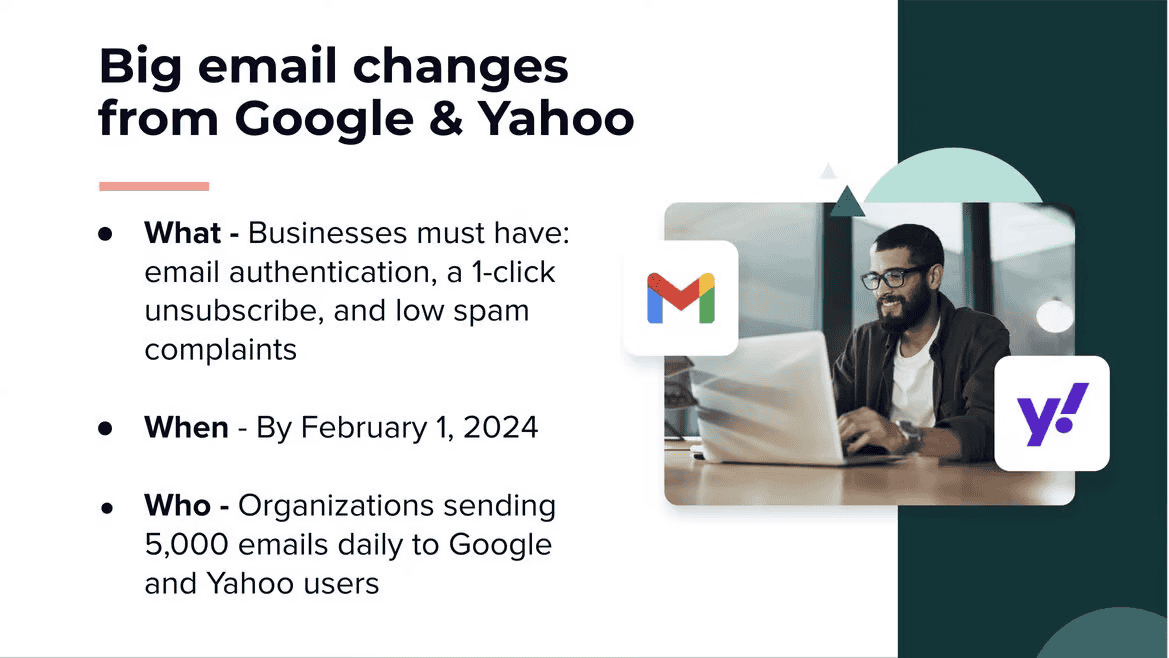
Here’s a quick overview of those changes from the webinar:
Let’s break those details down. Here’s a closer look at what’s changing:
Email authentication is required – Specifically, businesses must use DMARC, SPF, and DKIM. The companies state that businesses that don’t use these protocols can expect a negative impact to their email deliverability.
BIMI and rDNS aren’t currently included in these requirements. However, they’re strongly recommended and will provide similar email deliverability benefits over senders that aren’t using these authentication methods.
One-click unsubscribes are required – Every email you send must provide the recipient with a means of opting out with “one click.” You can add a one-click unsubscribe URL to the headers of your emails. Your ESP also provides this feature in the configuration menu.
Unsubscribe links have always been a requirement for CAN-SPAM compliance. This new measure makes it easier for recipients to avoid emails they don’t want.
Keep your spam complaint rate below 0.3% – This is the current threshold for allowed spam complaints. However, we know from experience that anything higher than 0.1% will negatively impact your email deliverability. Spam complaints hurt your sender reputation and lower your trust.
These three rules apple to any person or organization sending 5,000 emails or more daily.
Failing to comply with these new rules and email authenticationⓘ requirements will result in the following:
Google and Yahoo may opt to reject your company’s emails
A higher percentage of your emails will be marked as spam
Your email deliverabilityⓘ and sender reputation will decline as long as you aren’t complying with these practices
Zach is the manager and coordinator of (nearly) all things content-related at ZeroBounce. He works closely with all teams, from marketing to design to web development, to quickly deploy written and visual content that communicates how ZeroBounce brings value to your business. Zach has seven years of experience in digital marketing, crafting content for a wide variety of small-to-medium-sized businesses, including healthcare, finance, tech, SaaS, and real estate. When he's not writing, you can find him at the gym, playing or listening to music, or seeking out his next compelling TV show to binge-watch.
More Email Verifier Guides
File size must not exceed 32 kb.
Check your BIMI record for accuracy using a free .
If you need help creating a BIMI record, you can use our by providing an appropriate SVG URL.