
Need an easy way to find multiple emails for new business prospects? ZeroBounce's mass Email Finder lets you upload a list of names and domains and provides you with accurate, valid email addresses.
Try Bulk Email Search*Free account signup required. Users get access to 10 free email finder queries monthly.

Don't waste time or resources with manual email searches. Just upload a list of names and associated domains, and we'll handle the rest. Once you start your search, we'll notify you when it's finished, so you can focus on the tasks that matter.
During your bulk email search, we continuously test company domain patterns until we find a valid email address. If no valid address is available (the domain is disposable, a spam trap, etc.), we'll notify you of the result so you can delete the low-quality contacts from your database.
Our bulk email search tool lets you rapidly expand your email outreach without worrying about bounces. Every search starts fresh in real time, then undergoes our 99.6% accurate validation process to ensure the highest accuracy and confidence in your new emails. You can grow your email list and cold email new prospects without a second guess.

Upload sheet
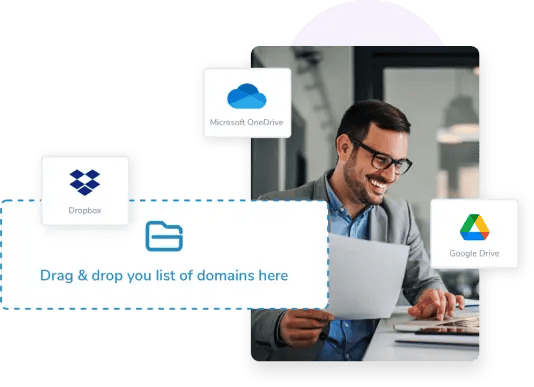
Upload your list of domains and names with any of the following file types: CSV, XLS, XLSX, or TXT.
You can also upload files directly from your Dropbox, Google Drive, or OneDrive.
ZeroBounce's bulk email search is built around Email Finder. Learn more about how ZeroBounce performs name-based and domain-based searches and how you can search for single or bulk emails using our API service.
The best way to scale your email outreach is just a click away. You can try Email Finder today by registering for a free ZeroBounce account. When you sign up for a free account using a business or premium domain, you get instant access to all Email Finder features, including name-based, domain-based, bulk, and API searches.
Plus - immediate access to these email deliverability tools:
100
Email Verification Credits
10
Email Finder Queries
1
Email Inbox Placement Test
1
Email Server Test
1
Blacklist Monitor scanned every 24 hours
All credits are included in your monthly subscription and reset every month.
Create my free accountYou can find multiple emails using an email finder with a bulk search functionality. ZeroBounce's email finder lets you search for business email addresses by uploading a list of names and domains as a CSV, TXT, XLS, or XLSX file. You can also upload files directly from DropBox, Drive, or OneDrive. Our email finder will continue testing new patterns until it yields valid results where possible.
To perform a bulk email search with ZeroBounce, you'll need the following:
ZeroBounce's business email lookup tool can provide 99.6% accurate, valid email addresses thanks to our email validation tool. After identifying possible company domain patterns for emails, we'll continue testing each pattern with the given name until we can locate a valid email.
No. Thanks to our proprietary technologies, all ZeroBounce Email Finder searches occur in real time. After identifying possible domain patterns, we test and validate email addresses until we discover a valid result. Customer security is our top priority, and we will never use any stored or processed customer data from email validation for any Email Finder searches.
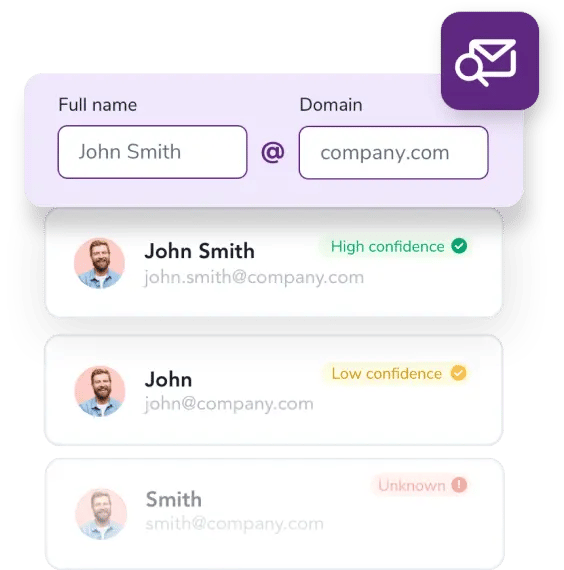
ZeroBounce can find multiple emails by examining your list's names and respective domains from your uploaded list. Email Finder first looks for possible domain patterns for email addresses on that domain and issues a confidence score for each pattern. Then, it tests possible email addresses using the person's name and the detected patterns with email validation until a valid result is found.
Every Email Finder search will consume 1 query (available from our toolkit subscriptions) or 20 credits for each valid result. Results consume only 1 credit in the following circumstances:
Email Finder will continue testing new patterns until a valid result is discovered. If no valid result is found, we will return a "format unknown" result. This result can occur for several expected reasons, such as a disposable domain, a spam trap domain, a catch-all domain, the domain being in a global suppression list, and so on. You can learn more about Email Finder results by reviewing our
Get 100 free ZeroBounce credits monthly
*20 credits per valid email result via Email Finder
**1 credit per spam trap or suppression result domain