
What Are Spam Traps?
Spam traps don't belong on your email list. Learn what they are and how they affect your deliverability.
Learn moreLet’s see what abuse emails are, how they sabotage your email marketing efforts, and what you can do to avoid them.
Have you ever sent out a great email only to see that it got marked as spam? It can happen to anyone. Sometimes, people do it by mistake, but in most cases, they’ve done it before. In fact, they do it all the time.
According to Statista, in 2023, around 45.6% of all emails worldwide were identified as spam.
This statistic highlights the challenge email senders face, as abuse emails—addresses linked to frequent, often unwarranted spam complaints—worsen the issue.
Spam complaints taint your sender reputation and bring down your deliverability, so you can’t ignore them. That’s why addressing abuse emails is crucial for protecting your email campaigns.
Abuse emails are email addresses belonging to people who habitually mark incoming messages as spam. They’re known complainers who report issues with email content regardless of quality or intention.
Marking a message as spam serves a purpose. It provides recipients with a way to alert their email service provider (ESP) to:
However, some recipients will likely hit the spam button for many incoming emails. Reasons for this might include the following:
The accepted spam complaint rate is 0.1%, which is one spam complaint for every 1,000 emails you send. When you exceed that rate, your emails can start landing in spam.

Abuse emails lead to spam complaints against your email domain.
While these may only seem mildly annoying, these complaints are detrimental to your email marketing efforts. Let’s closely examine what happens when abuse emails remain on your contact list.
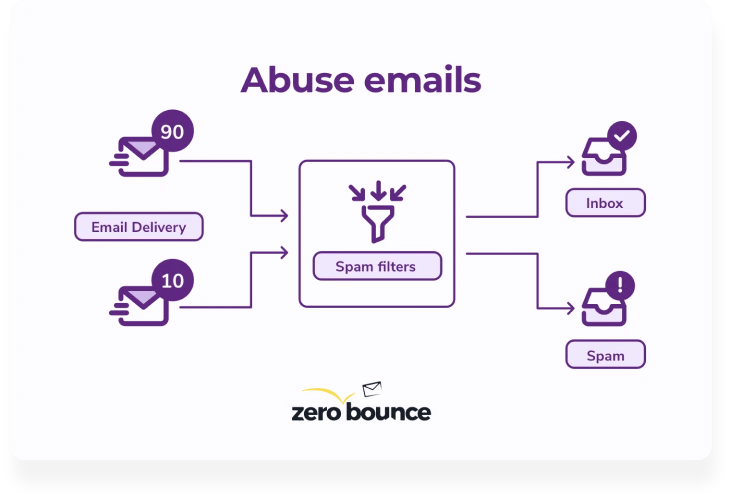
Whenever someone marks your email messages as spam, it adds to your domain’s spam complaint rate.
Spam reports are a natural part of email marketing. Email service providers (ESP) allow for a 1% complaint rate. Anything higher than this looks suspicious and negatively affects your sender reputation.
Your sender reputation is a score out of one hundred that communicates your email behavior to inbox providers. Those with high reputations are trustworthy and will have an easier time reaching the inbox. Conversely, those with low reputations will struggle with deliverability.
Because abuse emails are likely to report spam, they harm your sender's reputation. Even if your content adheres to best sending practices, you risk needlessly increasing your spam complaint rate.
Abuse emails make it harder to deliver messages to valid contacts. More spam complaints make you more likely to miss the inbox.
Receiving email servers will see your sender reputation and consider future emails from your domain as suspicious. There’s a strong chance your messages will hit a user’s spam folder even if you had no issue hitting the inbox in the past.
When your domain has a low sender reputation, you will eventually face an account suspension from your ESP.
Every ESP has standards for its users regarding acceptable email-sending practices. As described above, most allow for no more than a 1% spam complaint rate. If you exceed this, they can suspend your account until you resolve the issue.
With a suspended account, you can no longer publish your email campaigns. You’ll need to utilize abuse email detectionⓘ to locate risky emails and eliminate them from your list.
Abuse emails are lousy for accurately tracking campaign results.
Because these users are likely to report spam, they’re not significant indicators of email content quality. You may have a decent campaign, but poor clickthrough rates and spam reports make it look like you’re underperforming.
When analyzing a marketing venture, you want feedback from actual valid leads. Abusers will muddle your data and make it challenging to improve future emails.
There are a few measures you can take to keep a good sender reputation and land your emails in your subscribers’ inboxes.
Here are a few steps you can take and some good habits to follow.
It’s the most prevalent reason for spam complaints. Recipients don’t know who you are and why you’re emailing them. Buying an email list may seem like a tempting shortcut, but it only sabotages your email results.
Also, never add people to your list without asking for consent. A powerful, engaged email list is one that everybody signs up for because they want to.
Keep up with your email list hygieneⓘ by running your contacts through an email validator. A quality email list verification system identifies abuse emails and removes them from your database before they report your emails as spam.
If you have a whole email list, it’s easier and faster to upload it on ZeroBounce.net and have it cleaned in bulk. But if you only need to validate an email address or two, you can always use our free email verifier.
The Workplace Depot exemplifies the impact of email validation. After adopting ZeroBounce, their bounce rates dropped from 4.6% to 0.4%, and spam complaints fell to less than 0.1%, significantly improving their email deliverability and campaign performance.
Here’s how it works — you type in the email address in the field:
In less than two seconds, the system returns a result. If the status says “abuse,” you know that emailing that address is risky because that person is likely to label your email as spam.
ZeroBounce validates email addresses instantly and lets you know if there is any issue.
The way your email comes across plays an important role in the number of spam complaints you get. A subject line that seems off-brand, with spammy words or too many emojis and links, may confuse your audience. It’s a good idea to keep your branding consistent across your templates so that people can easily recognize you.
Remember we said you should never buy an email list? Go a step further: add double opt-in to your sign-up forms.
This email subscription method requires new subscribers to click a confirmation link that goes out to them via an automatic email. By clicking that link, people confirm they have a genuine interest in your content and that they want to be on your mailing list. As a result, you’ll also see an increase in your engagement rates.
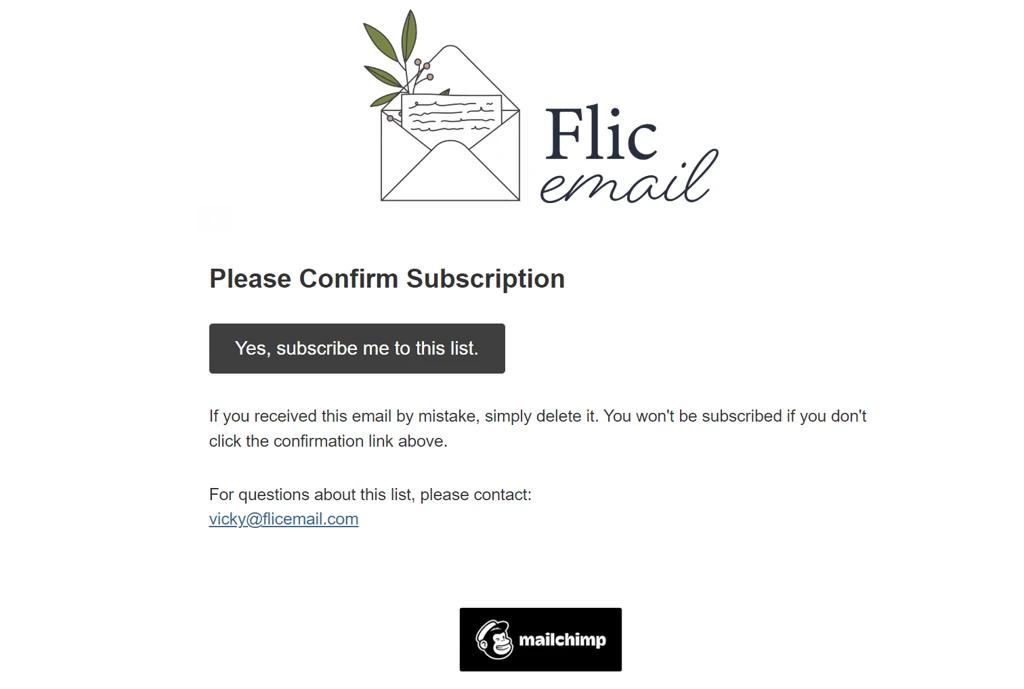
Email strategist Vicky Smith, a Mailchimp Pro partner, uses double opt-in to ensure that every person on her email list really wants to be there.
Of course, there might be some abuse emails among those new sign-ups. To weed them out, you could use an email verification APIⓘ.
The ZeroBounce real-time email verification APIⓘ is easy to connect to all your sign-up forms and will reject abuse emails as they try to get on your list.
Most businesses like to hold onto their email contacts. After all, growing an email list is no easy task. However, keeping people on your list against their will goes against your efforts to boost results.
If your sign-up process is easy, unsubscribing should be just as simple. Make sure all your templates have a visible unsubscribe link so that anyone can find their way out. Have the unsubscribe link at the bottom, along with the physical address of your business.
If opt-outs make you feel uncomfortable, read this article that shows you why unsubscribes are good for your email list.
One thing both email subscribers and ISPs like is consistency. Being predictable supports your sender reputation. It shows that you don’t behave like a spammer who may send a high volume of emails followed by a period of inactivity.
So, once you determine how many emails you can commit to, stick to a schedule.
Not only will this keep your sending IP warm, but it will also prevent your subscribers from forgetting who you are and why they are getting your emails.


















Enter any email, and we'll show you how fast and accurate out email validationⓘ system is.
An abuse email address belongs to a person who habitually marks emails as spam. The reasons for doing so could be maliciousness or carelessness. An abuse email could be due to the user not knowing the proper email protocol. Whatever the cause, it’s risky to add an abuse email to your list because of the chance they will eventually mark you as spam.
A good spam complaint rate is 0.1%, or one spam complaint for every 1,000 emails. If you get more spam complaints, your emails can begin landing in the spam folder.
A good way to stop spam reports is to build your email list organically, use email list verification, and keep your emails on-brand. Also, make sure to include an Unsubscribe link in all your email templates.
Spam traps can appear like other emails on an email list, but an effective and reputable email list checker will detect them. They should be removed without delay.
Periodic email pruning is necessary, or a spam trap could find its way onto your list. As important is using an email verification API to prevent a spam trap from being added to your database. Email validators can identify some spam traps and help you protect your sender reputation and deliverability.
A spam email address is one associated with sending unsolicited or junk messages. They are typically not associated with a real person in the practical sense. Spam email addresses are an inferior, illegitimate type of email that has no marketing or correspondence utility. Even sending an email to a spammer is to be avoided.