
Is your email security up to date?
Protect your domain from spoofing and unauthorized use with multidomain DMARC monitoring and reporting.
ZeroBounce helps you manage email authenticationⓘ and security measures, including DMARC, DKIM, and SPF records.
 Guided DMARC setup with our configuration wizard
Monitor every email sent
Lifetime reporting
Affordable monitoring alongside other email deliverabilityⓘ tools







Domain-based Message Authentication, Reporting, and Conformance (DMARC) is an email authentication standard that helps organizations monitor the emails sent from their company domain.
If you’re not familiar with DMARC, it’s worth checking how your domain is currently protected against spoofing and unauthorized use.
By setting up an automated DMARC monitor and Analyzer, you’ll have real-time defense and alerts against hackers who look to use your brand name as a tool for spoofing and phishing attempts. It’s also helpful in keeping your email domain off of email blacklists.
DMARC monitoring stops bad actors from dragging your business name through the mud. And, when email receivers know that your organization’s emails are trustworthy, more of your emails reach the inbox.
Continue to find out how our DMARC monitor and Analyzer simplifies email authentication and security so that you can focus on what’s really important.

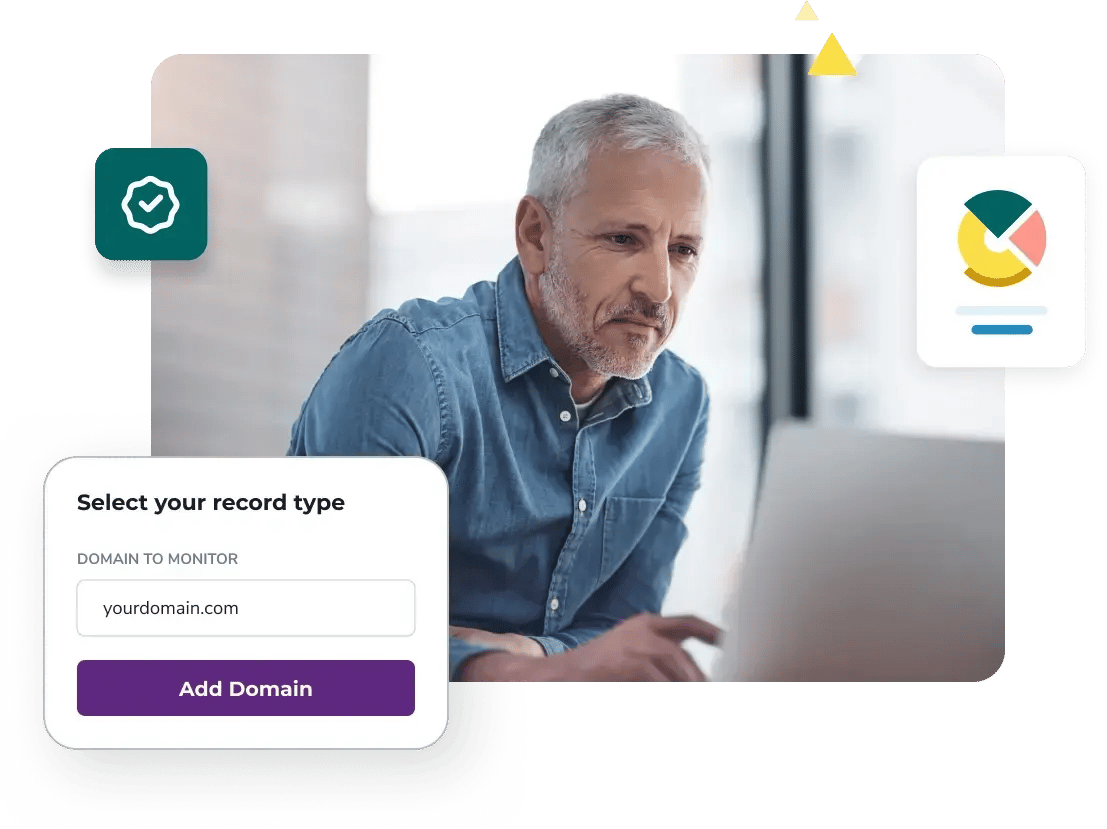
Use our guided setup to create your DMARC policy and add it to your DNS records.
Enter the domain you want to monitor, and ZeroBounce will review your DNS configuration, including DKIM and SPF alignment with DMARC.
Then choose your DMARC policy, add your organization details, and complete domain verification to start monitoring.
Get DMARC Monitor nowSecure your company domain and protect your company from threats

Have you ever received one of those phishing emails doing a lousy job of impersonating a brand? Your organization could be next. Authenticate your email domain with a DMARC record and stop impostors and spoofers from using your company name.

Google and Yahoo now require companies to authenticate their emails. Set up your DMARC record and monitor every email sent to protect yourself from inbox delivery issues.

With improper email server configuration, you could be limiting your own emails. Display every email sent using your domain, get reports on outbound sending issues, and sort any delivery issues related to your email authentication.

Even if your emails are authenticated with DMARC, you can’t do much without records of your email activity. Use the DMARC monitorⓘ and Analyzer and automatically get new reports on each domain you’re monitoring.
Without email authenticationⓘ records like SPF and DKIM, the DMARC monitorⓘ won’t be able to enforce your organization’s preferred email security rules.
We’ve got your back.
To help your brand use DMARC monitoring effectively, you can use these email authenticationⓘ generators to instantly create SPF and DKIM records for your email domain’s DNS records.
Try our free SPF and DKIM record generators using the links below. Learn how to create and set up email authenticationⓘ rules with an email service provider and how they’re your best defense against spoofing and phishing.
Protecting your domain with DMARC monitoring is just the start. To ensure full compliance and airtight security, leverage our suite of free tools designed to support your email authenticationⓘ strategy.

Strengthen your email authenticationⓘ with DKIM. Use our DKIM Generator to create DKIM records that authenticate your email messages and enhance the security provided by your DMARC setup. Together with SPF, DKIM ensures that your domain is fully protected.

Maximize the value of your email authenticationⓘ efforts by understanding the ROI of email verification. This tool shows you how maintaining a secure and validated email list can enhance your overall email performance and protect your brand’s reputation.

Uncover potential vulnerabilities in your email setup with the Email Risk Assessmentⓘ tool. This tool evaluates the risks associated with your email campaigns and helps you identify areas where your DMARC policy might need reinforcement.

Ensure your emails are verified with a robust SPF record. Our SPF Generator makes it easy to create and implement SPF records that align with your DMARC policy. This is your first line of defense against email spoofing and phishing attacks.
Use these tools alongside our DMARC Monitorⓘ and Analyzer to strengthen your email security and help protect your domain from unauthorized use.


















Domain-based Messaging Authentication, Reporting, and Conformance (DMARC) is an email security tool that aids in email domain protection. DMARC works to align your SPF and DKIM policies (two additional email authentication methods) and provides instructions on whether to allow, quarantine, or reject emails if the sender fails an authentication check.
A DMARC policy is necessary to aid in email domain protection. It’s common for spoofers and spammers to attack company email domains to help make their phishing scams appear legitimate. By implementing a DMARC policy along with SPF and DKIM, senders must pass all email authentication processes to reach a user’s inbox successfully.
ZeroBounce DMARC monitoring is available in ZeroBounce ONE™ subscription starting at $99/month. This package includes access to DMARC management, Email Finder, inbox placement and email server tests, and blacklist monitoring. If you wish to use DMARC monitoring online, visit our
for more information.
You can create a DMARC policy for free by using our
tool. You’ll need to provide your email domain and select the appropriate policy type (how you want your ISP to handle emails that fail related to SPF and DKIM checks). Then, add your DMARC record to your email domain’s DNS records.
DMARC requires SPF, DKIM, or both. These are necessary as your DMARC policy is a set of instructions that advises your ISP on what to do with emails that fail one or more of these checks. You can use DMARC with only SPF or DKIM, but any sent emails automatically fail the absent checks. Be sure to adjust your DMARC policy accordingly.
The DMARC analysis tool offers full reporting on every email sent using your email domain and their DMARC compliance success rate. Whenever an email passes or fails one or more email authentication checks, the email report is logged in your DMARC monitor. It will also let you know which emails were accepted, quarantined, or rejected based on your domain’s DMARC policy. It will also inform you if an SPF or DKIM record is present for each domain you monitor.
Domain verification results can take up to 24 hours to propagate. You can check your domain verification status anytime by visiting the DMARC tool from your account. We’ll also send you an automated email notification when the verification process is completed. If you’re still facing issues, double-check your DMARC monitor settings. Then, check your DMARC policy in your DNS records for any potential configuration issues.
And - get these monthly benefits with your free account

Everything you need for inbox success – tools, credits, insights, and savings, all in ONE plan.
DMARC Monitor Domains
Enter your number. *Minimum 1 domains

Prevent domain spoofing and protect against phishing.
Gain full visibility into your daily email traffic and sources.
Secure your brand's identity and improve overall deliverability.
$99/mo
 Blacklist Monitors are scanned every 8 hrs
Get 15% off Pay-As-You-Go Credits and autopay

Activity Data + Gold Recipients ⓘ

Deep Deliverability Insights ⓘ

Premium API Rate-Limits

Faster File Processing

Credits Never Expire ⓘ

VIP 24/7 Support
Use credits for any of these tools or services:


 99.6% Validation Accuracy Guaranteed
Buy what you need