Understanding Email Bounce Rates, Spam Traps, and Deliverability Issues

Lower email bounce rates; better email deliverability with ZeroBounce.
Get 100 free monthly credits - business or premium domain required

Get 100 free monthly credits - business or premium domain required
Email marketing is the most influential business marketing channel for return on investment (ROI).
The best part? Any business can do it, whether you’re a small startup or a corporate enterprise.
Here’s the catch - you won’t get very far if you don’t know how to navigate high email bounce rates, spam traps, and other email deliverability issues.
But first - let’s get started with the basics.

Email bounce rate is the percentage of your rejected emails versus those that successfully reach the inbox.

An email bounce occurs whenever your email is rejected by the receiving mail server or internet service provider (ISP) due to a temporary or permanent issue. Examples of these errors include
 Using an invalid email addressA typo or incorrect email syntaxSpam prevention technologyAn issue with domain reputation or IP reputation
Email bounce rate is arguably the most essential email marketing metric to monitor, as high bounce rates will tarnish your sender reputation.
The more email bounces occur, the more likely you will see more email bounces and additional email deliverability issues.
Let’s examine the two primary types to understand why email bounces happen.
Hard bounces occur when a permanent error causes the receiving server to reject your email.
The primary cause of hard bounces is invalid email addresses. Either the username or email domain is incorrect or does not exist. They can also happen when making a mistake entering the email address into your email list, such as misspellings or typos.
When no such email address exists, your email has no destination and bounces back to you.
Hard bounces have the most significant impact on your email bounce rate. If you don’t recognize invalid email addresses and clean them from your list, you’ll continue to bounce emails and cause your email bounce rate to climb.

Soft bounces
Soft bounces occur due to temporary email deliverability issues like a full inbox or anti-spam tech

Hard bounces
Hard bounces occur when a permanent error causes the receiving server to reject your email.
Soft bounces occur due to temporary email deliverability issues.
Common examples of these issues include the following:
The user has a full inboxSpam prevention technology (greylisting)Something caused the email server to go offline temporarilyThe email file is too bigYour email content flagged spam triggers (check out this handy spam word guide)Soft bounces have a less severe impact on your email marketing, and most email service providers will automatically retry delivery following a soft bounce, depending upon your email domain configuration.
It’s still wise to monitor your email campaigns for soft bounces to learn how to optimize your emails to be smaller and use more thoughtful, more compelling content.
The standard benchmark for all industries, whether B2B or B2C, is a 2% email bounce rate (2 in 100 emails).
The reason why we use this figure for everyone as opposed to scrutinizing each industry is that ESPs and ISPs will react negatively to domains that have higher email bounce rates.
When your email domain has a high email bounce rate, it communicates a few things:
Your email list contains invalid, outdated contactsYou don’t clean your email list regularlyYou may buy email listsYou may use other spammy email tacticsAn email bounce rate higher than 2% negatively impacts your sender reputation. The worse your domain or IP reputation is, the more likely you will land in the spam folder or bounce.
Find out now with our free, ungated calculator
The most effective way to conquer email bounces is to clean your email list regularly.
Even if you’re confident that your email signups are all legitimate, emails decay surprisingly fast (22.71% every year!).
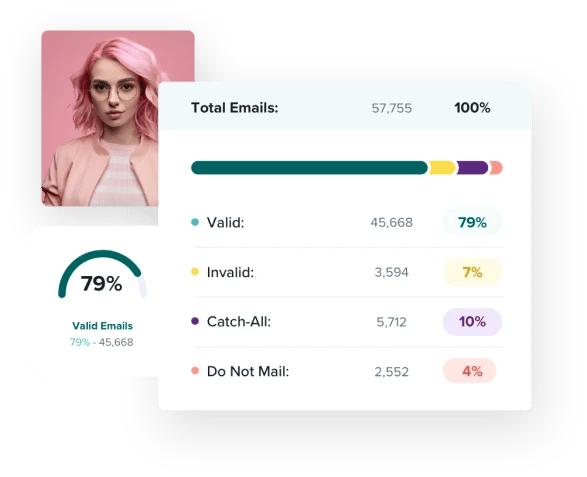
However, all you need to do to protect your email deliverability is to start using email validation. An email validation tool is an email checker that identifies the status of each address.
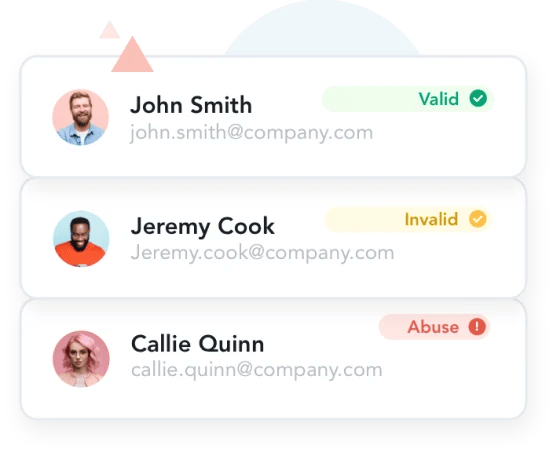
For example, ZeroBounce’s email validation identifies over 30 email address statuses and sub-statuses with guaranteed 99.6% accuracy. Instead of just seeing a list of usernames and domains, you’ll know which emails are:
ValidInvalidSpam trapsDisposable emailsⓘAbuse emailsCatch-all emailsⓘToxic domainsOnce you spot anything that’s not a valid email address, you can delete them from your list. From there, you can confidently send email campaigns to your list, knowing that each email will reach its destination.
Email marketing best practices tell us to keep email content short and sweet.
While the text is lightweight, you must review the type of images used and file sizes. JPEG will offer the smallest size but also the lowest quality. PNG is a strong middle-ground that will allow you to maintain quality at the cost of a bigger file. Be sure to use them effectively.
With a standard email signup form, visitors can enter any email address they want, whether real or fake.
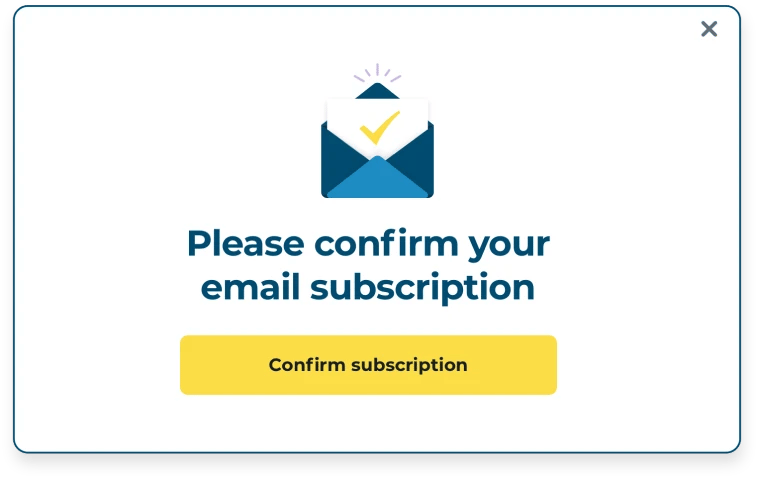
By requiring a double opt-in confirmation, you can send an automated email to the address to confirm that it’s valid. This tactic also effectively reduces spam complaints as users can verify that they want to receive your email content.
In addition to manual email list cleaning, we strongly recommend adding an email verification API to your websites and landing pages.
Most email validation services provide their API for this purpose. This allows you to check every email visitors enter into your registration forms. If an invalid or risky email is detected, the email verifier blocks it.
Now that you know how to control your email bounce rate, let’s look at another significant threat to your email deliverability - spam traps.

A spam trap is a fake email address created by email blacklist services and ISPs to catch users that don’t use email marketing best practices.
Emailing a spam trap is a telltale sign that a business does not clean its email lists. The email list likely contains addresses from purchased email lists or sources other than the owner's explicit consent.
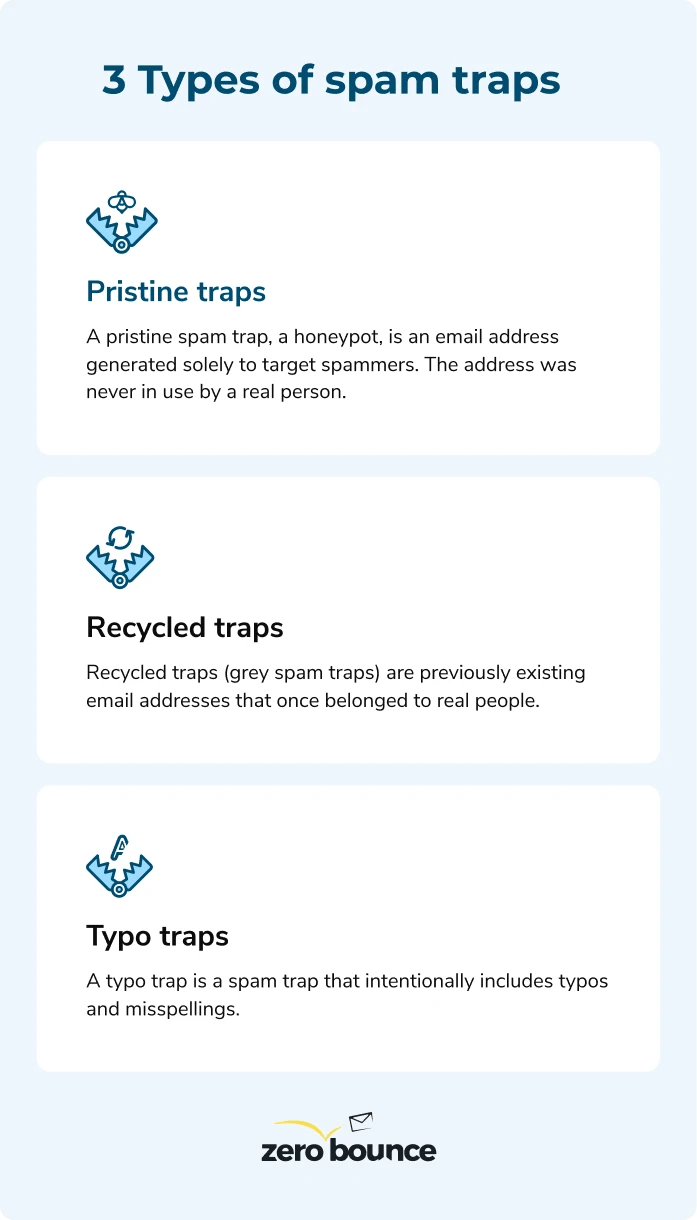
There are three primary types of spam traps to know.
A pristine spam trap, a honeypot, is an email address generated solely to target spammers. The address was never in use by a real person.
The last point is an important distinction, as it means there is no way to obtain this email address legitimately. There was no owner to sign up for your mailing list and show interest in your product.
Having pristine traps on your list means you’re obtaining emails, either bought or borrowed, that contain a planted spam trap.
On the other hand, recycled traps (grey spam traps) are previously existing email addresses that once belonged to real people. ISPs can then repurpose those old, abandoned addresses as recycled traps.
Recycled traps can resemble any regular address: johndoe@gmail.com, janesmith22@hotmail.com, etc.
Despite once being an actual address, recycled traps are still a significant threat to your email deliverability.
A typo trap is a spam trap that intentionally includes typos and misspellings.
If you were to misenter an actual email address, i.e., support@yaahoo.com, it would bounce. However, a typo trap contains similar misspellings but will still read as “delivered.”
An ISP or blacklist provider intentionally created a “real” email address with the typo to catch those not using email marketing best practices.
While a high email bounce rate is a more common threat (20.19% of emails are invalid), spam traps are deadly by design.
Though we found approximately 0.01% on lists last year, it only takes one to sabotage your email deliverability and sender reputation.
Here’s how spam traps can rapidly impact your domain reputation and email marketing ROI.
First and foremost, you can bet on your email domain and/or IP landing on one or more email blacklists/blocklists. Many spam traps come directly from those service providers, and many ISPs work with them to identify spammers.
Having your email domain blacklisted is a significant setback for your email marketing results. It negatively affects your engagement, delivery, and overall domain reputation.
After landing on a blacklist, your problems can begin to spiral further.
ISPs use blacklist services to identify untrustworthy senders. If your domain is on a blacklist, they’ll automatically block your email content resulting in more hard bounces.
It’s tough to resolve these types of hard bounces as the contacts on your list are still valid. The root of the problem is your negative sender reputation.
Until you can improve it, you’ll continue to bounce emails.
Fortunately, blocking any spam trap from entering your email list is relatively simple.
Here are a few tactics your business should employ starting today.
Email list cleaning isn’t just for reducing bounces; it can identify spam traps and other high-risk email addresses.
Be aware, however, that not all email verification tools can identify spam traps. Research the company you choose for your email cleaning to determine if they can accurately identify pristine, typo, and recycled traps.
ZeroBounce can identify all types of spam traps. You can use our email verification services by uploading your email list manually, and we’ll purge any spam traps from your database.
Alternatively, set up the ZeroBounce API on your email registration and signup forms to automatically block spam traps from entering your email list.
We can never recommend buying or borrowing new email leads from anyone.
While some services may guarantee a list that’s never been sold or shared, the risk is too significant to ignore. All it takes is one planted spam trap to have rippling consequences on your domain reputation.
No matter where you obtain your email addresses from, always circle back to step number one - email verification.
Best email marketing practices always include double opt-in signups.
This tactic is effective against spam traps, as many are bot-generated. There won’t be a party on the other end to respond to the confirmation email, which stops the spam trap from making it to your list.
However, it’s worth noting that it is possible to program a bot to respond to confirmation emails. Using these additional best email marketing practices is never an excuse to avoid cleaning your list.
Finally, any business serious about its email marketing should actively monitor both domain reputation and IP reputation.
Many online services, including ZeroBounce, actively monitor unusual and unwanted activity. If you end up on an email blacklist, you’ll receive immediate notification and a description of what went wrong. This allows you to take action and remedy the problem before it can impact your emails.
Both high email bounce rates and spam traps will negatively impact your email deliverability.
These will lower important metrics like your IP reputation and email domain reputation, which we referenced many times throughout this article.
However, other factors like email content, sending frequency, and low engagement can impact delivery.
Domain reputation, also called sender reputation, is a numerical score that characterizes the email-sending activities of an email domain or organization. ISPs issue these numbers to indicate the trustworthiness and safety of a domain or IP.
Your domain would be the name of your business or the domain you use to send email content, i.e., username@companyABC.net.
Your domain reputation will decrease when you bounce emails, message spam traps, and land on blacklists.
Find out now - create a free ZeroBounce account and get a free test monthly.
While domain reputation applies to your specific email domain, IP reputation is a score issued to sending server’s IP address.
There are two types of IP addresses you may use:

Shared IP
IP address used by multiple domains or businesses

Dedicated IP
Unique IP used by one domain
Like domain reputation, ISPs monitor outgoing emails from an IP address for spammy or malicious email content.
In other words, here’s what can happen:
Companies A, B, and C used a shared IPCompany A engages in spammy email practices; Company B and C use best email marketing practicesCompany A negatively impacts the IP reputation of all three companiesFortunately, ISPs examine IP and domain reputations to understand the facts better. Nevertheless, both work together to tell a story of how trustworthy you are as an email sender.
You can protect your reputation by authenticating your emails.
This helps ISPs differentiate legitimate senders using your domain or IP from bad actors looking to spam or deploy phishing scams on your audience.
Learn more about email authentication:
Sender Policy Framework (SPF)Domain-Based Message Authentication, Reporting and Conformance (DMARC)DomainKeys Identified Mail (DKIM)With all of our technical email deliverability issues resolved, there’s still one critical factor in play - email content.
Even with a clean email list, email authentication, and a pristine sender reputation, email content can still cause delivery problems.
Here are some essential tips to keep in mind when creating your email campaigns:

Finally, avoid spammy behavior and email on a set, predictable schedule.
Most email service providers have a limit on how many emails you should send per day before they consider it spam. This ensures you’re only sending valuable content to your subscribers and not bombarding their inboxes.
Your subscribers will also appreciate it. Try sending up to a few emails per week, depending on the nature of your email content.
If you send too little, subscribers may forget about you. If you send too frequently, you’re like to get more unsubscribe requests and spam complaints. Monitor how your audience responds to find the perfect middle ground.
Email marketing is a worthwhile investment for any brand.
However, email marketing best practices are a requirement for everyone - whether you’re a small startup or a global enterprise.
No one’s safe from invalid emails, spam traps, and other email deliverability issues that can destroy your sender reputation.
ZeroBounce can help you every step of the way.
You can get started anytime with our free, ungated resources that can help you track your email bounce rate and learn more about the best email-sending practices.
Get 100 free monthly credits - business or premium domain required
Email bounce rate is the percentage of rejected emails versus delivered ones.
The standard email bounce rate for all industries is 2% or lower. You should investigate email bounce rates between 2-5%. Anything higher indicates a significant email deliverability issue.
Hard bounces are caused by permanent deliverability issues such as an invalid email address. Your emails will always bounce when using such an address.
Soft bounces are caused by temporary issues, including a full mailbox, anti-spam technology, or a temporarily unavailable email server.
A spam trap is a fake email address used by ISPs and blocklist providers to catch email senders that aren’t using email marketing best practices. If you’re caught emailing a spam trap, you will end up on an email blocklist.
Pristine traps, called honeypots, are never-before-used email addresses designed to catch spammers. These addresses never belonged to previous owners nor were used for any other purpose.
Recycled traps are a type of spam trap made by using old, abandoned email addresses. ISPs repurpose these old email addresses to catch would-be email spammers.
Typo traps are a type of spam trap in which the email address contains intentional typos. Instead of bouncing like an invalid address, emails sent to a typo trap will deliver successfully to help examine senders not using best email marketing practices.


