
Harness the power of ZeroBounce email validationⓘ with our new email validationⓘ extensions for Google Chrome, Microsoft Edge, and Mozilla Firefox.
Automatically identify and extract any email visible on a webpage when browsing, validate it, and download the result within seconds. The ZeroBounce browser extensions make discovering and validating new email contacts effortless. Protect your email deliverabilityⓘ without visiting your dashboard.
ZeroBounce browser extensions provide rapid email validationⓘ by bringing the ZeroBounce API to your internet browsing experience.
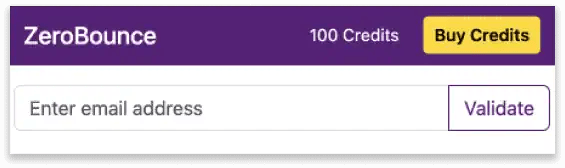
Open the extension in your browser, enter an email, and click Validate. Identify valid and invalid emails and over 30 unique statuses and sub-statuses to verify email addresses further.
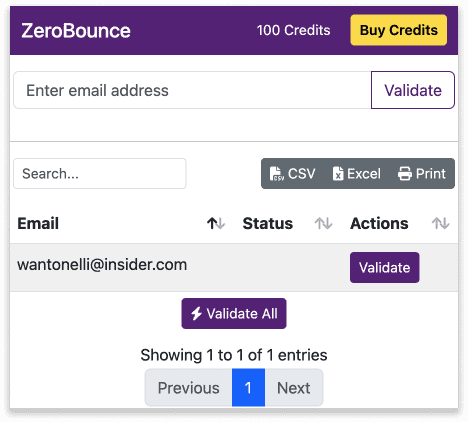
Need to grab multiple emails at once? Visit any webpage with the ZeroBounce browser extension active and automatically extract any visible email.
With a list of extracted emails, just hit Validate All and get email verification results for every discovered email address.
Export email contacts from Google Chrome, Microsoft Edge, or Mozilla Firefox as CSV, XLSX, or printable document files with your validated email list.

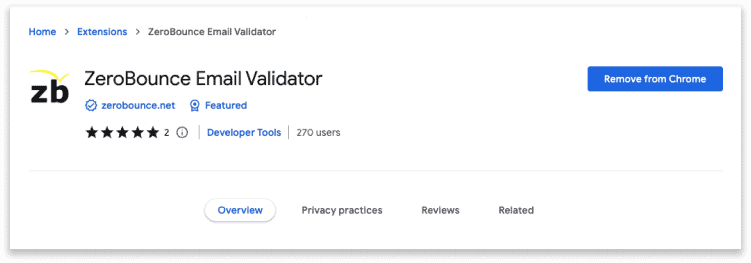
Download the ZeroBounce browser extension today from the Chrome Web Store. Add to Chrome, connect your ZeroBounce API key when prompted, and you’re all set!
Don’t have a ZeroBounce account or API key? Sign up for your free account today and get 100 free email verifications monthly to use with your new ZeroBounce Chrome extension!


Enjoy our email validation extension for Microsoft Edge by installing it from the Microsoft Edge Add-ons Store. Hit Get, enter your ZeroBounce API key, and get ready to clean emails anywhere you visit on the web.
Getting started with ZeroBounce is easy. Sign up today for free and get 100 email verification credits added to your account instantly. No contracts and no long-term agreements - ever.

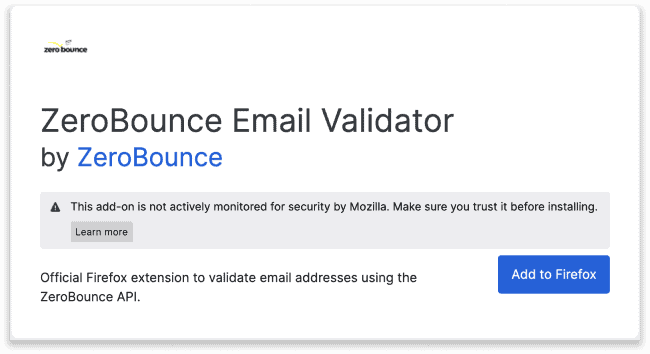
Add the ZeroBounce browser extension to your Mozilla Firefox browser by visiting the Firefox Browser Add-ons Store. Just Add to Firefox and connect your ZeroBounce API key, to get started. Extract and validate emails, verify in bulk, and export your new lists to upload to your favorite platforms.
You’ll need a ZeroBounce account to get started with the ZeroBounce Firefox extension. But don’t worry - signup is free, and you’ll get 100 free email validationⓘ credits to use instantly with your new email verification extension.
Why bring ZeroBounce to your web browser?
Maintaining a clean email listⓘ is the best way to improve your marketing performance overnight. Check out what you can achieve using the ZeroBounce browser extension during your daily activities.
Only valid emails reach the inbox. Messages sent to invalid and high-risk emails are responsible for your high email bounce rateⓘ.
Rather than risk a bounce on that new email lead, validate your email contacts with the Firefox, Edge, or Chrome browser extension to determine if your lead is worthwhile. Once you have a new list of valid emails, export them from the browser extension and import them into your email database.
Reaching the inbox reliably provides exponential benefits. When fewer emails bounce and more users open your content, your email deliverabilityⓘ improves. You’ll reach the inbox more frequently and have an easier time getting by spam filters.
The benefits continue growing. With a low email bounce rateⓘ, more delivered emails, and higher email engagement rates, your sender reputation improves. More internet and email service providers recognize your company domain as a trusted sender, allowing you to connect with new customers quickly.
With a list of clean, valid contacts and a powerful reputation, count on more revenue from your email marketing. You’ll also have more accurate, actionable data to improve your email content based on how real subscribers engage with your emails.
Email verification just got easier. Visit your browser marketplace on Google Chrome, Microsoft Edge, or Mozilla Firefox to download the extension today! There’s no faster way to zero bounces.
Yes - you can download the email verification extensions for each browser at no cost. You must provide a ZeroBounce API key, which you can obtain by creating a free ZeroBounce account.
The ZeroBounce browser extensions allow you to perform the following tasks:
• Extract any visible email on a webpage
• Validate a single email address with manual entry
• Validate a bulk email list after extracting them from a webpage
• Export an email list via CSV, XLSX, or as a printable document
You can find the email verification extension by reviewing your list of extensions in your respective browser’s settings. Then, you can pin the ZeroBounce extension to your browser so it’s always visible in the top right corner of the page.
The ZeroBounce extension can only extract visible emails on a webpage. If the issue persists, perform a hard refresh by clearing your browser cache. Finally, toggle off your other browser extensions to determine if another technology interferes with the extraction feature.
If the ZeroBounce browser extension does not validate an email, ensure that you have a stable internet connection. Then, refresh the page and reattempt the
email validationⓘ
. If the problem persists, double-check your credit balance to ensure you have enough credits to complete the attempt.
If you face issues with the export function, review the download settings in your browser and provide the necessary permissions to the ZeroBounce browser extension. If you continue to experience issues, please report them to the
Get 100 free monthly email verifications when you sign up with a business/premium domain.