

Integration
Tired of your Gravity Forms returning stacks of invalid and risky emails for you to sort out? You don’t need to deal with that anymore. You can validate users’ email addresses directly within your Gravity Forms with the ZeroBounce + Gravity Forms integration.
Now, users can complete Gravity Forms without creating a long list of email addresses for you to validate manually. Install the ZeroBounce + Gravity Forms integration to save time and validate emails as forms are submitted.
Forms are magnets for fake signups. They’re a big problem as they skew performance metrics, present security risks, and harm your sender reputation if contacted. Validating email addresses as forms are processed blocks fake signups from getting on your list.
Forms are known to collect emails that aren’t safe to contact. Sending emails to unsafe emails damages your sender reputation, fast. Validating email addresses in real time within Gravity Forms ensures that you add valid contacts to your email list. Contacting these emails improves your sender reputation and ROI.
Developers won’t need to set hours aside to install the ZeroBounce + Gravity Forms plugin. All it takes is installing the Gravity Forms and ZeroBounce plugins, which can be done in minutes. Anyone who can manage a WordPress/WooCommerce account has the skills to get set up fast.
Download Gravity Forms and head to your WordPress dashboard to add, upload, and activate it.
Log in to your WordPress Admin, download the ZeroBounce plugin, and configure your settings.
No more manual validations. Gravity Forms will validate users’ email addresses for you in real time when they submit forms.
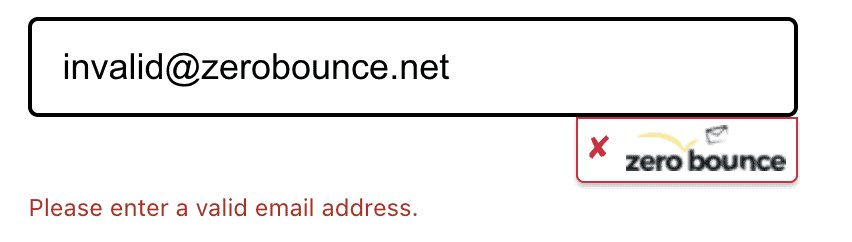
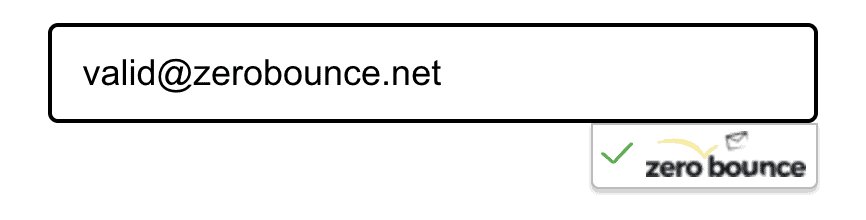
Once you’re all set up, the integration validates users’ email addresses when they submit their details via a Gravity Form:
You must set up a fully operational WordPress installation and install Gravity Forms to use the integration. Check out the ZeroBounce + Gravity Forms installation guide to get set up.



















The Gravity Forms integration validates a user’s email address within the form. If their email address passes verification, the form is submitted successfully. If the email address doesn’t pass verification, the form won’t be submitted, and the user will see an error message.
One validation costs one ZeroBounce credit. ZeroBounce Freemium gives you 100 free credits a month that don’t expire. If you need more, you can buy credits on a Pay-As-You-Go plan or join ZeroBounce ONE™, which gives you 10,000 credits per month. View our pricing page to learn more.
You decide which email status codes you accept. Choose which ones you want to accept when configuring your ZeroBounce plugin. We recommend that you only accept “Valid,” “Catch-All,” and “Unknown” statuses. Check out our Status Codes documentation to learn more.
No, you don’t need to write a single line of code to install the Gravity Forms integration. Anyone who knows their way around WordPress/WooCommerce will find the installation simple. All you need is an operational WordPress installation and to install the Gravity Forms and ZeroBounce plugins. Read our ZeroBounce + Gravity Forms installation guide to learn how to get set up.
Yes, we recommend that you customize the error message as it impacts your user experience. You can configure the error message in ZeroBounce’s plugin settings. It’s important to remember that audiences are diverse. They need to be able to read your information.
You need a fully operational WordPress installation and a Freemium/premium ZeroBounce account. Then, you need to download the Gravity Forms and ZeroBounce plugins.
Yes, you don’t need to pay anything to use the Gravity Forms integration. The ZeroBounce and Gravity Forms plugins are free.