
Receive 100 free email validation credits monthly.
Credits never expireⓘ

Integration
Zapier
Workato
Clean and verify the accuracy of your Microsoft Dynamics CRM contacts with the official ZeroBounce integration. Seamlessly sync your Dynamics 365 contact lists for 99.6% accurate email validationⓘ and email list enhancement. Create your free ZeroBounce account, and try the integration today!
Try the Dynamics 365 integrationGet 100 free monthly email verifications when you sign up with a business/premium domain.
Credits never expireⓘ
ZeroBounce’s integration for Microsoft Dynamics 365 includes all of the platform’s official integration features, including the following tools and services.
Your CRM is only as useful as the data it contains. ZeroBounce assists sales professionals, email marketers, customer service reps, and other outreach professionals by accurately verifying and validating user email addresses.
The Dynamics 365 integration automatically syncs your accounts, allowing you to select which contact lists to validate. When the process is complete, ZeroBounce automatically delivers your results to your Dynamics 365 CRM. Just filter your contacts by status and remove invalid contacts from your database.
ZeroBounce helps professionals improve email deliverabilityⓘ and performance with lead enhancement features, including:
You can label and organize your Microsoft Dynamics 365 CRM the way you want. The ZeroBounce Dynamics integration lets you change the names of fields and control how your validation and Scoring results are stored in your database.
Avoid adding invalid email addresses to your Dynamics CRM. With the Contact Monitoring feature, ZeroBounce will automatically validate each new email address that’s added from any source. You can turn auto-validation on or off at any time with a toggle switch. Auto-Scoring is also supported.
For optimal email marketing performance, we recommend validating your database quarterly at a minimum. However, the ZeroBounce Dynamics 365 integration allows you to schedule your database validation and Scoring how you want. Just select a list and select how often you want to run those tools, and ZeroBounce will handle the rest.
Microsoft Dynamics 365 integration users can also share their CRM contacts and validation results with other platforms supported by ZeroBounce. This feature is applicable to most official ZeroBounce integrations, including ActiveCampaign, HubSpot, Constant Contact, and Mailchimp.
You can get started with the Microsoft Dynamics 365 integration in just three easy steps.
Prerequisites:
From there, follow these steps:
1. Select Microsoft Dynamics 365 from the list of official integrations.
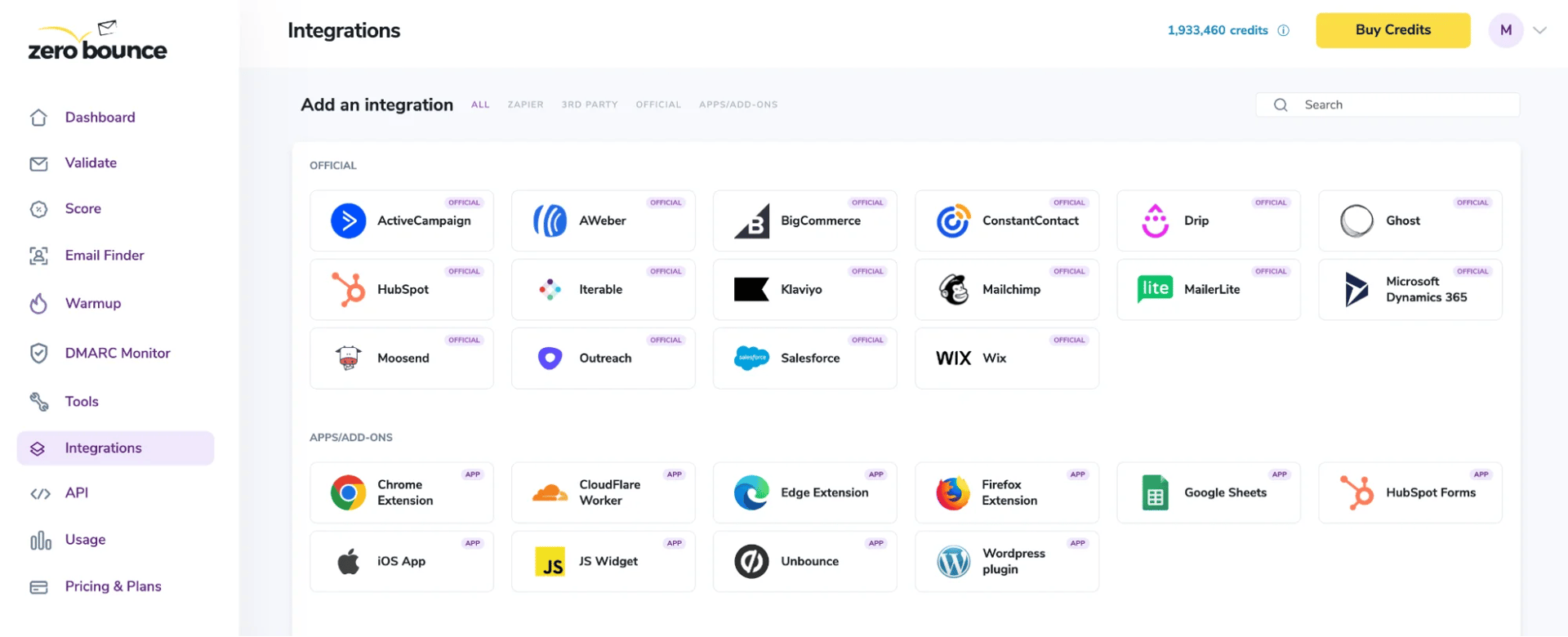
2. Enter your Dynamics 365 API URL.
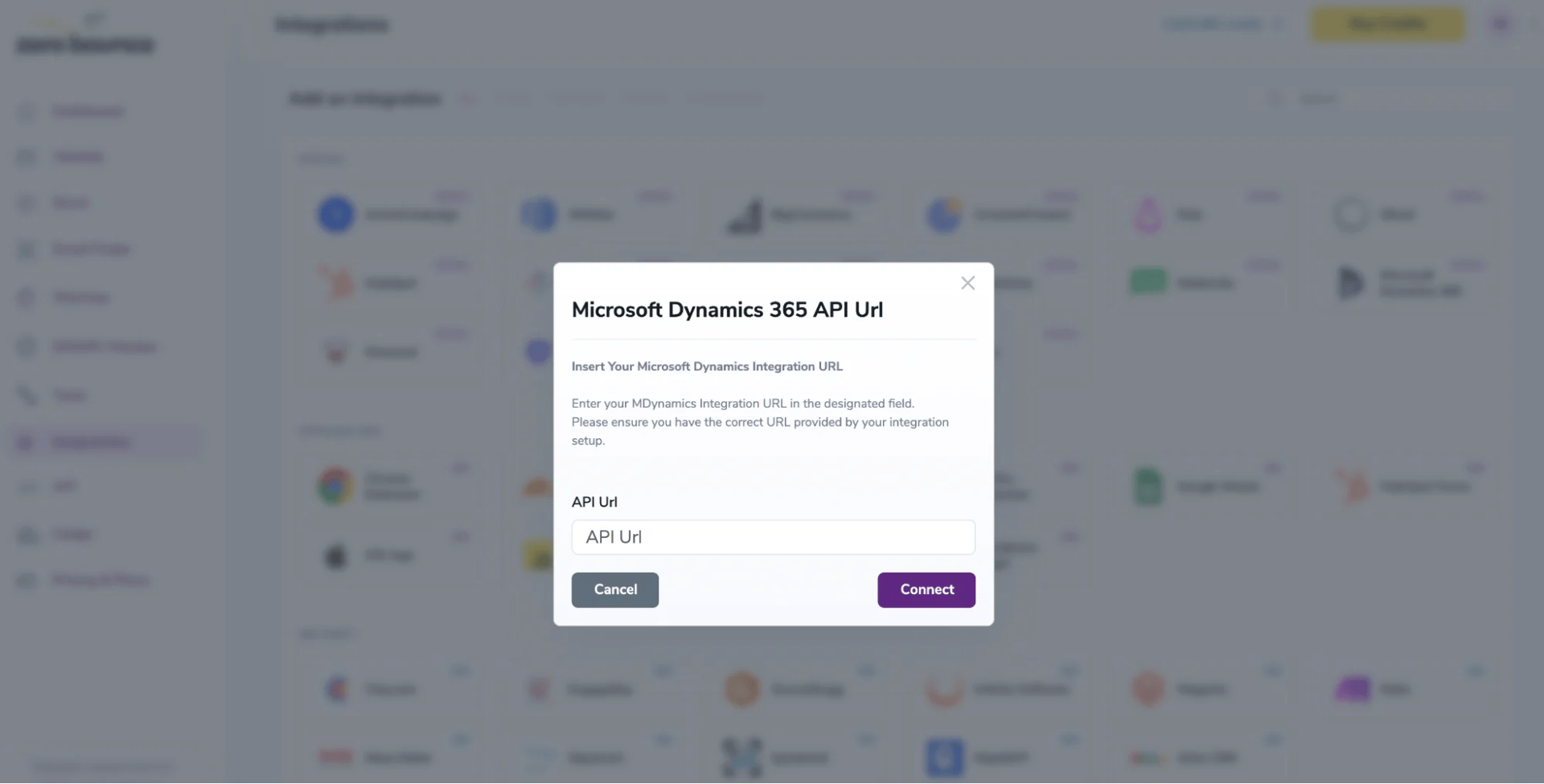
3. Hit ‘Connect.’
From there, the integration automatically fetches the contact lists that are available from your Dynamics 365 account.
Check out the complete setup steps, including how to configure the prerequisite permissions in the official documentation.
View the docsWith ZeroBounce on your side, your entire team benefits from:
Test the free integration to learn firsthand how ZeroBounce can improve your email outreach efforts. Create a free account today to get access to the Dynamics 365 integration, along with these monthly benefits:

100 credits for email validation and Scoring (credits never expire!)ⓘ

10 Email Finder queries

1 Blacklist Monitor

1 Inbox Placement Test

1 Email Server Test

Real-Time Email Verification API

Access to 60+ integrations


