Docs
Docs
ZeroBounce uses PayPal and Stripe as their primary payment processor. Therefore, you can use all payment methods that either platform accepts. Payments through Link are also now available.
PayPal currently accepts the following payment methods:
Learn more about PayPal payment methods via their Acceptance page. You can also view which countries are supported by PayPal payments to determine if you or your business is in a valid location.
ZeroBounce now supports expanded payment options through Stripe, including some popular platforms used internationally. These payment platforms include:
In addition to this, ZeroBounce supports 135 international currencies for Pay-As-You-Go purchases. When attempting checkout with a Pay-As-You-Go order, the currency will be determined based on your location.
You can find the full list of Stripe’s supported currencies on their website.
Any payment via PayPal or Stripe may be used for your ZeroBounce purchases.
You can pay for your credit or subscription via bank wire or Automated Clearing House. Please contact support@zerobounce.net for more information.
To pay for your ZeroBounce purchase with PayPal, follow these steps:
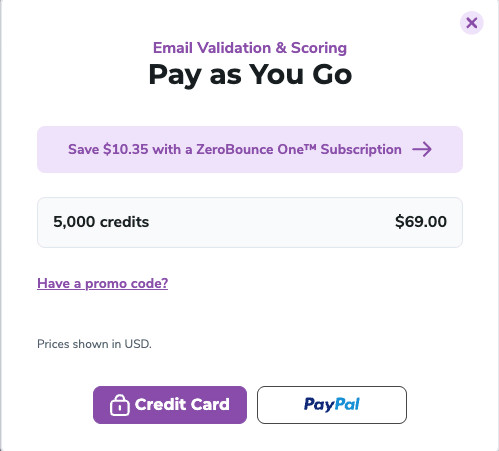
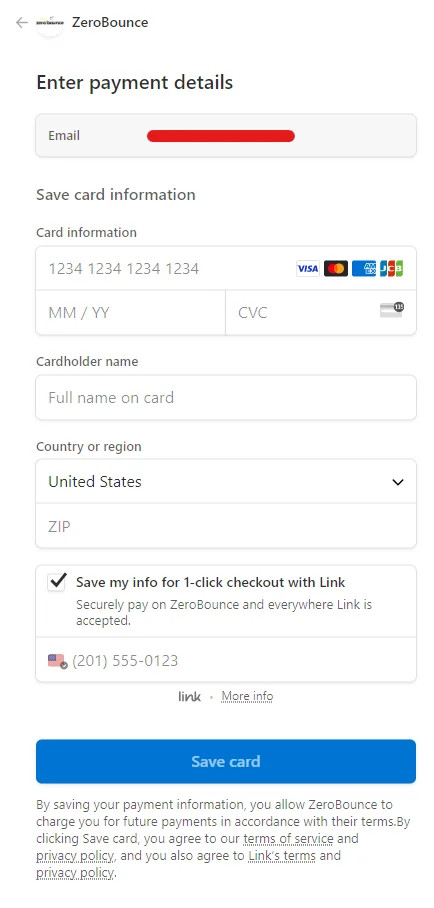
You can now use Link for a simple, one-click checkout.
To do so, follow these steps:
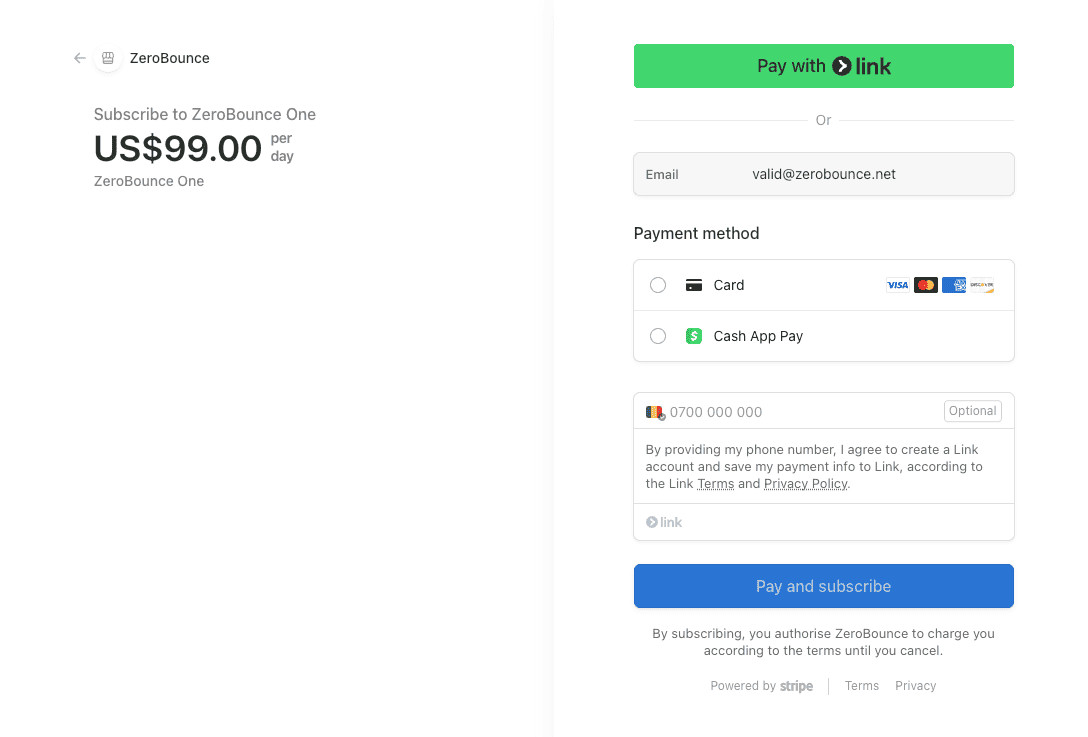
You can also securely save your Link information for future purchases by checking the box at the bottom.
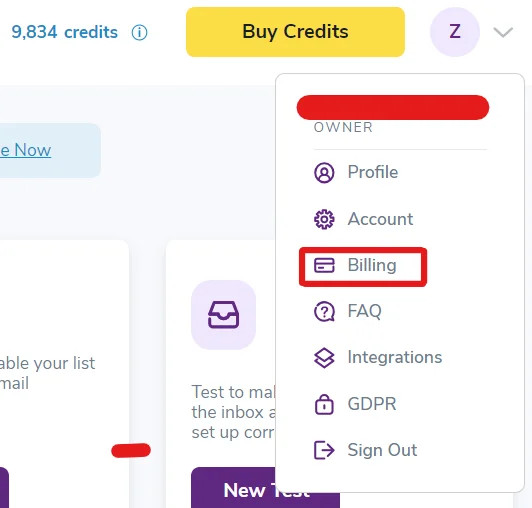
To change your payment method on file with ZeroBounce, proceed with the following steps:

If you prefer to use the Link checkout method, check the box next to 'Save my info for 1-click checkout with Link.'
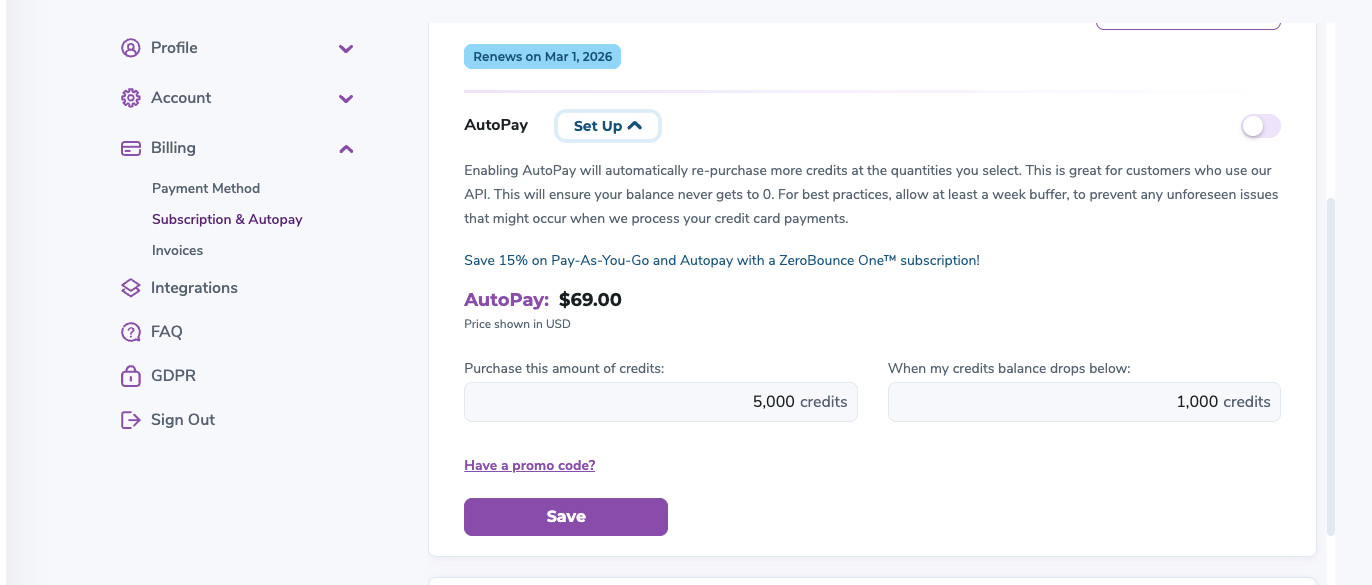
You can use any of the above payment methods to automatically add new credits to your account when your balance runs low.
To set up Autopay, follow these steps:
How do I check out as a guest with PayPal?
What does my bank decline code mean?
How is pricing determined for email verification?
Are there any discounts for bulk verification?
How to assign and update payment methods for subscriptions?
Though PayPal is one of ZeroBounce's primary customer payment methods, you don't need a PayPal account to complete your purchase. You can temporarily add your credit or debit card to PayPal to process your transaction through their service.
To temporarily add your debit or credit card to PayPal, follow these steps:

PayPal payment screen: After choosing this option, you'll see the screen below to enter your credit card information.
Be aware that sometimes, PayPal won't allow you to check out as a guest. Their reasoning can be related to browser choice, existing cookies, location, or IP address. If you have issues using the guest checkout feature, contact PayPal support for more information.
Yes. ZeroBounce also processes debit and card payments via Stripe. Click Credit Card to enter your billing information when visiting the checkout screen. You can then select whether or not you wish to save your credit card information for future payments.
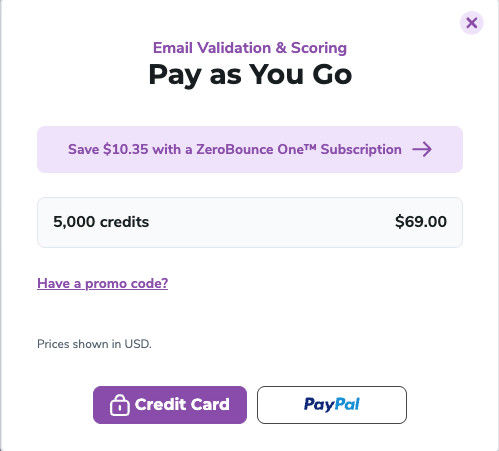
Click Credit Card to enter your debit or credit information directly.
After, we'll redirect you to our Stripe checkout screen. Here, you can also enable Stripe's "Pay with Link" feature for easy, 1-click checkouts.
Check out our complete list of accepted payment options to ensure Stripe supports your payment method.
What Payment Methods Does ZeroBounce Accept?
What does my bank decline code mean?
How is pricing determined for email verification?
Are there any discounts for bulk verification?
How to assign and update payment methods for subscriptions?
Your entire ZeroBounce invoice history is stored in your account. To access those invoices, follow these steps:
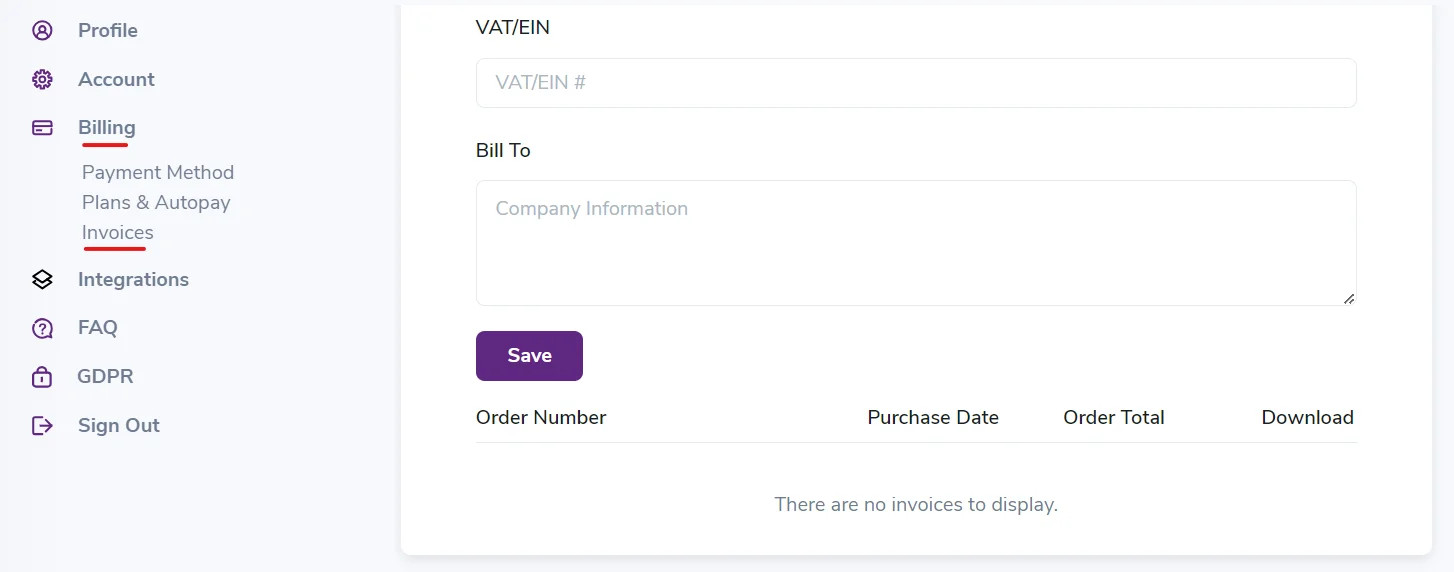
You can find your invoice history by visiting the Billing section in your ZeroBounce account settings.
Please note that the invoices in your account settings are only for your convenience. They may be missing information needed for tax-related expenses or account purposes, as PayPal does not provide this data.
ZeroBounce only has access to the information that PayPal agrees to provide, which is typically limited. Like ZeroBounce, PayPal protects their customers' payment data and doesn't transmit or share any unnecessary information to the vendor for order completion.
However, PayPal will also issue you a receipt after each ZeroBounce purchase. It's strongly recommended to store and file these receipts for your records, as they will contain complete information regarding each transaction.
You can also add documents to your invoice history.
After accessing Invoices from your Billing settings, enter an Employer Identification Number (EIN) or Value Added Tax (VAT) number in the field provided. You can also enter your invoice's relevant business name in the Bill To section.
Then, click Save.
You can then find and download invoices in your list of orders.
You can download any past invoices for your records.
Locate the invoice in your list of past orders. Then, click the download link located to the right of the order total.
What Payment Methods Does ZeroBounce Accept?
How do I check out as a guest with PayPal?
What does my bank decline code mean?
How is pricing determined for email verification?
Are there any discounts for bulk verification?
How to assign and update payment methods for subscriptions?
In some instances, your bank or card issuer may decline payment when attempting to make a purchase. They may provide a decline code that details why the transaction was declined.
Below is a list of possible decline codes and a corresponding explanation. You can also find instructions on resolving your payment issues as soon as possible.
Decline Code
If you have any additional questions regarding your declined payment, contact the support team via live chat or support@zerobounce.net.
What Payment Methods Does ZeroBounce Accept?
How do I check out as a guest with PayPal?
What does my bank decline code mean?
How is pricing determined for email verification?
Are there any discounts for bulk verification?
How to assign and update payment methods for subscriptions?
ZeroBounce uses a volume-based pricing structure for email verification. The more emails on your list you need to clean, the lower the price per email verification credit.
The minimum email verification credit purchase is 2,000 credits. You can verify one email address at the cost of one credit. Currently, 2,000 credits cost $39.00 (~$0.0195 per credit). The price per credit decreases as your purchase volume increases.
ZeroBounce does not charge for removing duplicate email addresses or for unknown results. Credits never expireⓘ.
See the table below for volume price scaling.
Be aware that you also receive 100 monthly credits for creating a free ZeroBounce account.
For the best value, a ZeroBounce ONE™ subscription provides you with 10,000 email verification credits monthly for $99 per month ($79 per month annually). Here's everything included in a ZeroBounce ONE™ subscription:
ZeroBounce ONE™ also provides a 15% discount on any additional email verification credit purchases. There are no contracts, and you can cancel a subscription at any time.
There are no contracts, and you can cancel a ZeroBounce subscription anytime.
Learn more about email verification pricing
Unique Enterprise pricing is available for purchases or monthly subscriptions over one million email verification credits.
ZeroBounce's scalable enterprise plans include:
Plans also include 1,500 testing credits to help you ensure the ZeroBounce email verifier is suitable for your company.
Learn more about enterprise plans
What Payment Methods Does ZeroBounce Accept?
How do I check out as a guest with PayPal?
What does my bank decline code mean?
Are there any discounts for bulk verification?
How to assign and update payment methods for subscriptions?
All email verification pricing is volume-based and scales with how many emails you need to verify. This scalability applies to both one-time Pay-as-you-go purchases and monthly subscription plans.
For example, with the volume discount, 2,000 email verification credits will cost more per credit than 10,000.
You can verify one email at the cost of one credit. ZeroBounce does not charge credits for duplicate emails or unknown results.
ZeroBounce credits never expireⓘ, making bulk verification purchases even better for future email list cleanings.
Check out the volume pricing scale below.
Pay-as-you-go price scaling
Monthly subscription pricing
For the best value, a ZeroBounce ONE™ subscription provides you with 10,000 email verification credits monthly for $99 per month ($79 per month annually). Here's everything included in a ZeroBounce ONE™ subscription:
ZeroBounce ONE™ also provides a 15% discount on any additional email verification credit purchases. There are no contracts, and you can cancel a subscription at any time.
In keeping with scalable volume pricing, ZeroBounce offers custom plans for enterprises with over one million email addresses.
In addition to discounted volume pricing, enterprise plans come with all of ZeroBounce's top features, including a dedicated account manager, personalized onboarding, email verification training, team accounts, unlimited email testing, and more.
You can discuss a custom enterprise pricing plan with the ZeroBounce team today. They also provide 1,500 email verification credits to test the tool before you sign up.
Learn more about ZeroBounce enterprise plans
What Payment Methods Does ZeroBounce Accept?
How do I check out as a guest with PayPal?
What does my bank decline code mean?
How is pricing determined for email verification?
To assign a payment method for ZeroBounce or credit Autopay, ensure that you have a payment method on file.
Then, follow the instructions below based on your current scenario.
If you don't have a ZeroBounce ONE™ subscription, you can get started by accessing:
If using the latter, scroll down to Subscription & Autopay and select Update Subscription. Both methods will take you to the same screen.
Next, follow these steps:
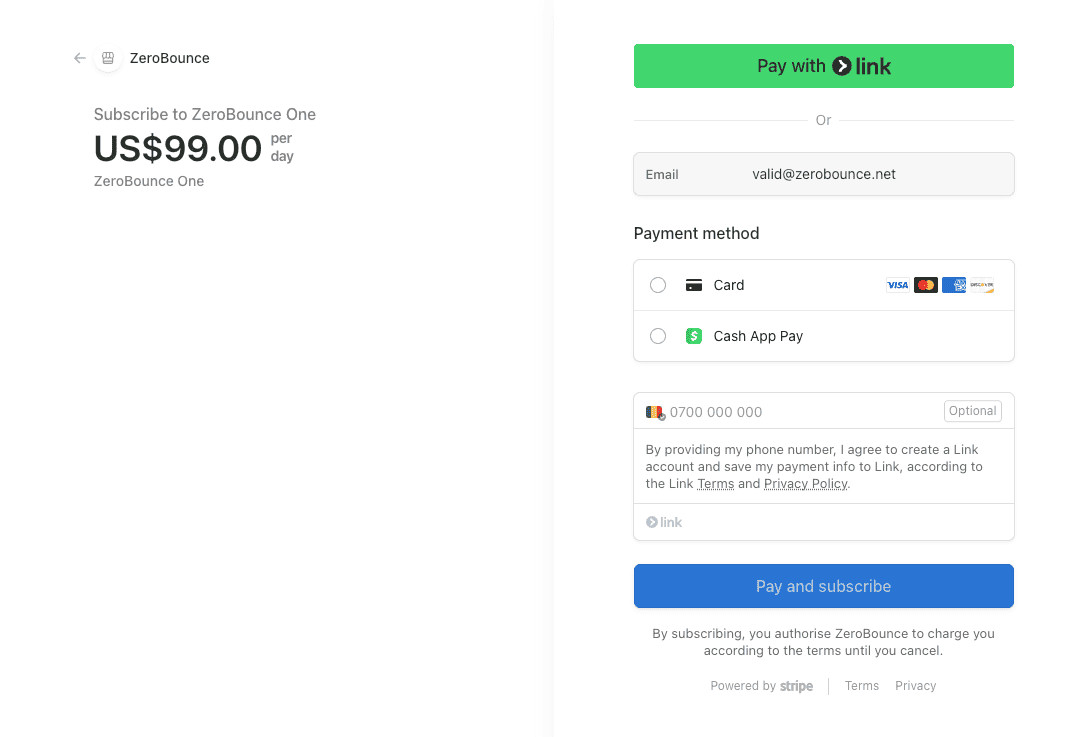
Your subscription will now appear under Billing > Subscription & Autopay. You can edit your payment method at any time from this menu.
Moving forward, you'll be able to edit your payment method attached to Autopay from the Billing menu.
If you already have a subscription and wish to update your payment method, follow these steps:
What Payment Methods Does ZeroBounce Accept?
How do I check out as a guest with PayPal?
What does my bank decline code mean?
How is pricing determined for email verification?
Are there any discounts for bulk verification?
With this new feature, we aim to enhance the user experience during identity verification, which is now simplified into four easy steps.
When a payment is put into review, a pop-up will be displayed, asking you to provide your identity. An email will also be sent to inform you that you need to verify your identity.
To confirm your identity, you'll need to complete the following steps:
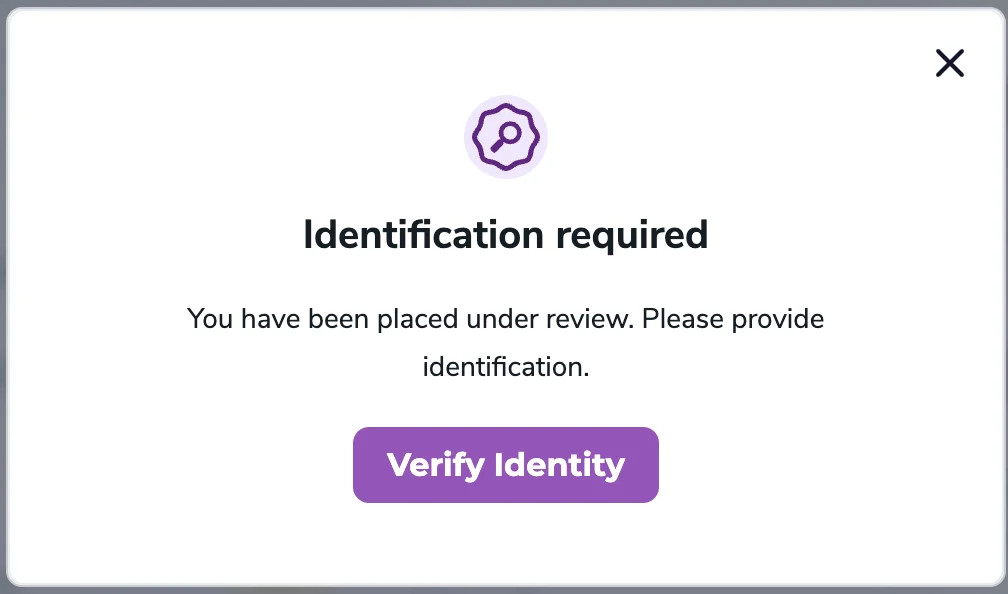
Step 1. Once you click on the 'Verify Identity' button, you'll receive a prompt from Stripe asking you to upload the required documents.
Step 2. After successfully uploading the required documents, your identity verification process begins.
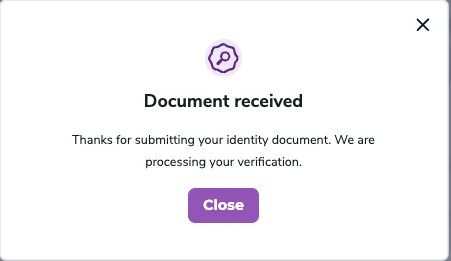

Note:
If the uploaded documents are valid, the process can take anywhere from a few minutes to a few hours.
Step 3. If the submitted documents are valid and your identity verification is successful, we'll approve your payment, and you'll receive the associated benefits.
Step 3a. If the identity verification process fails, you'll need to try again (repeat Step 2).
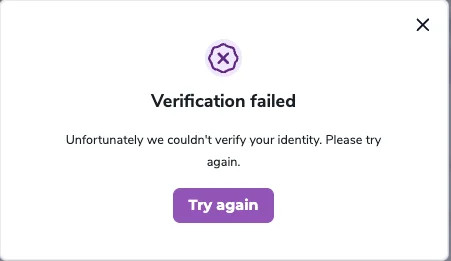
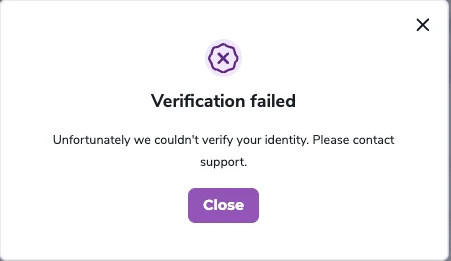
Step 4. If your identity verification process fails for the second time, you'll receive a prompt to contact support for further assistance.