
What Are Disposable Emails?
Discover what a disposable email is and how it harms your campaigns. Learn how to detect and block temporary accounts.
Learn moreThis guide will help you understand what spam traps are, how they affect your email campaigns, and steps you can take to avoid them.
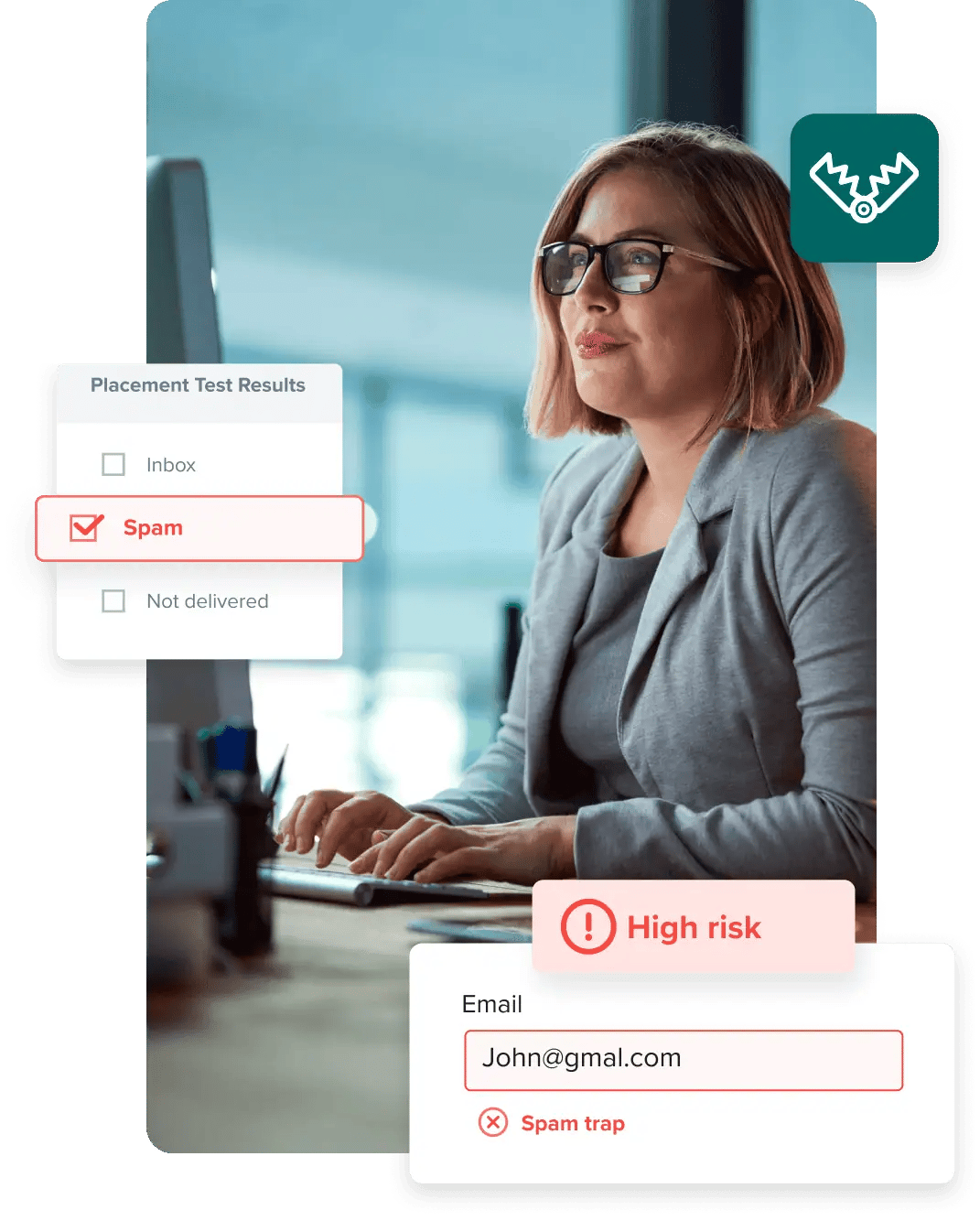
New email marketers are left stumped when open rates drop overnight. There are many reasons why that could happen. One of the sneakiest offenders is spam traps. Once you learn what they are and how they work, you’ll want to get them off your email list ASAP.
This guide explains what spam traps are, their effects on email campaigns, and how you can avoid them. With better email hygiene and proactive list management, you can avoid spam traps and ensure your emails land in inboxes, not spam folders.
Spam traps are a spam prevention method used by Internet Service Providers (ISPs) and blacklist providers to lure in spammers and block them. While spam traps are annoying for email marketers, they are necessary. Studies show that a staggering 14.5 billion spam emails are sent globally every day. That’s 45% of all emails.
A spam trap, sometimes referred to as a “honeypot email,” appears to be a normal email address, but it isn't.
Spam traps don't belong to an individual, and they don’t send outbound emails. Since spam trap addresses never opt in to receive emails, any inbound messages would flag the sender as a spammer.
Not maintaining good email hygiene and neglecting the rules of permission-based email marketing is the only way spam traps could end up on your email lists.
Internet Service Providers (ISPs) and blacklist providers (i.e., Composite Blocking List, SpamCop) use spam traps to catch malicious senders. But lawful senders must understand spam traps too, as poor email hygiene and list-building strategies may also raise a red flag.
Pristine spam traps, often collected by web scrapers, are the most dangerous because ISPs regard sending to them as abusive.
We asked our Chief Operating Officer, Brian Minick, to explain how spam traps work and what happens when your emails are sent to one. Here’s what Minick said:
“Sometimes the email will bounce, telling you that you hit a spam trap.” This is ideal because knowing you have a trap in your list gives you the possibility to remove it. “Sometimes it will bounce, and you’ll get a ‘user does not exist’ email” – just like when emailing an invalid address. The issue is, if you don’t make sure your bounce rate is below industry limits, you run the risk of getting blacklisted. A good email list cleaning will keep your bounces low.
“Sometimes, it acts like a normal email address, and nothing happens when you email it.”
Worst case scenario – how can you eliminate an enemy, when you’re not even aware it’s there?

Have you ever misspelled “Google” in your web browser's location bar, but it still took you to Google.com? And have you sent out an email to “Gmial” or “yaho” and noticed it didn't bounce?
Typo spam traps work like that. They are real email addresses that, despite their domain misspelling, do not bounce. ISPs set them up to get insight into marketers’ best practices.
They create addresses that contain intentional mistakes – usually, mistakes people are likely to make when typing in their address in a form. Then, they analyze the emails those addresses receive to detect phishing and other malicious practices.

Expert Tip:
Implement real-time email validation to double-check data entered into forms. For example, ZeroBounce API can instantly flag misspelled domains like “Gmail” or “Yahoo” before they enter your database, reducing the risk of typo spam traps.
Remember the email address you had in high school that you no longer use? It could be a spam trap now. ISPs and blacklist providers often take abandoned email addresses and use them to catch spammers. These spam traps are called recycled or gray spam traps.
Again, there are a few ways to end up with a grey spam trap in your list, even if you follow email marketing best practices. But here are two scenarios:
In the second case, the emails you sent to that particular address must have hard bounced at some point. Not removing that hard bounceⓘ caused you to get a grey spam trap – and it may be jeopardizing your sender reputation right now.
It’s important to be in control of your lists, from opt-ins to hard bounces and unsubscribes. Paying close attention to your engagement rates – especially your bounce and open rate – is the first step you can take to avoid spam traps.
How to keep recycled spam traps at bay:
Expert Tip:
Run regular email list hygiene checks using tools like our free email verifier to identify and remove outdated email addresses. Pay attention to high-bounce email addresses. These could turn into recycled traps if you don’t remove them promptly.
ISPs/blacklist providers create pristine spam traps to protect customers from spammers, so they’re never valid. To catch spammers, they create email addresses and make them publicly available so web scrapers add them to an email list to sell. ISP/blacklist providers will then block senders who email these addresses, as it’s a clear sign that they’ve purchased an email list.
Pristine spam traps are extremely harmful to your sender reputation.
Expert Tip:
Avoid purchasing email lists or scraping addresses. Build your email database through ethical opt-in methods and validate all new entries with tools like ZeroBounce validation API.
A domain spam trap is when a blacklist provider openly requests owners of dormant domains to point their MX records to the blacklist provider. After the MX records are repointed, all the email addresses of that domain become spam traps.
Expert Tip:
Monitor your domain activity with Blacklist Monitoring. Receive alerts if you’ve been blacklisted, so you can act fast to get delisted and avoid further damage to your reputation. Your first monitor is free with ZeroBounce Freemium.
Now that you know what spam traps are, let's move on to some practical tips to help you keep them away from your email lists and achieve results that any email marketer would be proud of.
All of your metrics are important. Make it a habit of routinely checking them. Open rates are one of your most important email marketing metrics, and for good reason. Open rates tell you how your content is doing, so you know what and when to adjust. Also, they can be a good indication of the potential presence of spam traps in your database.
So, if any of your subscribers haven’t engaged with your emails in more than six months, consider a re-engagement campaign first. That way you can find out if that segment of your audience still wants to get emails from you.
You never really know if the owner has used ethical collection methods when buying a list. There’s a good chance you are buying a list full of spam traps. Don’t take that risk. Also, there are many other risky addresses you may acquire. Catch-all, role-based, and disposable emailsⓘ don’t help your email marketing – they hurt it.
Plus, when you email people who haven’t opted in, you’re breaking one of the most important marketing rules: asking permission. That may result in a high number of spam complaints, which will impact your reputation and email deliverabilityⓘ.
If you’ve already bought an email list, don’t use it before you run it through an email validationⓘ service. ZeroBounce will tell you, with 99.6% accuracy, how many of your new leads are actual human beings with real, valid email addresses.
Using double opt-in is the first step you can take to ensure you’re adding a genuine lead to your list. Moreover, double opt-in requires a user to confirm they want to join your mailing list, so it generates a higher level of user interest. That results in higher overall engagement, which is a great way to gain ISPs’ trust and support.
NOTE: While double opt-in is a good industry practice, please remember that recipients who may have opted in to your list at one point may become inactive later on. If an email address is inactive for some time, it may be converted to a recycled or gray spam trap. Implement list segmentation when you come up against these kinds of accounts.
While implementing double opt-in is an effective measure against risky addresses, it's not enough to keep your list safe. You need another layer of defense against bad data, and an email validationⓘ API helps with that. It automatically rejects abuse, misspelled, catch-all, and other types of accounts that can taint your sender reputation.
There are two ways in which you can use an email validationⓘ service like ZeroBounce:
The Workplace Depot transformed its email marketing by using ZeroBounce’s email validation service to clean an outdated contact list. With a bounce rate of 4.6% and spam complaints at 0.23%, the company faced risks to its sender reputation. By validating their list, the team removed invalid and risky addresses, reducing bounce rates to 0.4% and significantly improving engagement.
Regularly cleaning their data every two weeks helped The Workplace Depot team maintain high deliverability and improve email performance. This story shows how important it is to stay on top of your email hygiene, pay attention to metrics, and remove obsolete data regularly.

Maintaining email hygiene is the foundation of successful email marketing. That’s how to keep your campaigns in great shape to achieve the visibility and long-term ROI that they deserve.
Your sender reputation – which is a trust score ranging between 1 and 100 – will tell you whether or not your messages have been hitting any spam traps. But spam traps aren’t the only types of email addresses that can affect your reputation.
Email providers take a lot of metrics into consideration to determine your trustworthiness. These metrics include spam complaints, sending to unknown users, your potential presence in industry blacklists, and more.
While some blogs and email marketers stress the importance of open rates, you may be missing the larger picture.
What a lot of marketers are not aware of is that every HTML-based email contains an invisible 1px by 1px image that must load for the email to be tracked as an open. If your recipients simply read your subject line, have html disabled, or block images, your email is not considered or counted open. If, for example, your list contains 1000 email addresses, but your open rate is 20%, would you dump 800 legitimately obtained addresses? Of course you wouldn’t.
ZeroBounce has been helping the world’s biggest brands improve email deliverabilityⓘ for 10 years. We’ve helped thousands of businesses optimize their campaigns and sender reputation. In this article, we’ve shared best practices to help you avoid spam traps. Here are some more key steps you can take to improve email deliverabilityⓘ:
Following email marketing best practices can be challenging at the start. However, getting labeled a spammer or an abusive sender can put a hard stop on your revenue and significantly harm your business. Ultimately, it's always in your best interest to try and adhere to the concepts we outlined in this article.
If you're ready to begin cleaning your contacts, try us for free. Validate 100 email addresses now and see how many spam traps ZeroBounce can spot.
As their name suggests, spam traps are literal traps for spammers. They are email addresses that Internet Service Providers (ISPs) and blacklist providers use to lure in and block spam senders. Spam traps don’t belong to real human beings. Their purpose is to catch malicious emails and those not following best practices.
Anti-spam organizations and ISPs are constantly at war against spammers. Spam traps are created or recycled from old, inactive email addresses to attract senders that are ignoring email best practices. Anyone who sends emails to a spam trap is most likely a spammer because that address doesn’t belong to a human being. On the other hand, it could be a legitimate email marketer that isn’t following best practices with regular email list scrubbing.
Spam traps are hard to spot due to their very nature. Not all spam traps can be identified. However, there are email scrubbers like ZeroBounce that use proprietary algorithms to spot many of the spam traps lurking in email lists. People can’t spot the difference between a spam trap and a genuine email address. ISPs and blacklist providers set up spam traps and create them so they look real. The only way to spot a spam trap is to use an email scrubbing service.
You will stop hitting spam traps if you don’t buy lists and keep an eye on your unengaged subscribers. An email address should only be added to your email list if it has been verified. You can do that easily by adding an email validation API to all your sign-up forms. Keep in mind, only the subscriber should add themselves to the list and go through the double opt-in process. This proves that anyone who signs up is doing so intentionally. However, even a verified email address can turn into a spam trap over time if it’s abandoned. You can be sure that won’t happen by periodically removing anyone who isn’t engaging with your emails.
Pristine spam traps are email addresses created by Internet Service Providers (ISPs) and blacklist providers specifically to attract, and then block, spammers. Pristine spam traps are publicly accessible online for web scrapers to find and harvest them. ISPs use pristine spam traps to detect malicious senders.
Typo spam traps are email addresses created by Internet Service Providers (ISPs) and blacklist providers to get insight into marketers’ best practices. These addresses contain intentional misspellings in the domain name but won’t bounce. ISPs use them to analyze the kind of email typo spam traps receive and detect potentially malicious senders.
The only way a spam trap can end up in your list is if you don’t follow email marketing best practices. So, avoid buying email lists, remove unengaged subscribers every three months, and use an email validation service to eliminate bounces.
Your sender reputation is essential in email marketing. Many factors determine your reputation. One of them is your email list hygiene. If you have a high bounce rate and your emails hit spam traps, that’s a sign you haven’t been maintaining your list. You either bought it, or you haven’t been diligent about removing bad data from a list you’ve grown yourself. Either way, your sender reputation suffers every time your emails hit a spam trap, and that affects your deliverability.
When Internet Service Providers (ISPs) decide how to handle your emails, the first thing they look at is your sender reputation. So, if your reputation has taken a hit because of the spam traps in your list, ISPs see that as a sign of poor email sender behavior. As a result, they’ll either deliver your emails to people’s spam folders or not deliver them at all. There’s good news, though. A smart email validation system can spot and remove spam traps from your list, helping you rebuild your reputation and improve your deliverability.
Spam traps are tools ISPs and blacklist providers use to catch email marketers ignoring best practices. Contacting spam traps sends your emails to the spam folder, and your IP/domain could be blacklisted. A spam email is an unsolicited email that’s sent to a large list of email addresses. Some spam emails are down to email marketers not knowing best practices. But in most cases, spam emails are sent with malicious intent. Either way, ISPs and blacklist providers try to protect users from spam by sending emails to the spam folder if best practices aren’t followed.