
What Are Spam Traps?
Spam traps don't belong on your email list. Learn what they are and how they affect your deliverability.
Learn moreLots of businesses contact role-based emails without realizing the risks. Learn why your B2B marketing is better off without them.

Every business needs valid email contacts to communicate. The standard company approach is to use personal addresses like “john.smith@company.com,” alongside functional addresses like “support@company.com.” The latter are known as role-based email, and they’re bad news for B2B marketers. So, let’s take a closer look at them and why you should remove them from your email list ASAP.
A role-based email is a company address that’s created for a job role/team, not a person. You’re likely to see these types of emails in your inbox, such as “sales@company.com” or “team@company.com,” when you make an online purchase or contact a company.
B2B marketers contact these email addresses, hoping to connect with the person managing the inbox. It seems like a good tactic, especially if you have a product or service that can benefit the team. However, this strategy isn't advised. You’re better off removing them from your email list entirely.

If you use an email validation service, you'll find role-based emails are marked as such. They aren't marked as “valid.” So, why can't you use them for B2B email marketing? Internet Service Providers (ISPs) and email spam prevention services have expectations for these types of email addresses.
Let’s look at why you’re at risk if you contact them.
Companies’ role-based emails are easy to find online. There are tools that can help you scrape the web for them. Senders do this even though they don’t know who they’re contacting.
The problem is that you most likely didn't get consent to send emails, nor did the mailbox owner opt in to receive communications. This is the textbook definition of spam. Internet and email service providers know this. And it’s why they often trigger email spam filters.
It’s not just ISPs. Many ESPs, CRMs, and sales tools block you from adding them as a subscriber for the same reason. Platforms use tech to detect data types when you upload mailing lists. If you have lots of them in your list, it's assumed that your list was purchased.
Purchased lists are sold repeatedly, so multiple marketers may have already uploaded them. You could be flagged as a spammer, and your account could be suspended if they detect recycled data.
Role-based emails weren’t made for marketing communications, so contacting them will raise your bounce rate. Internet and email service providers can detect the type of address you're emailing, so they may reject your messages to them.
Also, it’s highly unlikely that a person opted in to receive your email, which makes it even more likely to bounce.
Role-based email inboxes are flooded with spam as they’re widely publicly available. Businesses earn a living from web-scraping tools and selling databases. (Never buy an email list: try Bulk Email Search or Email Finder API to find prospects’ email addresses yourself.)
Managing role-based mailboxes is a tedious job, trying to spot genuine inquiries among spam. It’s also bad news for senders, as your email may go to spam or the mailbox manager could miss it.
Getting flagged as spam, increased bounce rates, and minimal email interaction all damage your email deliverability and sender reputation.
B2B email marketing's goal is to get your message in front of company decision-makers. If ISPs associate your business domain with spam, emails bounce and engagement drops.

Should you avoid contacting these emails if they have so many drawbacks? The answer is generally yes. However, you can try testing some cold outreach with the smart use of email segmentation.
But before you do that, let's consider their purpose first.
Role-based emails are associated with positions or departments. The mailbox is generally used to fulfill an objective and organize incoming emails.
For example, “support@company.com” wasn't made for B2B email marketing outreach. It exists to organize and manage incoming support tickets. Sending a marketing message to this mailbox would be seen as a nuisance. You’ll be more likely to get a spam complaint than a response.
ISPs flag external emails sent to role-based mailboxes as spam, as they're mostly used internally at organizations.
Employees may send requests to “hr@company.com,” while the head of HR will have their own unique address separately. This is usually also true for “sales@,” “marketing@,” etc. It's usually obvious whether you should use this data for marketing campaigns or not.
That said, ethical marketers may have something to offer that brings real value to that position. So, it’s up to you whether you want to risk emailing them.
Always assume that emailing a role-based email is high risk. Knowing this, you need to take extra care if you decide to send a business email to one.
• Segment them from your primary mailing list. Never include these contacts among your known customers and subscribers. Your bounce rate will increase and email deliverability suffers. Plus, it will also actively damage your domain and sender reputation.
• Be thoughtful with your messaging. If you're making a sincere effort to share a product or development with a company employee, write a message that addresses that team or employee. Standing out improves your odds of being forwarded to the relevant recipient.
• Send from a secondary domain. On top of email segmentation, don't risk your sender reputation by emailing from your primary business domain. Never neglect the basics, such as cleaning your database and authenticating your emails. Then, attempt to send some personal emails to your role-based contacts for testing.
Even though they are easy to flag by their username and structure, this method isn’t 100% reliable. Plus, it’s easy to miss them when you’re uploading a large list to your database.
To avoid these types of emails in your B2B email marketing, you need to use email verification that can reliably detect them.
Here's how you can find and remove them from your list:
1. Upload your email list to an email verification platform. Depending on the service, you may opt for a direct file upload, transfer your list through the cloud, or sync your list directly using an integration with your service provider.
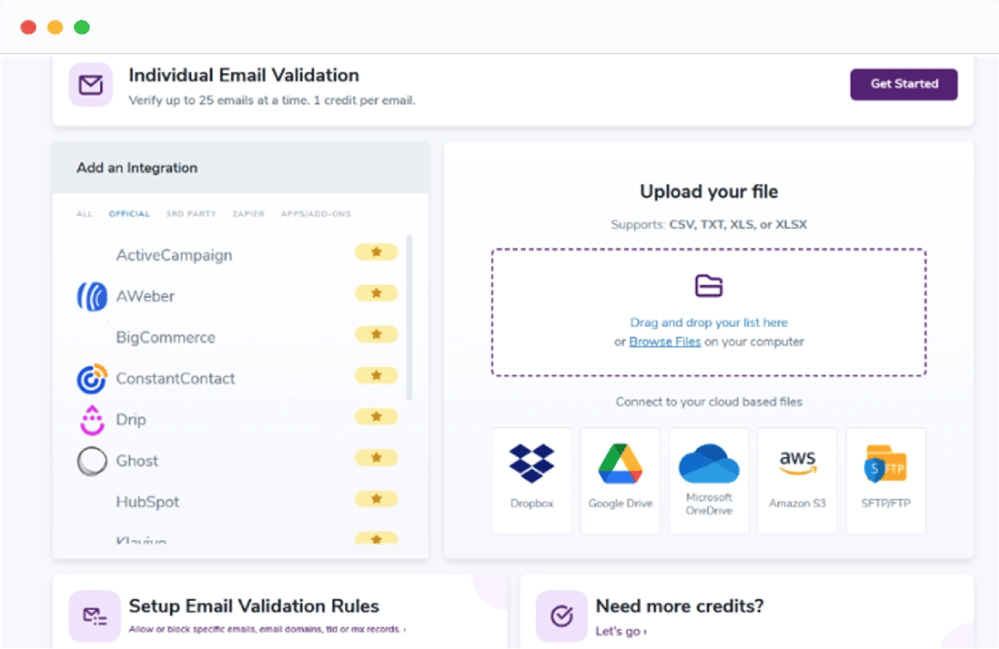
2. The email verification tool will check each email address found on your list.
Each email address undergoes a series of checks, including syntax, DNS records, and SMTP configuration. Depending on its functionality, it can also detect disposable domains, abusive spam complainers, and whether you're targeting a role-based or catch-all inbox.
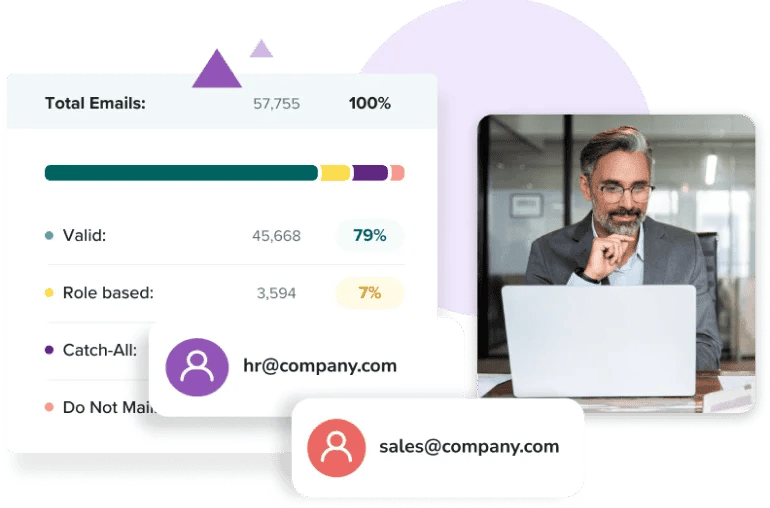
3. When the email verification is completed, you'll receive your results. In the file, all of your “valid” emails are now on one clean list. Other email address types are removed and separated.
Then, you can upload your list of valid contacts to your CRM or ESP. You can use any discovered role-based emails for email segmentation tests.
An email verification API helps you spot these types of emails during signup. It also works while cleaning lists in bulk.
While it's not a great practice for visitors to sign up using a role-based email as a primary email, they may do so to remain anonymous and protect their data. As a result, you'll need real-time email verification to detect them before they enter your database.
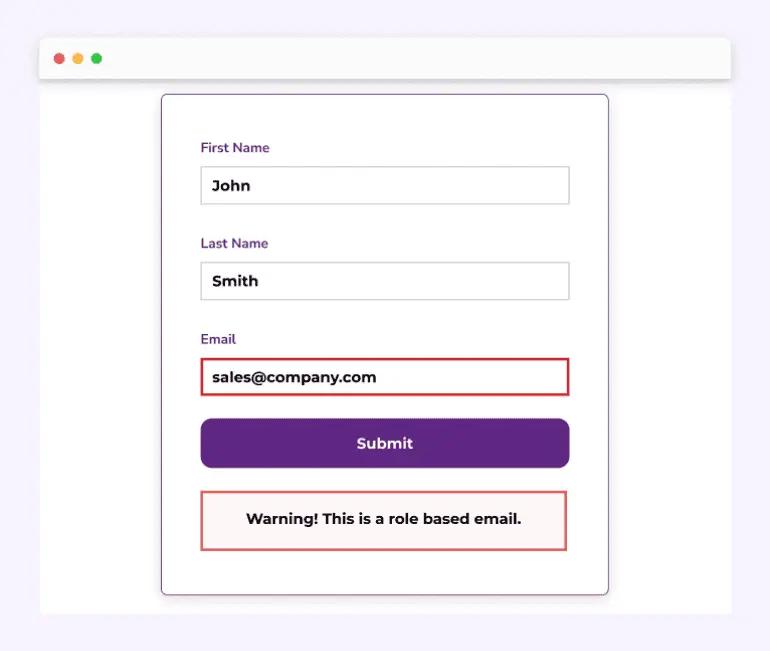
Email verification services like ZeroBounce give you a unique API key. You can then add the API to your website, landing pages, forms, and anywhere else you collect email data.
Don’t let risky email addresses sabotage your campaigns and sender reputation. ZeroBounce makes it easy to keep them off your email list. If you're ready to start cleaning your contacts, try a free ZeroBounce account. Get 100 free credits every month to validate email addresses.
A role-based email is a mailbox created for a team, department, or specific company role rather than a unique person. Here are some examples so you know what to look out for: support@domain, sales@domain, or team@domain.
Yes, you should avoid role-based emails in your marketing campaigns as they can trigger spam filters. These addresses also offer no way to prove individual consent, which can flag your outreach as spam. Some platforms may automatically cause your emails to bounce if they detect them on your list, too.
You shouldn't use role-based emails for mass B2B email marketing communications. Imagine you need to contact someone in a specific role at a company. In this case, it's recommended to use email segmentation to separate these contacts from your primary mailing list. Write a personalized email that addresses the indirect connection, explains your reason for contacting, and asks to be connected to the desired recipient. If you receive no response or the email is inactive, remove it from your database.
Contact roles signify the role a person plays in a potential business decision or relationship. Examples of contact roles would be a primary contact, a decision maker, or the product/service user. Understanding the role each person plays in the process helps you tailor your messaging to build your relationship. A better relationship increases the chance of a conversion.
Create your free ZeroBounce account now to get started.
Get 100 free monthly email verifications when you sign up with a business/premium domain.