
Docs
Docs
Some of our integrations will allow you to use more advanced functionalities like contact monitoring, scheduling and sharing.
Currently, this is only available for the following integrations: ActiveCampaign, BigCommerce, HubSpot, MailerLite, ConstantContact, Mailchimp, but we’re constantly working to expand our library. These will be referenced as compatible integrations in this document.
Contacts Monitoring Feature
With this feature, you’re able to validate any new contact added to your integration automatically. To do so, you must establish an integration with one of the compatible platforms. After doing this, select Integrations from the menu and select your integration. Once you’re there, go to the Real-Time Validation section, where you can toggle auto-validation ON.
With auto-validation enabled, ZeroBounce will validate your new contacts automatically once added to your integration, ensuring they are valid and deliverable.

ZeroBounce Auto Validation Feature
Clicking the View Automation History button will display all data obtained via the auto-validation and auto-score functionality.
Scheduling Feature
Using the scheduling feature, you’ll be able to choose the validation and scoring frequency for each particular list at your convenience.
On the Schedule Scoring & Validation section, click the pen icon to edit a particular list.
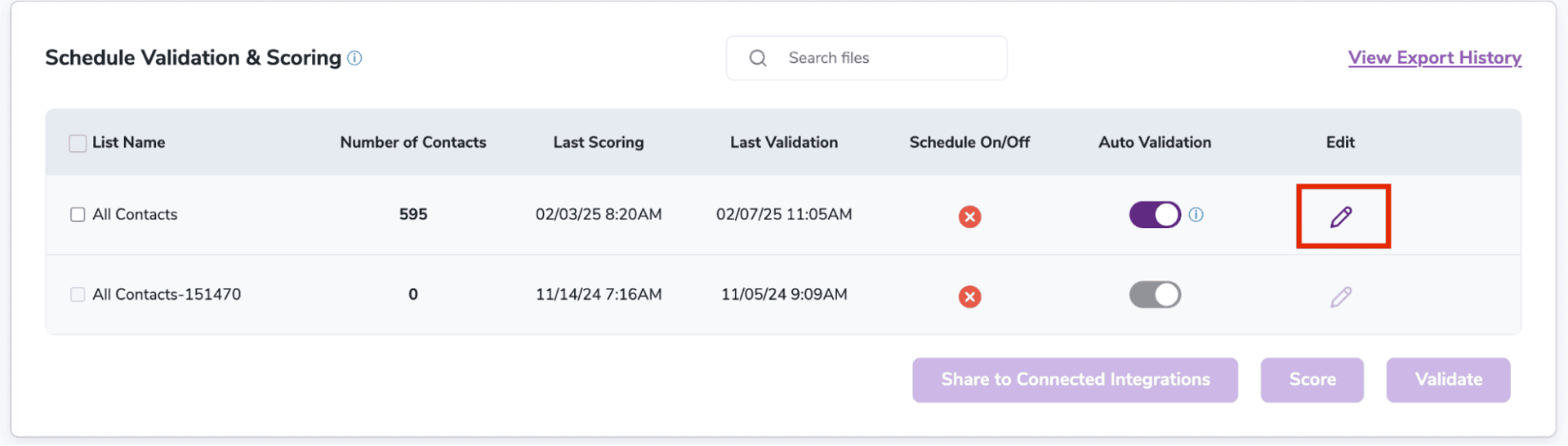
Editing an integration list
You should then see a pop-up where you can toggle the Schedule Validation and Scheduled Scoring options On or Off. You can also set the frequency for both, meaning that you can validate or score a list every X days.
You may also choose to validate all contacts every X days or only the new contacts.
Once you choose your options and click save, leave the rest to ZeroBounce. Make sure to visit this section regularly to check the results.
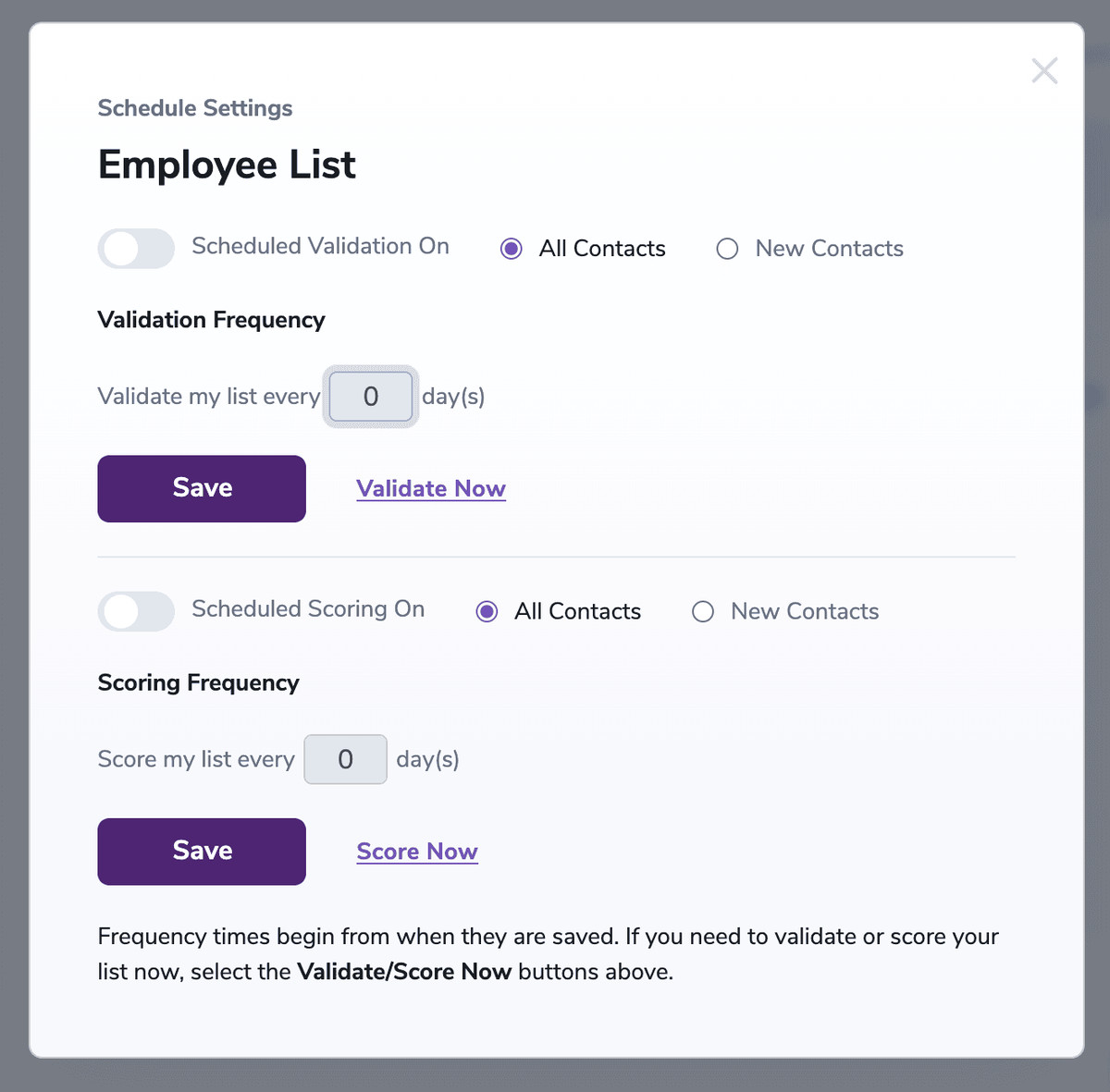
Presenting the Scheduling pop-up
Sharing Feature
With our sharing feature, you’ll be able to access your contacts lists and the validation results on multiple platforms. All you have to do is select your lists and share them with any of our compatible integrations.
On the Schedule Scoring & Validation section, you can check the lists from your connected integration and share them with other compatible connected integrations.
You can check any item except for the “All Contacts” item. Only valid lists can be selected.
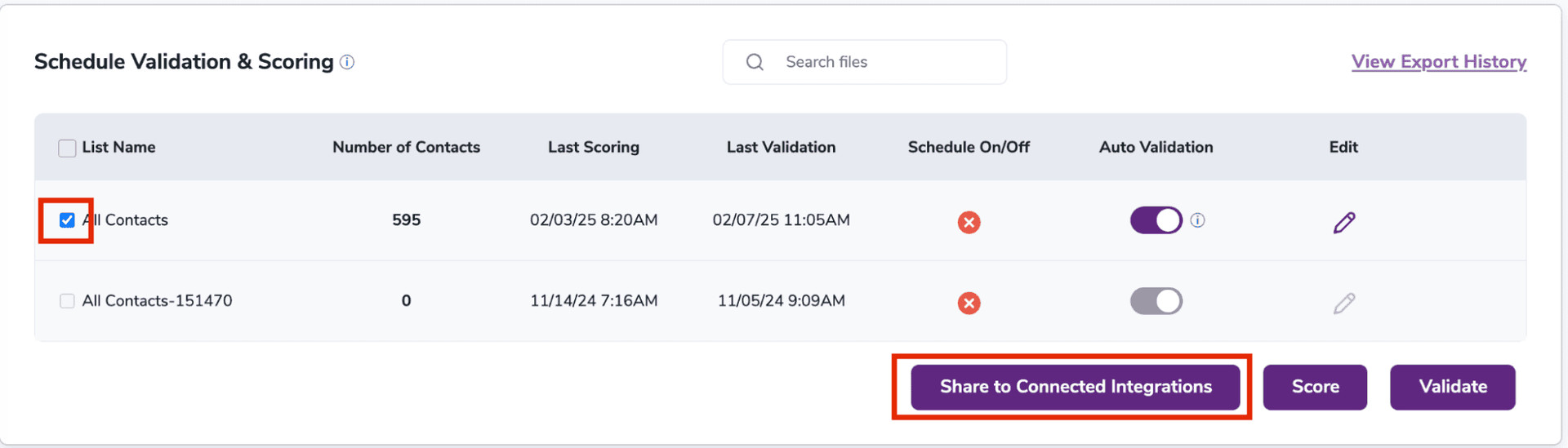
List of integration lists
Once you’ve selected your desired lists, click on the Share to Connected Integrations button.
Note: Only validated or scored lists can be shared.
A pop-up will appear displaying the number of lists you have selected alongside your compatible connected integrations. You can check as many compatible integrations from the list as needed. Once you’ve made your selection, press the Share to Integration(s) button to start the process.
Once that’s done, you can locate your list in your selected integrations!
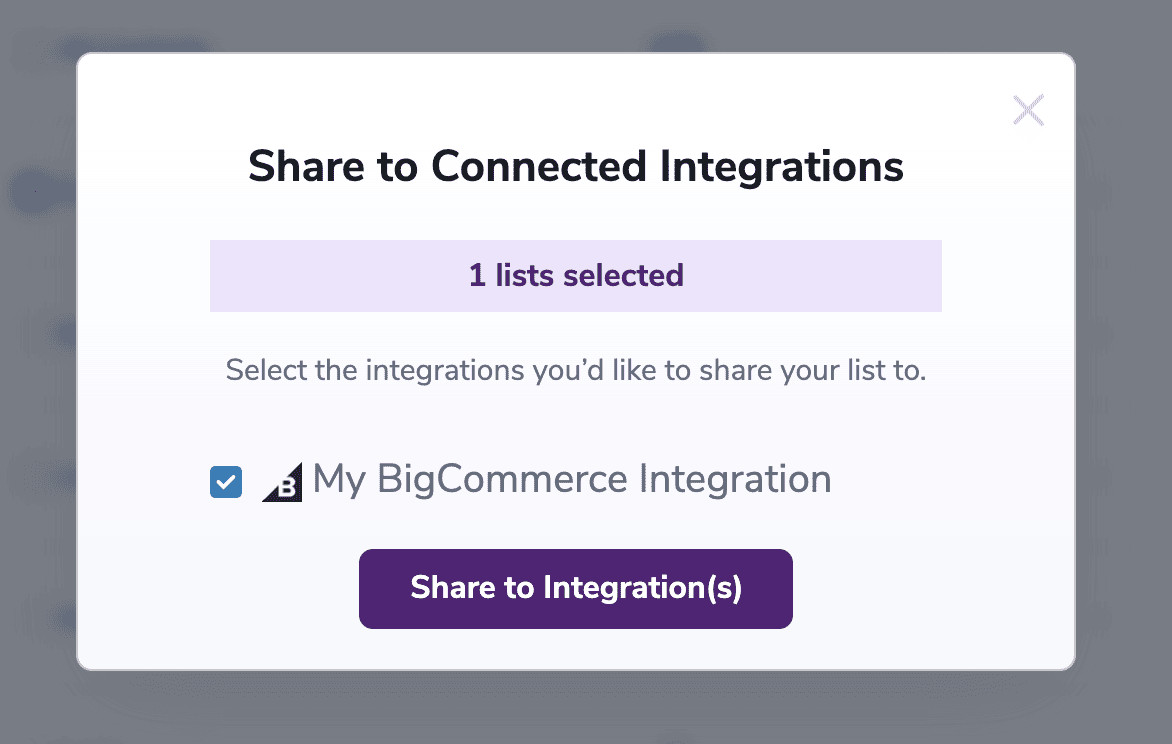
Share to Connected Integrations pop-up
Make sure to check the Shared History to view which lists were shared and their corresponding statuses!
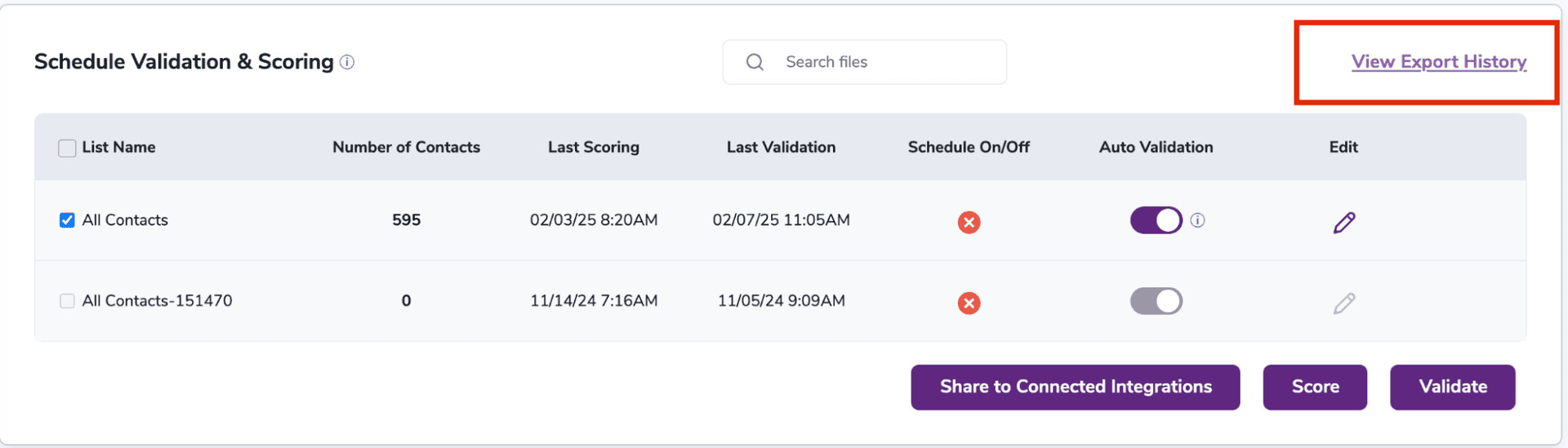
Shared History button
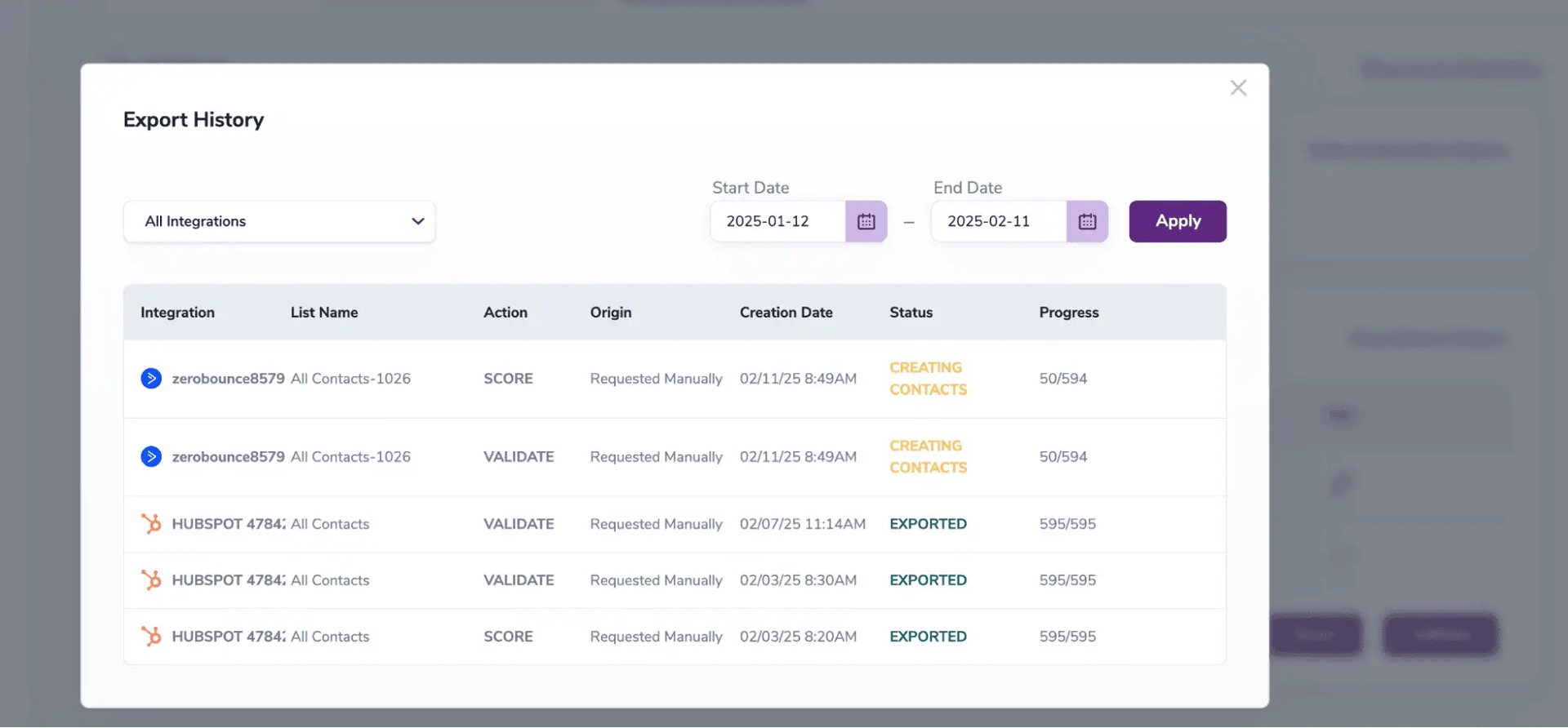
Shared History pop-up
