ZeroBounce Logo

Docs

Language Icon
  • Sign In
  • Sign Up Free

Languages

ZeroBounce ImageGetting Started
ZeroBounce ImageEmail List Validation
ZeroBounce ImageA.I. Email Scoring
ZeroBounce ImageEmail Finder
ZeroBounce ImageDomain Search
ZeroBounce ImageActivity Data
ZeroBounce ImageMulti-file upload
ZeroBounce ImageIntegrations
ZeroBounce ImageActiveCampaign Integration
ZeroBounce ImageAdobe Journey Integration
ZeroBounce ImageAdobe Marketo Integration
ZeroBounce ImageAmazon S3 Integration
ZeroBounce ImageAmazon S3 Bulk API
ZeroBounce ImageAWeber Integration
ZeroBounce ImageBigCommerce Integration
ZeroBounce ImageChatGPT Integration
ZeroBounce ImageClay.com Integration
ZeroBounce ImageCloudFlare Worker Integration
ZeroBounce ImageConstant Contact Integration
ZeroBounce ImageCustomer.io Integration
ZeroBounce ImageDrip Integration
ZeroBounce ImageEmail Validator Browser Extension
ZeroBounce ImageGhost Integration
ZeroBounce ImageGoogle Sheets Integration
ZeroBounce ImageHubSpot Integration
ZeroBounce ImageHubSpot Forms Integration
ZeroBounce ImageInfinity Integration
ZeroBounce ImageIntegrations Contacts Monitoring, Scheduling and Sharing
ZeroBounce ImageIterable Integration
ZeroBounce ImageJS Widget
ZeroBounce ImageKlaviyo Integration
ZeroBounce ImageLinkedIn Integration
ZeroBounce ImageMailchimp Integration
ZeroBounce ImageMailerLite Integration
ZeroBounce ImageMicrosoft Dynamics Integration
ZeroBounce ImageMonday.com Integration
ZeroBounce ImageMoosend Integration
ZeroBounce ImageOutreach Integration
ZeroBounce ImagePipeDrive Integration
ZeroBounce ImageSalesforce Integration v1.39
ZeroBounce ImageSFTP/FTP Integration
ZeroBounce ImageSFTP/FTP Bulk API
ZeroBounce ImageUnbounce Integration
ZeroBounce ImageWix Integration
ZeroBounce ImageWordPress/WooCommerce Plugins
ZeroBounce ImageZapier Integration
ZeroBounce ImageZendesk Sell Integration
ZeroBounce ImageZoho Integration
ZeroBounce ImageUsage Reports
ZeroBounce ImageYour ZeroBounce Account
ZeroBounce ImageEmail Validation API
ZeroBounce ImageEmail Finder API
ZeroBounce ImageDomain Search API
ZeroBounce ImageA.I. Scoring API
ZeroBounce ImageActivity Data API
ZeroBounce ImageList Evaluator API
ZeroBounce ImageApi Dashboard
ZeroBounce ImageAPI Wrappers
ZeroBounce ImageAPI Migration
ZeroBounce ImageFAQ
ZeroBounce ImageSecuring Your Account
ZeroBounce ImageAbout ZeroBounce
ZeroBounce ImageDeliverability Tools
ZeroBounce ImageStatus Page
  • Email Validation Homepage
  • Separator
  • Docs
  • Separator
  • API Integrations
  • Separator
  • Iterable Integration
API Integrations

EMAIL VALIDATION INTEGRATION FOR ITERABLE

Prerequisites

You must have an active Iterable account. If you do not have an account, you can create one at https://iterable.com/.

Step 1:

Authenticate with your Iterable email account or sign up.
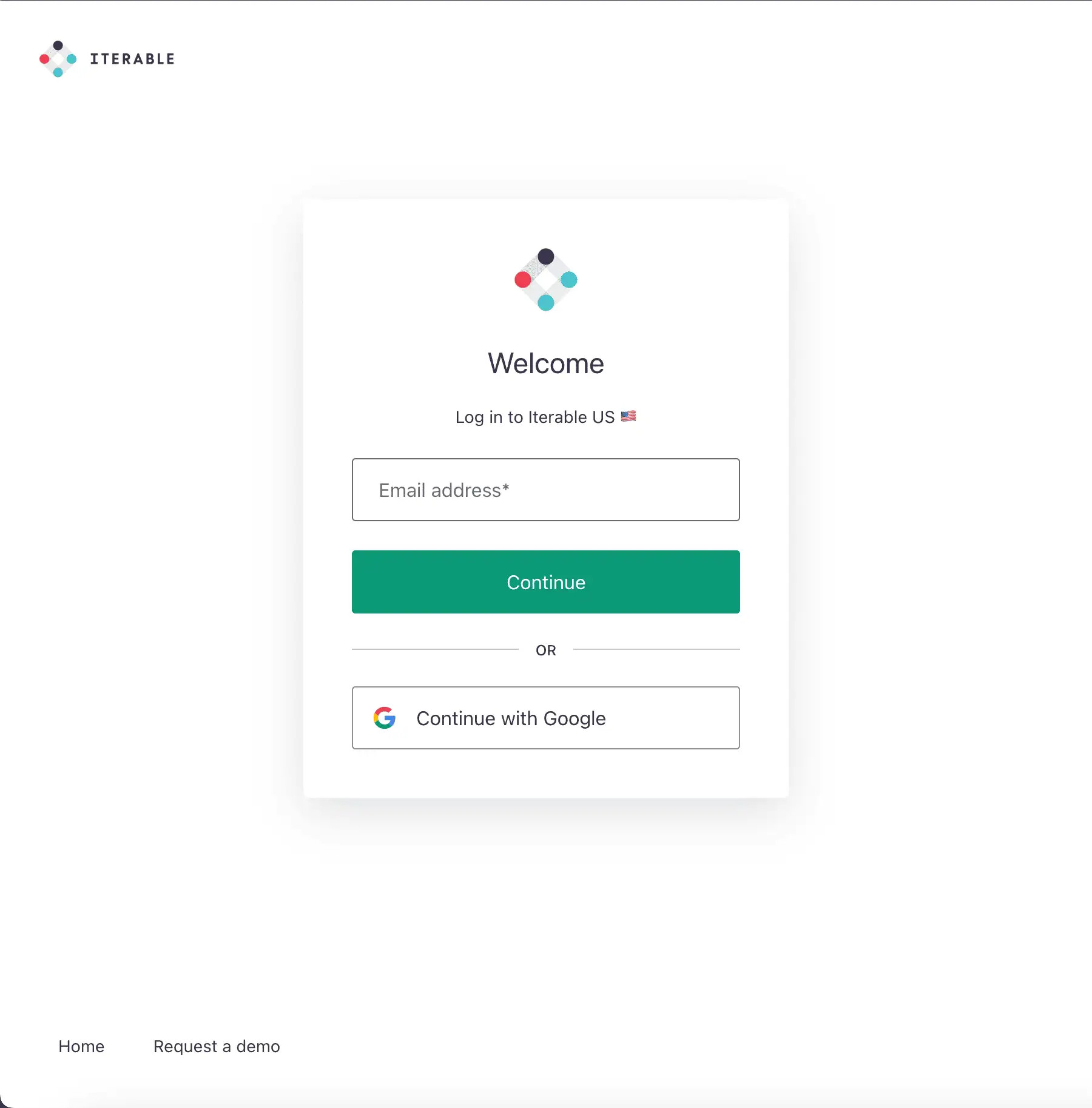
Iterable's authentication page

Iterable's authentication page

Step 2:

Create a new Iterable API Key.
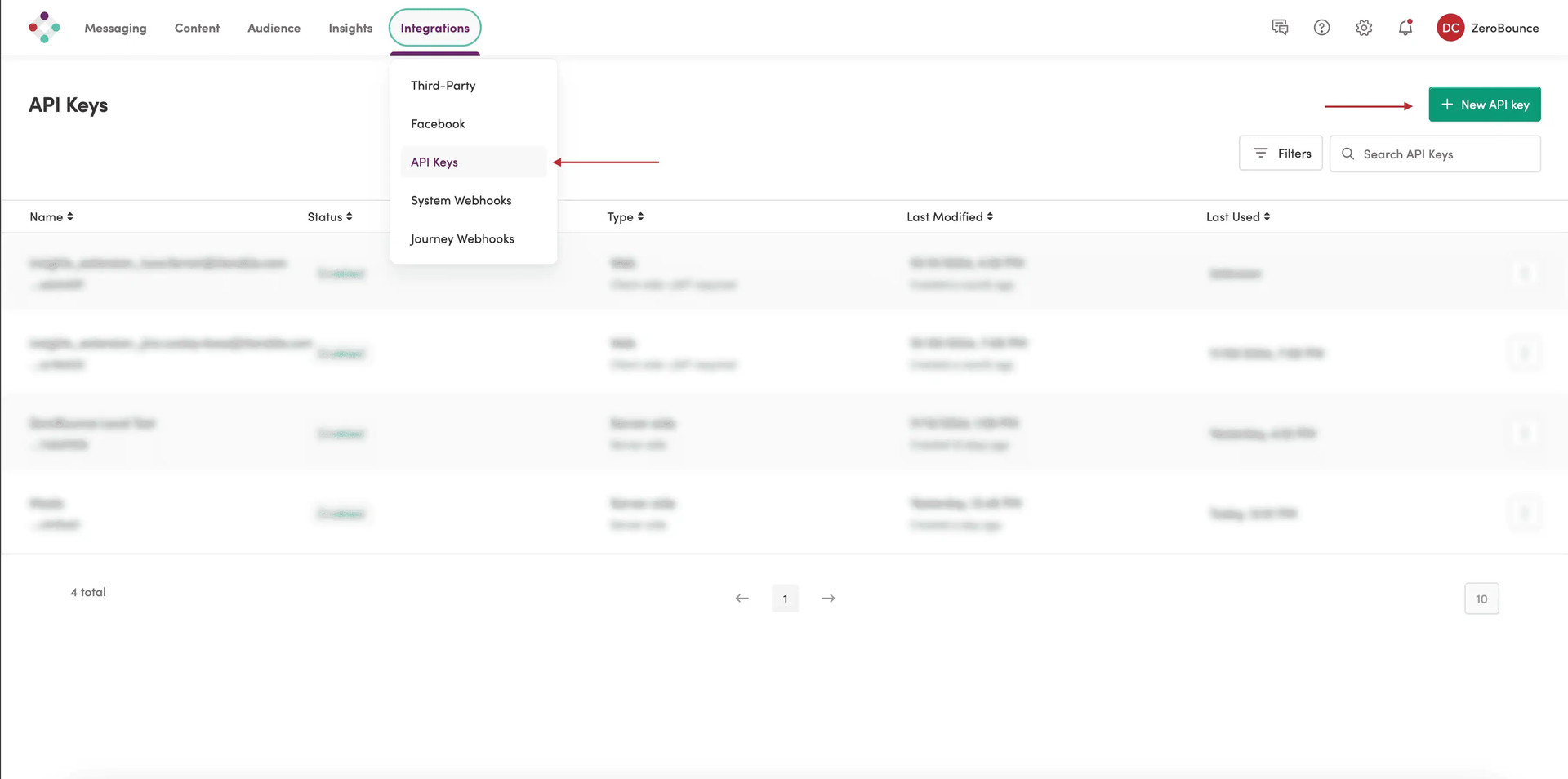
Iterable Integration Dashboard

Iterable Integration Dashboard

Step 3:

Add a name for the new API Key and select Server-Side as type from the dropdown.
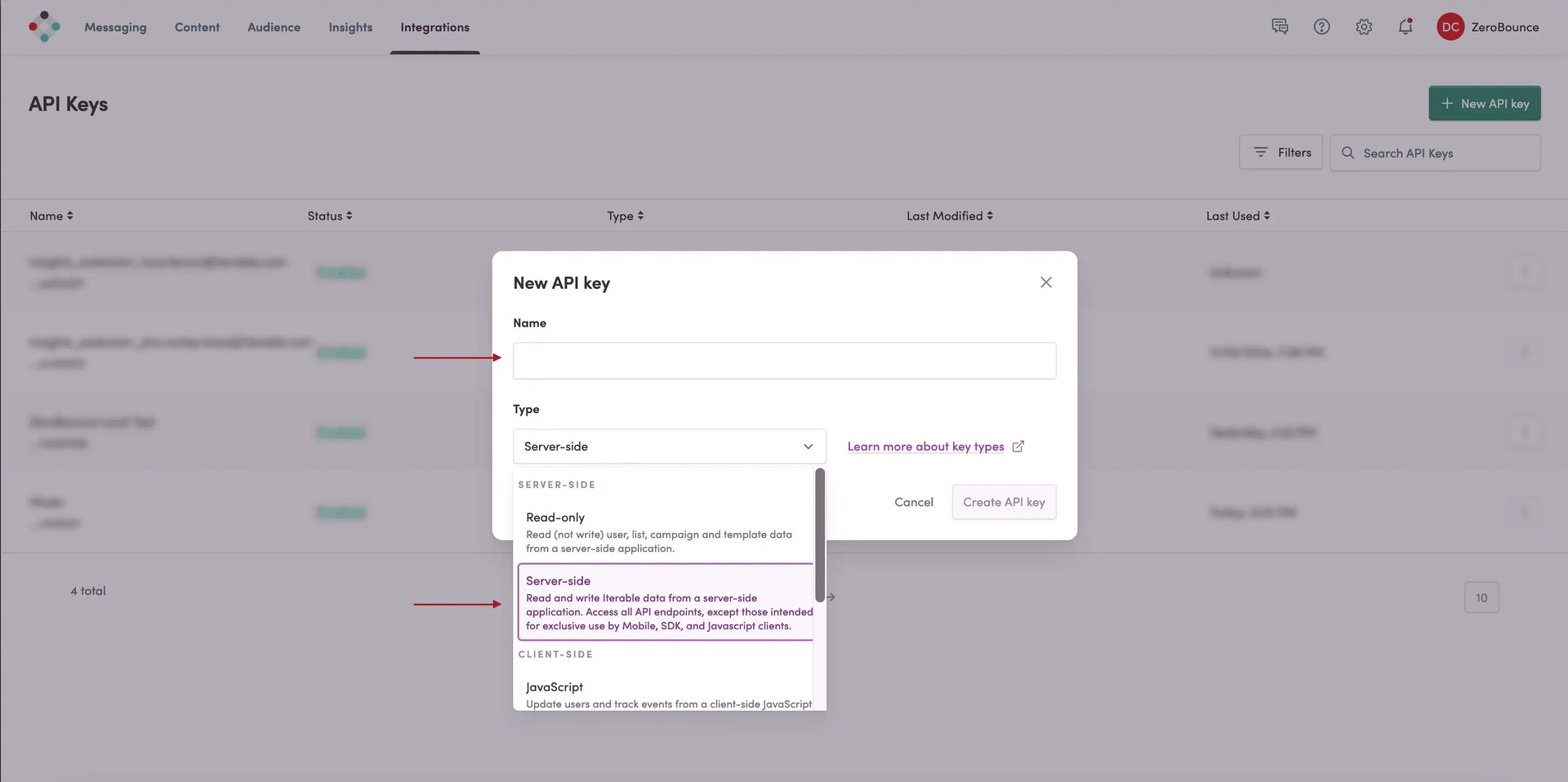
ZeroBounce Image

Step 4:

Go to https://www.zerobounce.net/members/signin and sign in with your ZeroBounce account. Find the 'Integrations' tab on the left side menu to select the Iterable integration.
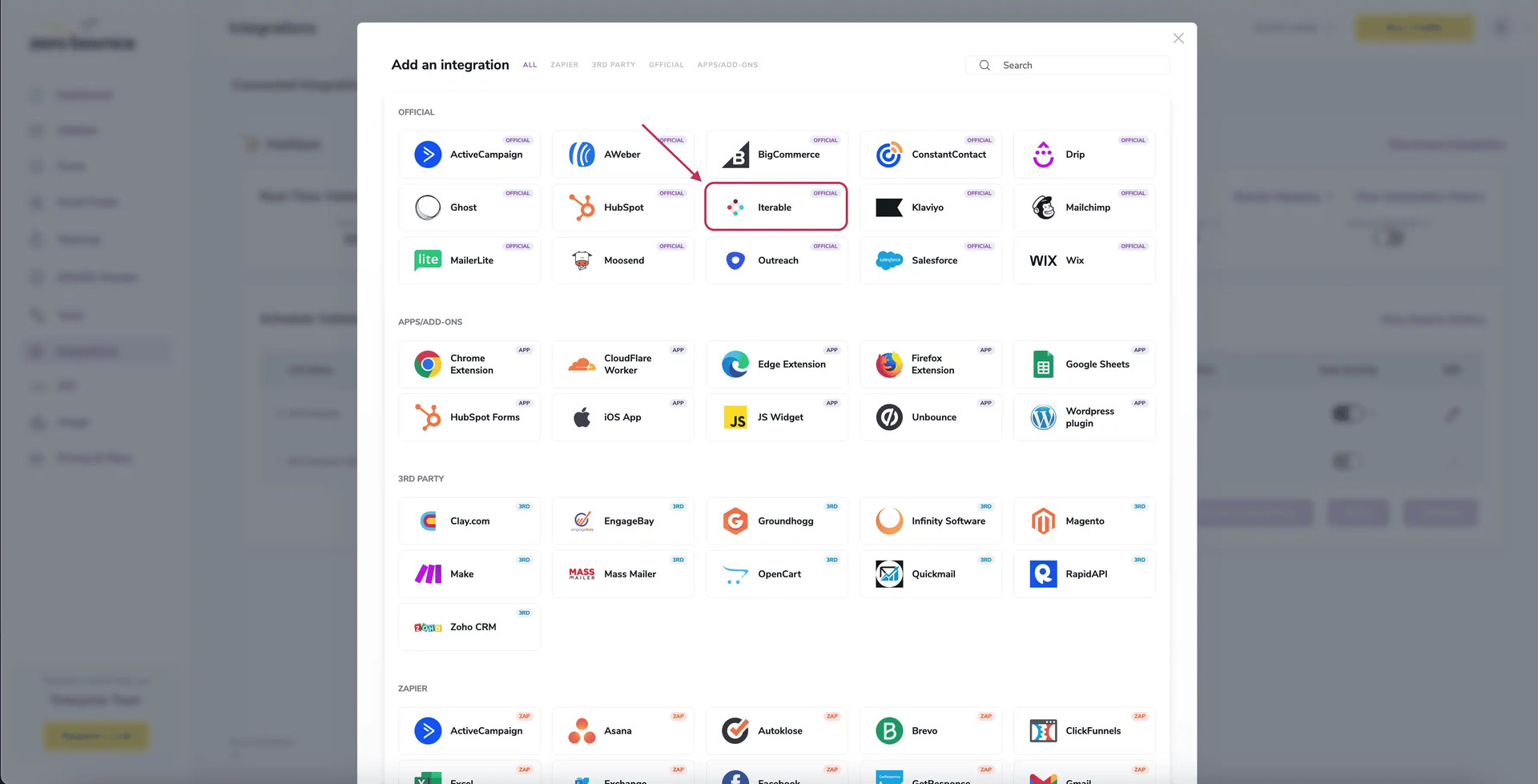
A popup greets you after selecting Iterable integration.

A popup greets you after selecting Iterable integration.

Step 5:

Insert the API Key created in the previous steps. Click Connect to proceed.
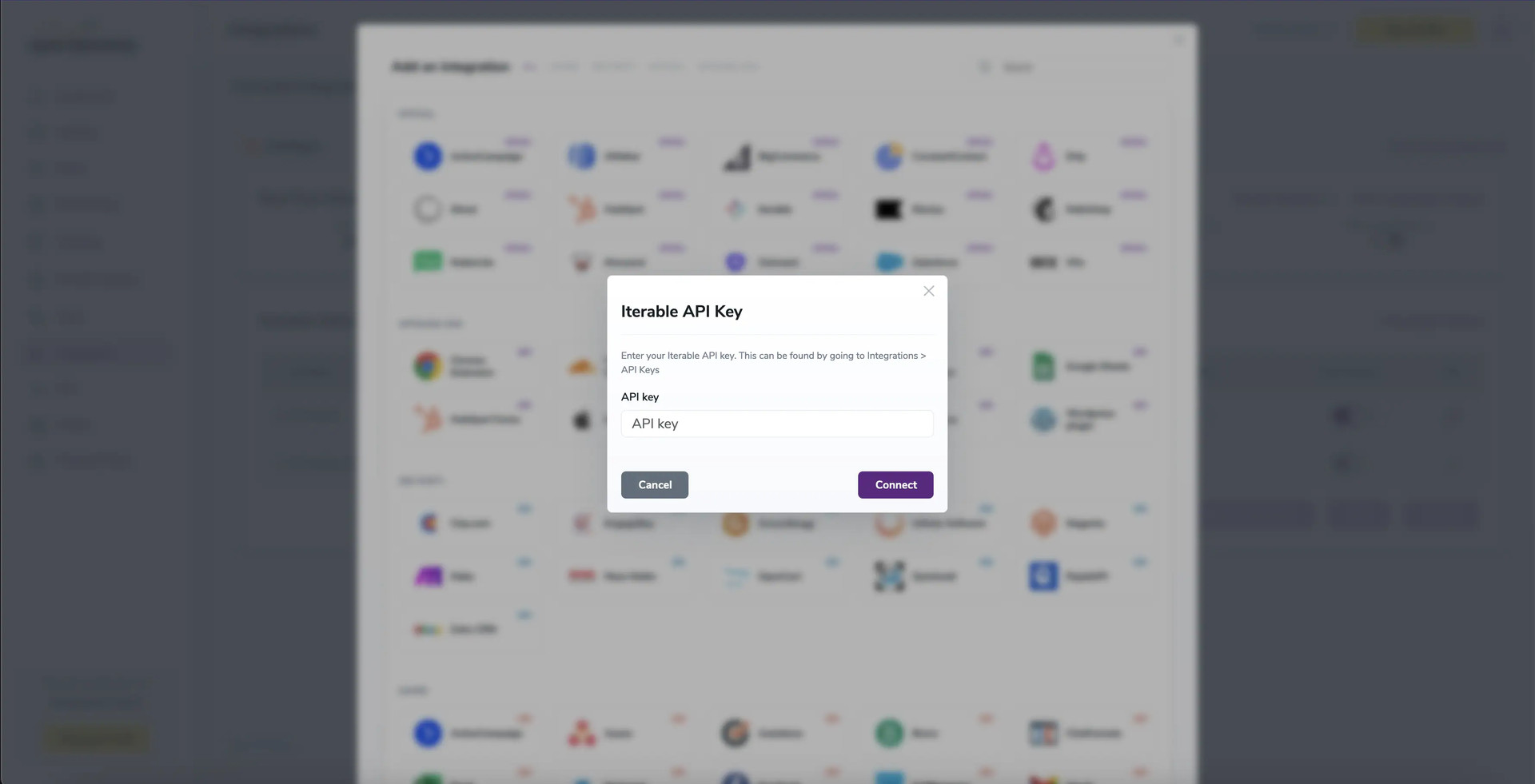
API Key modal

API Key modal

Step 6:

After a file or 'All Contacts' selection, options for Scoring or Validation become available.
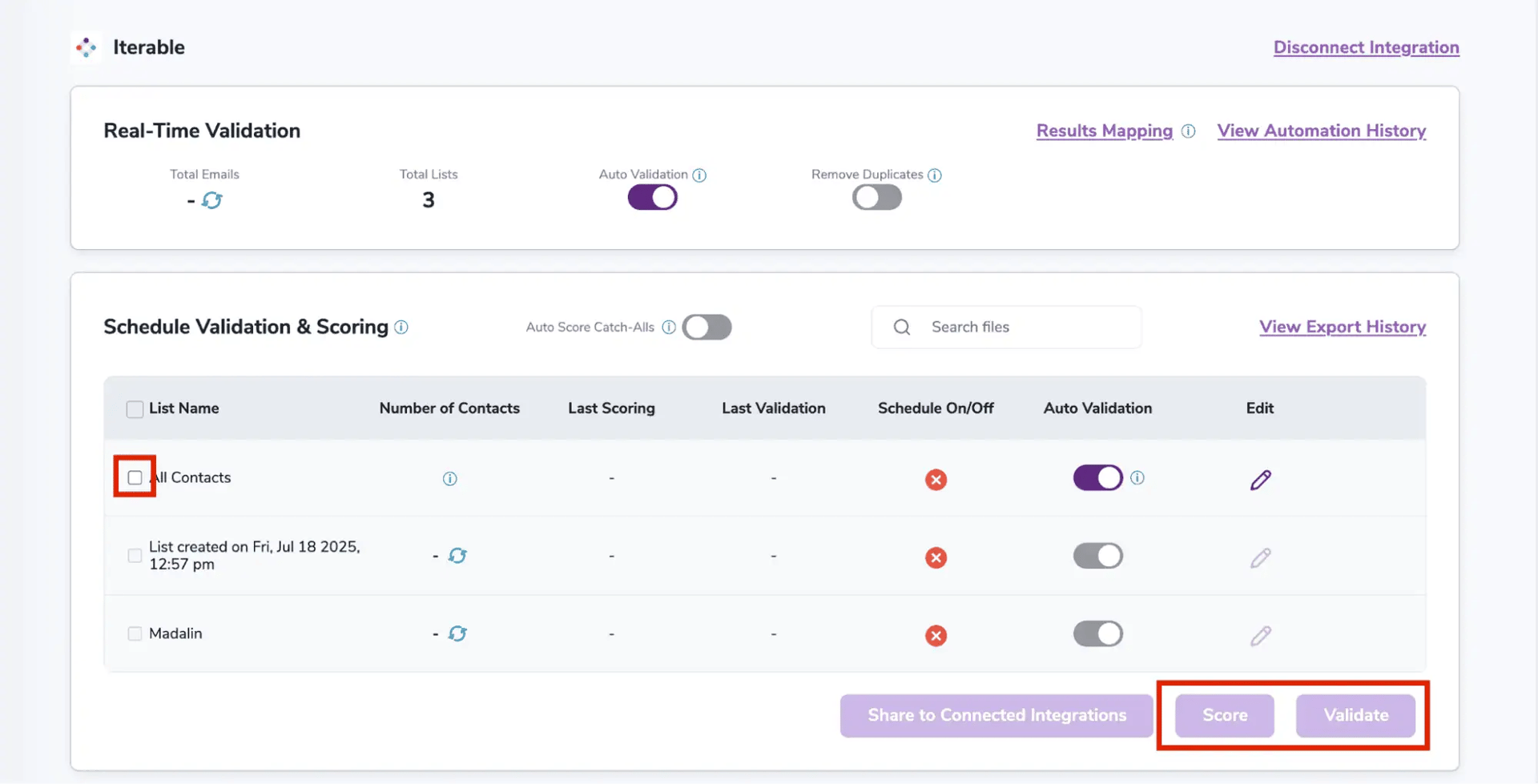
After successful integration, you will be able to view your lists in your ZeroBounce Dashboard.
After successful integration, you will be able to view your lists in your ZeroBounce Dashboard.

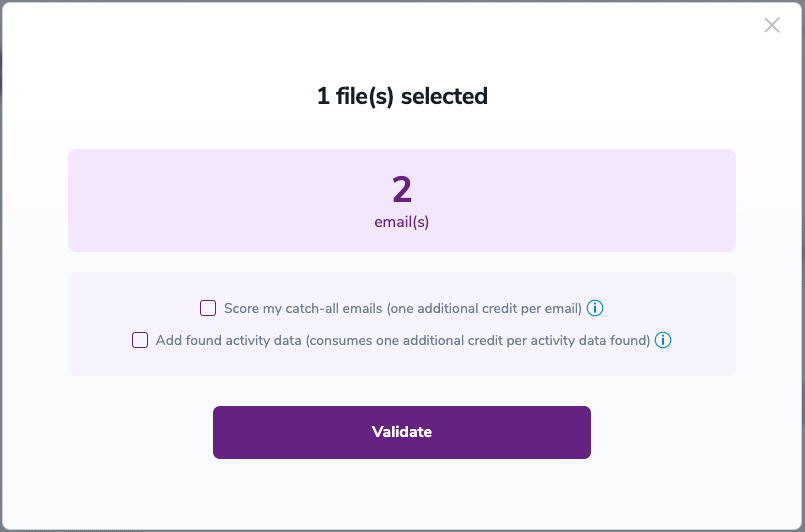
Validation Pop-up

Validation Pop-up

On validate you will be presented with a popup with two options that can assist your validation process:

  • Scoring - an optional service that helps identify catch-all addresses that are likely to be valid by detecting recent email activity.
  • ZeroBounce Activity Data - uses interaction data to identify emails that have been opened, clicked, forwarded, or unsubscribed. The matching process is performed in-house through ZeroBounce's infrastructure, and your data is not transferred or shared with any third parties.

Step 7:

Results Mapping simplifies data management by allowing you to customize the names of validation or scoring result fields/tags when exporting to integrations, ensuring consistency.
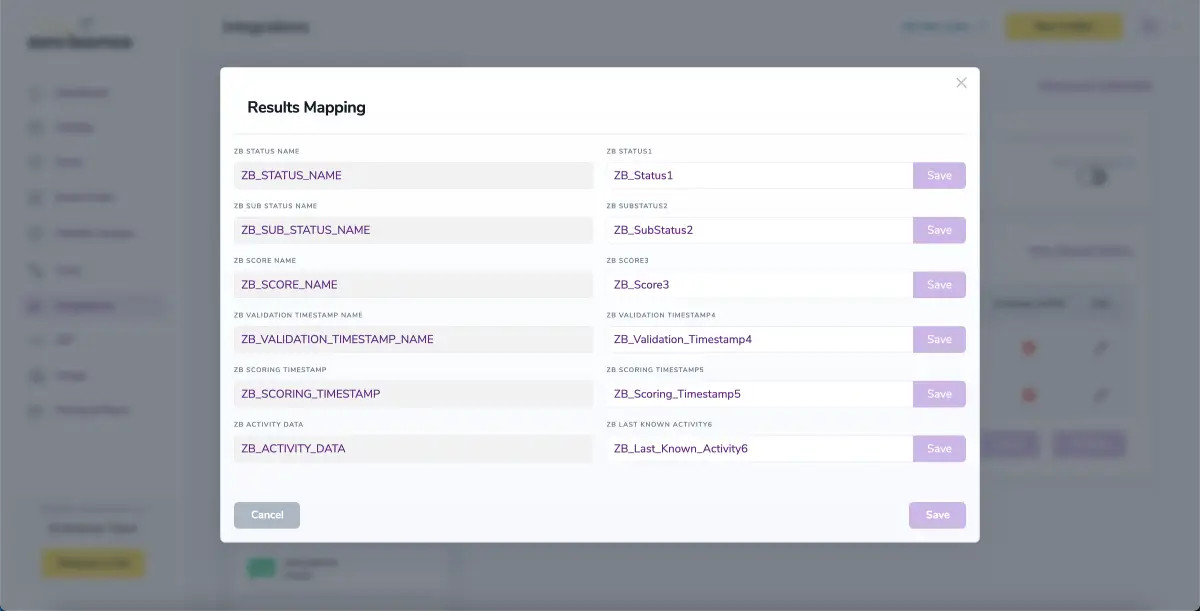
Results Mapping window

Results Mapping window

Auto-validation

With this feature, you’re able to validate any new contact added to your integration automatically. To do so, you must establish an integration with one of the compatible platforms. After doing this, select Integrations from the menu and select your integration. Once you’re there, go to the Real-Time Validation section, where you can toggle auto-validation ON.

With auto-validation enabled, ZeroBounce will validate your new contacts automatically once added to your integration, ensuring they are valid and deliverable.

Auto-Scoring of Catch-All Emailsⓘ

When this feature is enabled, catch-all emailsⓘ are automatically scored each time a validation action is performed. This process consumes 1 credit per email. Please note that auto-scoring does not apply to emails added through auto-validation.

NOTE:

There is also the possibility to share your contacts between integrations, schedule scoring and validation or monitor your contacts to validate any new contact automatically. To learn more about this, check out this dedicated page: Integrations Contacts Monitoring, Scheduling and Sharing.